
Key Takeaways
- Google Stitch is a free, AI-native UI design tool from Google Labs that launched at Google I/O 2025 and uses Gemini 2.5 Pro to generate UI designs from text or voice prompts.
- Figma AI adds AI features (image generation, layer renaming, component search, and Figma Make app generation) to Figma’s established canvas-based workflow, with plans starting at $15/user/month.
- V0 by Vercel generates production-ready React and TypeScript components using shadcn/ui and Tailwind CSS, with a free tier ($5 credits/month) and a Premium plan at $20/month.
- Google Stitch is the only fully free option, offering approximately 350 generations per month during its Google Labs experimental phase with no paid tier required.
- V0 is the strongest choice for developers who need working, framework-specific React code; Stitch and Figma AI both require more manual steps to reach production-ready components.
- Figma AI remains the leader for team collaboration, with real-time multiplayer editing, 2,000+ plugins, and enterprise compliance features none of the other tools match.
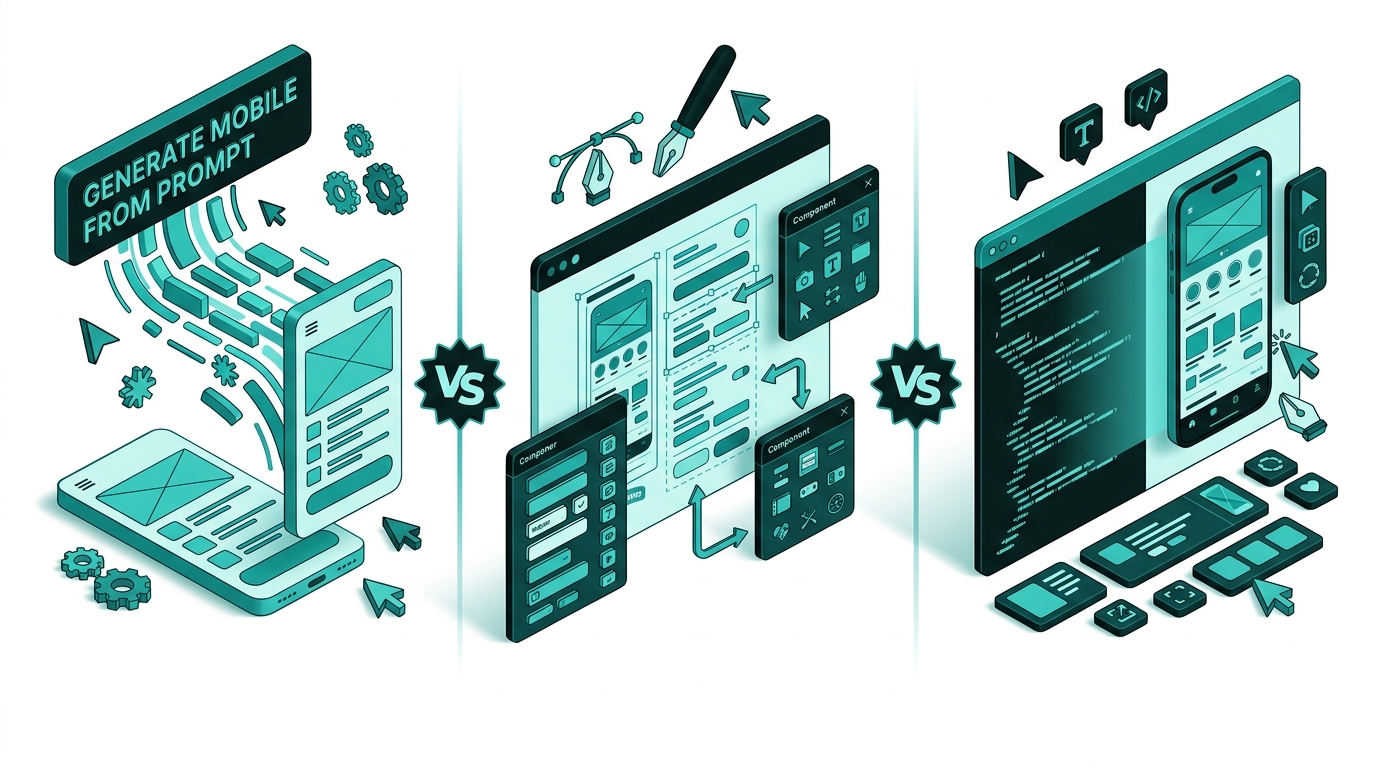
- A common workflow in 2026 is to use Stitch for ideation, export to Figma for refinement, then use V0 or a similar tool to generate production React components from the finalized design.
The AI design tool space moved fast in 2025 and 2026. Three names dominate the conversation right now: Google Stitch, Figma AI, and V0 by Vercel. Each one targets a different part of the UI workflow, and understanding those differences before you commit to one is the difference between a smooth pipeline and a lot of wasted time.
Google Stitch arrived at Google I/O 2025 with a bold promise: turn plain-language prompts into complete UI designs in minutes, with no design background required. Figma, the long-standing industry standard, answered by embedding AI directly into its existing canvas. And V0 by Vercel has quietly become the go-to tool for developers who need real, working React components rather than static mockups. This comparison covers what each tool actually does, what it costs, and which type of team or project it fits best.
The short answer is that none of these tools is a clear winner across every scenario. The right choice depends on whether you are a designer, a developer, a solo founder, or a cross-functional team, and on whether you need visual exploration, polished collaboration, or deployable code. Read on for a breakdown that makes the decision straightforward.
Quick Comparison
| Feature | Google Stitch | Figma AI | V0 by Vercel |
|---|---|---|---|
| Primary use | AI-native UI ideation | Full design workflow + AI | React component generation |
| Target user | Founders, PMs, developers | Professional design teams | Frontend developers |
| Code output | HTML/CSS (framework-agnostic) | Dev Mode reference code | React/TypeScript (production-ready) |
| Voice input | Yes (Voice Canvas) | No | No |
| Team collaboration | Limited | Full multiplayer editing | Team plan available |
| Free tier | Yes (~350 generations/month) | Yes (limited, Starter plan) | Yes ($5 credits/month) |
| Paid pricing | Free (experimental) | From $15/user/month | From $20/month (Premium) |
| Figma export | Yes | Native | Import on Premium plan |
| Design systems | Basic, AI-generated | Mature, with variants and libraries | shadcn/ui built-in |
| Plugin ecosystem | None | 2,000+ plugins | Limited |
What is Google Stitch?
Google Stitch is an AI-native UI design tool from Google Labs, launched at Google I/O 2025. It uses the multimodal capabilities of Gemini 2.5 Pro to convert natural language prompts, uploaded sketches, wireframes, or screenshots into fully structured UI designs and front-end code. The tool is designed for anyone who wants to go from idea to prototype without needing traditional design skills.
Stitch operates on an AI-native, infinite canvas that is fundamentally different from tools like Figma. Rather than a mouse-driven workspace with panels and menus, Stitch treats text and voice as the primary input. Its Voice Canvas feature lets users speak design instructions directly (asking for three different menu layouts, requesting a color palette change, or triggering a live design critique) and see results update in real time. The tool also supports a “vibe design” approach where it generates multiple design directions simultaneously, so teams can explore four to ten options at once rather than iterating on a single concept.
Output from Stitch comes in two forms: designs that can be pasted directly into Figma, and HTML/CSS code for direct developer use. The code output is framework-agnostic, which gives it broader compatibility than tools tied to a single stack. As of 2026, Google Stitch is still free as part of its Google Labs experimental phase, offering roughly 350 generations per month on Gemini 2.5 Flash. Collaboration features are currently limited, making it best suited for solo ideation and early-stage design exploration rather than coordinated team workflows.
What is Figma AI?
Figma AI is not a standalone product. It is a suite of AI-powered features built into Figma’s established design platform. Figma has been the industry standard for collaborative UI/UX design since 2016, and its AI additions extend that foundation rather than replace it. Key AI capabilities include image generation and editing, background removal, resolution boost, AI-powered component and asset search, automated layer renaming, and content replacement with tone adjustment.
The most significant AI feature is Figma Make, which allows users to describe an app or interface in plain language and generate a working prototype directly within the Figma environment. AI credits power all of these features, with allocations ranging from 500 to 4,250 credits per month depending on the plan and seat type. When credits run out, teams can purchase shared AI credit add-ons starting at $120/month for 5,000 credits, or use pay-as-you-go billing at $0.03 per credit (rolling out in Q2 2026).
Figma’s broader platform advantages are unchanged: real-time multiplayer editing, a plugin library with over 2,000 integrations, robust prototyping with interactive flows and user testing support, and enterprise-grade security and compliance features. The Professional plan costs $15/user/month billed annually ($20/month billed monthly), the Organization plan runs $55/user/month (annual only), and the Enterprise plan is $90/user/month (annual only). A Starter plan is free for individual use with limited features. Figma AI is the right choice when design system consistency, team coordination, and production-quality output all matter.
What is V0 by Vercel?
V0 by Vercel is an AI component generator built specifically for front-end developers. Rather than producing visual mockups or static designs, V0 generates functional React and TypeScript components built on the shadcn/ui component library with Tailwind CSS styling. The result is code that can be dropped directly into a Next.js or React project with minimal cleanup required.
V0 accepts natural language prompts describing the component or interface you need. You can describe a pricing table, a signup form, a navigation bar, or any other UI element, and V0 returns working component code structured for modern React workflows. The tool also supports GitHub repository syncing, direct deployment to Vercel, and visual editing through Design Mode. On the Premium plan and above, Figma import is available, allowing teams to bring polished designs in from Figma and convert them into working components.
Pricing for V0 follows a credit-based system. The free tier includes $5 of monthly credits. The Premium plan costs $20/month and includes $20 of monthly credits plus the ability to purchase additional credits. The Team plan is $30/user/month and adds shared credits, centralized billing, and team collaboration features. A Business plan at $100/user/month and custom Enterprise pricing are also available for larger organizations. Credits are metered on token usage rather than message counts, making costs more predictable as usage scales. V0 is narrowly focused. It excels at generating individual components for developer-led projects but is not designed for full design system management or visual collaboration.
Feature-by-Feature Breakdown
UI Generation Quality
Google Stitch produces the most visually polished initial drafts of the three tools when it comes to full-screen layouts. Because it generates multiple design directions at once, teams can compare options quickly rather than refining a single direction. The Gemini 2.5 Pro foundation means it handles complex multi-screen flows and mobile-web responsive layouts without heavy prompt engineering. The trade-off is that Stitch’s designs can feel generic without extensive iteration, and the AI-generated component quality is not as precise as what experienced designers produce in Figma.
Figma AI’s generation quality depends heavily on the context of the prompt and the maturity of the existing design system. Within an established project, Figma Make can generate interfaces that match the team’s visual language because it draws on existing components and styles. For new projects without a design system, the output is more average. V0 scores highest for component-level code quality. The generated React components follow modern conventions, use typed props correctly, and integrate with shadcn/ui’s accessibility-ready primitives. For production-bound UI elements, V0’s output requires less rework than either of the other tools.
Design-to-Code Workflow
This is where the three tools diverge most sharply. Google Stitch is positioned at the front of the pipeline. It generates an idea quickly, exports to Figma or spits out HTML/CSS, then hands off to other tools for the next stage. The code it produces is usable for prototyping but not production-grade for complex applications. There is no built-in deployment pathway.
Figma AI sits in the middle of the workflow. Dev Mode provides developers with accurate measurements, CSS snippets, and asset exports from the design file. Figma Make can generate basic working prototypes, but Figma is primarily a design tool. The code output is reference material rather than production code. The workflow from Figma to production still requires a development handoff step.
V0 is built for the end of the pipeline. It takes a description or an imported design and outputs deployable React code. The GitHub sync and native Vercel deployment mean that a component can go from prompt to live URL without leaving the V0 environment. For developer-led teams working in Next.js or React, this is the most complete design-to-code workflow of the three.
Collaboration Features
Figma AI wins this category without contest. Real-time multiplayer editing, branching, commenting, version history, and shared component libraries have been core Figma features for years. AI tools are layered on top of this proven infrastructure. Figma also supports design reviews, developer handoff workflows, and organization-wide design systems that multiple teams can access and contribute to simultaneously.
V0’s Team plan adds shared credits and centralized billing, and multiple team members can work within the same account. However, real-time collaborative editing of a single component is not a V0 feature. Collaboration happens through the GitHub integration rather than within the V0 interface itself. Google Stitch currently has the weakest collaboration story of the three. It is largely a solo-use tool, and team workflows require exporting to Figma or another platform. For any team larger than one or two people working in parallel, Figma AI is the only tool in this comparison that fully supports coordinated design work.
Pricing
Google Stitch is free, full stop. During the Google Labs experimental phase, users get approximately 350 generations per month on Gemini 2.5 Flash at no cost. There is no paid tier, no credit card required, and no time limit announced. This makes it the lowest-risk tool to try and the most accessible for bootstrapped founders or teams that cannot justify a design tool subscription.
V0 is next most affordable. The free tier’s $5 monthly credits cover light use and exploration. The Premium plan at $20/month gives developers a solid monthly credit allocation and unlocks Figma import. The Team plan at $30/user/month is competitive for small development teams. Figma AI is the most expensive option. The free Starter plan is very limited, and Professional at $15/user/month (annual billing) is the minimum for meaningful team use. Organization and Enterprise plans at $55 and $90/user/month respectively, plus potential AI credit add-ons, mean that a 20-person design team can be paying well over $10,000 per year for Figma. That cost is justified for teams that live in Figma all day, but it is a significant investment compared to the alternatives.
Learning Curve
Google Stitch has the lowest barrier to entry. The voice and text interface means no design skills or training are required. A product manager, developer, or founder can generate a realistic UI concept within their first session. The main learning curve is prompt crafting: understanding how to describe layout, hierarchy, and style in a way that produces useful output. This takes a few sessions to get right but is far less demanding than learning Figma from scratch.
V0 also has a gentle learning curve for developers already familiar with React and Next.js. Writing prompts for component generation is natural for engineers comfortable with technical language. The shadcn/ui and Tailwind output is straightforward to read and modify. For non-developers, V0 becomes significantly harder to use productively once you get past simple generation and need to modify the output. Figma has the steepest learning curve of the three, especially for users without design background. While Figma AI lowers some of that barrier with natural language shortcuts, the core workspace (auto layout, component properties, constraints, and styles) still requires meaningful investment to master. Design teams that already use Figma see no extra learning curve from the AI additions, but new users face weeks of onboarding before they are fully productive.
Who Should Use Which?
Use Google Stitch if: You are a solo founder, product manager, or developer who needs to visualize ideas quickly without hiring a designer. Stitch is ideal for early-stage product exploration, investor pitch mockups, and generating multiple design concepts for team review. It is also a strong fit for any team that wants to test design directions before committing to Figma production work. The free price point makes it a zero-risk addition to any workflow.
Use Figma AI if: You are part of a professional design team that collaborates in real time, manages a living design system, and hands off production-ready specs to developers. Figma AI is for teams where design quality, brand consistency, and multi-stakeholder review are non-negotiable. If your organization already uses Figma, the AI additions are a natural upgrade. For design agencies, product companies with dedicated design teams, and enterprises with compliance requirements, Figma AI is the right choice.
Use V0 by Vercel if: You are a frontend developer or a developer-led startup that needs working React components fast. V0 is the best tool when the end goal is production code rather than a design artifact. It fits teams building in Next.js or React who want to accelerate component creation, skip boilerplate, and deploy directly to Vercel. It also fits designers who have polished a layout in Figma and want to convert it into a structured codebase quickly using the Figma import feature on the Premium plan.
Many teams in 2026 use all three in sequence: Stitch for the initial ideation sprint, Figma AI for design system refinement and team review, and V0 for converting finalized components into deployable React code. This layered workflow plays to each tool’s strengths without forcing any of them to do something they are not built for.
For more comparisons of AI tools for creative and design workflows, see our review of Canva AI comparison and our coverage of the best AI tools across every category.
Verdict
For the primary keyword “google stitch vs figma ai,” the honest answer is that these two tools compete for different moments in the design process rather than for the same user. Google Stitch wins the ideation phase: it is faster, cheaper (free), and accessible to anyone regardless of design background. Figma AI wins the production phase: it is more precise, better for teams, and supported by a mature ecosystem that no other tool currently matches.
V0 by Vercel enters the picture as a best-in-class bridge between design and development. If your team’s bottleneck is the handoff from design to working code, V0 solves that faster than either Stitch or Figma AI can. If your bottleneck is generating ideas quickly or collaborating on polished designs, V0 is not the right starting point.
The broader verdict: Google Stitch is the most exciting new entrant in this space, and its free availability makes it worth adding to any design workflow immediately. Figma AI is still the professional standard and will remain so for teams that need collaboration at scale. V0 is the developer’s shortcut and is increasingly essential for React-based projects. Used together, these three tools cover the entire journey from idea to shipped product.
Frequently Asked Questions
The choice between Google Stitch, Figma AI, and V0 ultimately comes down to where you are in the product development cycle and what your team looks like. Stitch removes friction from the idea stage and costs nothing. Figma AI remains the professional standard for design teams that collaborate at scale. V0 closes the gap between design and production code faster than either alternative can. Start with Stitch for free, upgrade to Figma when your team grows, and add V0 when your developers need a faster path to working React components.


