Key Takeaways
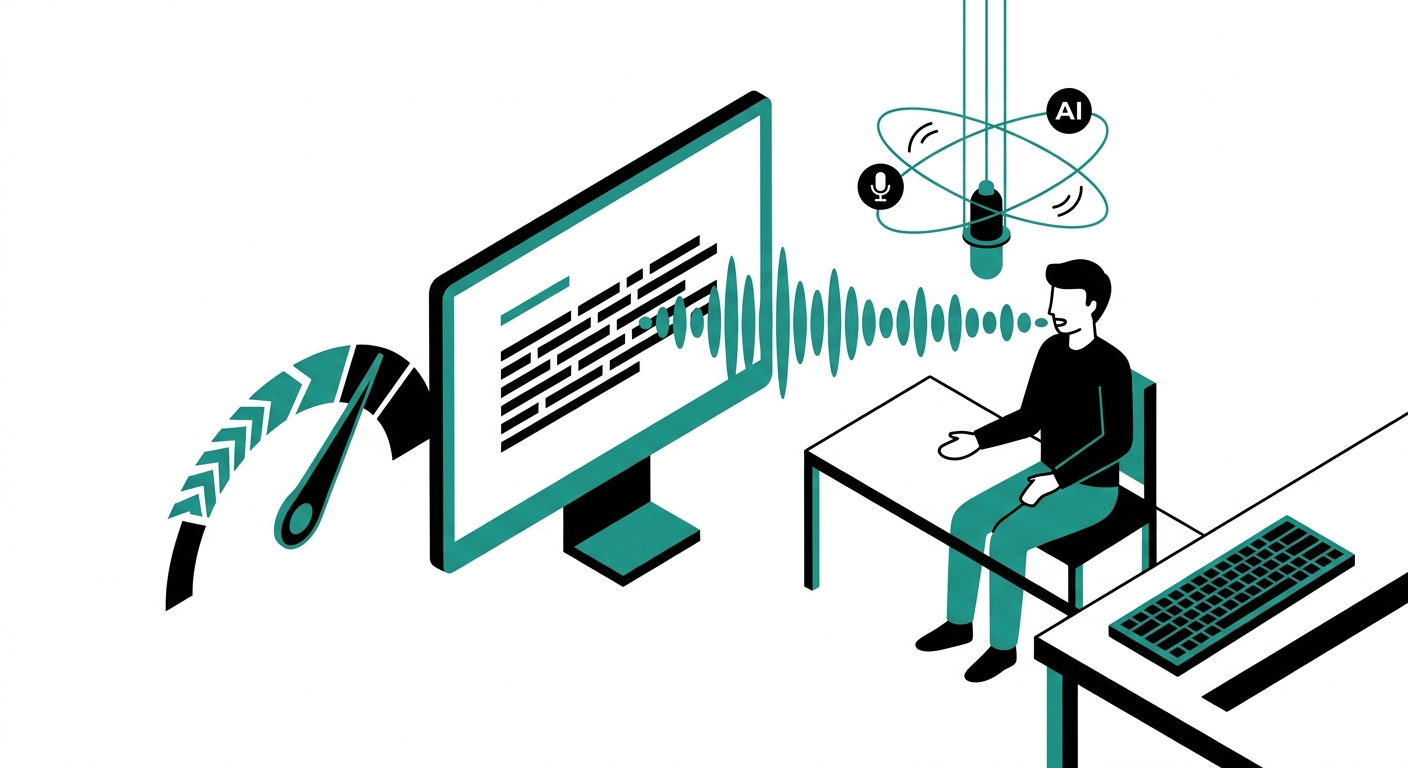
- The average person speaks at 130-150 words per minute but types at only 38-40 WPM, making voice dictation roughly 3.5x faster than typing for most people.
- Wispr Flow processes over 500 language patterns per second and claims 95%+ accuracy across technical terms, names, and mixed-language speech.
- Aqua Voice’s proprietary Avalon model starts up in under 50ms and achieves 99.1% out-of-the-box accuracy, making it one of the fastest-launching tools in the category.
- Superwhisper uses on-device Whisper models on Apple Silicon Macs, meaning your audio never leaves your machine – a major privacy advantage over cloud-only tools.
- Dragon Professional remains the most specialized option for legal and medical workflows, but costs $699 for a one-time license and is Windows-only.
- The global speech recognition market surpassed $30.2 billion and is projected to grow at 18.3% through 2030, reflecting strong demand for voice productivity tools.
- Someone writing 3,000 words per day of emails, messages, and documents can save roughly 50 minutes daily by switching from typing to voice dictation.
- Windows 11 includes a free built-in voice typing tool activated with Win+H, while macOS offers Apple Dictation at no cost – both viable starting points before committing to paid tools.
- Reddit productivity communities flag privacy as the top concern: cloud tools send audio to external servers, while local tools like Superwhisper and VoiceTypr keep everything on-device.
You already speak three times faster than you type. The gap between what your brain produces and what your fingers deliver costs real time every single day. A writer producing 2,000 words at a keyboard is spending nearly an hour on pure mechanical effort that voice dictation can cut down to 20 minutes.
The AI voice dictation category has matured significantly since the clunky Dragon days of the early 2000s. Today’s tools handle filler word removal, context-aware formatting, and technical vocabulary with far less friction. But not every tool fits every workflow. A lawyer dictating briefs needs something different from a developer narrating code comments or a podcaster transcribing interviews.
This guide covers 9 of the best AI voice dictation tools available right now, based on live research, user reviews, and platform-specific testing data. Each entry includes real pricing, honest trade-offs, and a clear sense of who the tool actually suits.
1. Wispr Flow
Best for: Professionals who write across many apps and want seamless AI cleanup built in.
Wispr Flow is the tool most frequently recommended in productivity communities heading into 2025. It works universally across Mac, Windows, and iOS, targeting your cursor in any app – email clients, code editors, Slack, Notion, and everything in between. The app’s AI engine processes over 500 language patterns per second and cleans up your speech in real time, removing filler words and correcting punctuation before the text lands on screen.
One standout feature is its adjustable formality setting. You can tell Flow to write “formally,” “casually,” or “very casually,” and it adjusts the cleaned output accordingly. A Command Mode (available on the Pro plan) lets you issue editing instructions verbally: “rewrite that more concisely” or “format this as a bullet list.” The developer Zack Proser documented hitting 179 WPM writing code with Flow active.
The main knock against it is privacy. Wispr Flow sends audio to its cloud servers for processing, and early versions of its privacy policy were vague about training data use. The tool also reportedly adds itself to system startup and uses notable memory even when idle.
- Pros: Works in any app, strong AI cleanup, adjustable tone, fast and accurate, iOS support
- Cons: Cloud-only processing, privacy policy concerns, requires internet connection, memory usage when idle
- Pricing: Free tier (2,000 words/week); Pro at $15/month or $143.99/year
- Platforms: Mac, Windows, iOS
[Screenshot placeholder: Wispr Flow dictation interface showing formality selector and transcription output]
2. Aqua Voice
Best for: Developers and technical writers who need fast startup and accurate jargon handling.
Aqua Voice is a Y Combinator-backed dictation app that earned a 5.0/5 rating on Product Hunt and won its Orbit Award for AI Dictation. The app’s proprietary Avalon transcription model is built specifically to handle coding terminology, variable names, domain-specific jargon, and technical vocabulary that trips up generic models. Startup time is under 50ms, and text insertion happens in roughly 450ms to one second – as fast as any tool in this category.
Aqua Voice supports natural language style instructions. You can say things like “use all lowercase in iMessage” or “break text into paragraphs” and the tool applies those preferences going forward. Its custom dictionary handles names, acronyms, and specialist terms across Mac and Windows.
A 9to5Mac review noted it “shows just how good Mac dictation could be if Apple just tried,” which captures the general reviewer sentiment: Aqua Voice regularly outperforms native OS dictation and many older tools on accuracy.
- Pros: Sub-50ms startup, technical vocabulary handling, 99.1% claimed accuracy, natural language style instructions
- Cons: Smaller community than Wispr Flow, fewer formality presets, less established long-term track record
- Pricing: Free plan available; Pro at $8/month
- Platforms: Mac, Windows
[Screenshot placeholder: Aqua Voice interface showing custom dictionary settings and transcription speed metrics]
3. Superwhisper
Best for: Mac users who prioritize privacy and want local, on-device processing.
Superwhisper uses OpenAI Whisper models running locally on your Mac, so audio never leaves your machine. That distinction matters for anyone dictating sensitive content – legal notes, medical records, personal journals, or proprietary business information. The app runs best on Apple Silicon Macs, where local Whisper models perform competitively with cloud services on speed. Intel Macs are better served by Superwhisper’s cloud model option.
The standout feature is custom modes. You create a mode for each writing context: one for professional emails, one for code comments using technical vocabulary, one for casual messages. Each mode has its own formatting rules and AI cleanup instructions, so a single tap switches your dictation style entirely. The app also handles file transcription and language translation to English.
Superwhisper holds a 97% “Excellent” rating on MacSources and a 4.9/5 on Product Hunt. Critics flag the setup complexity and the $249.99 lifetime price as barriers, and early versions stored API keys in plaintext on disk.
- Pros: Fully local processing, custom modes per context, strong accuracy, privacy-first, one Pro license covers Mac, Windows, iPhone, and iPad
- Cons: Mac-primary focus, complex initial setup, expensive lifetime option, default settings save audio recordings locally without opt-out prompt
- Pricing: Free tier; Pro at $8.49/month or $84.99/year; Lifetime at $249.99
- Platforms: Mac (primary), Windows, iPhone, iPad
[Screenshot placeholder: Superwhisper custom modes panel and local model selection interface]
4. Dragon Professional
Best for: Legal, medical, and enterprise users who need deep custom vocabulary and voice macros.
Dragon Professional (by Nuance, now owned by Microsoft) is the oldest established name in voice dictation with a decades-long track record in regulated industries. Out of the box, Dragon achieves 93-95% accuracy on standard English dictation, rising to 97-99% after several weeks of training with correction feedback. It handles custom vocabularies for legal terminology, medical codes, and industry-specific language better than any other tool in this list.
Dragon can transcribe pre-existing audio files, execute complex voice macros, and integrate with dictation microphones commonly found in medical and legal offices. It supports English, French, and Spanish, and is available as a one-time license or via subscription.
The main limitation is that Dragon Professional is Windows-only. Mac users need Dragon for Mac, which Nuance discontinued, leaving Dragon without an official modern Mac offering. The software also carries a steep learning curve and is resource-intensive. At $699 for the perpetual license (or $55/month for the cloud subscription), it is the most expensive option here by a wide margin.
- Pros: Deepest specialized vocabulary support, strong enterprise integrations, voice macros, multi-speaker profiles, 99% accuracy after training
- Cons: Windows-only, $699 one-time cost, steep learning curve, heavy resource usage, dated interface
- Pricing: $699 one-time; Cloud subscription from $55/month
- Platforms: Windows only
[Screenshot placeholder: Dragon Professional voice profile training screen and custom vocabulary manager]
5. Willow Voice
Best for: Cross-platform users who want style-adaptive dictation that learns from their writing patterns.
Willow Voice launched in March 2025 from a team of Stanford dropouts who joined Y Combinator’s spring 2025 batch. The app works across Mac, Windows, iPhone, and Android, and its standout feature is smart writing style memory: Willow learns your tone across different app categories. It applies a casual style in Slack, a professional style in Gmail, and a technical style in coding environments – without you manually switching modes each time.
Processing happens in under 200ms, it removes filler words automatically, and an AI Mode transforms brief spoken notes into fully formed messages. Enterprise customers including Uber and Heidi Health use it according to the company. Willow holds a 4.6-star App Store rating with hundreds of ratings.
The free tier gives 2,000 words per week, which is workable for light users. Full features including offline mode (Mac and iOS only) require the paid plan. Android support is listed but limited compared to the Mac experience.
- Pros: Cross-platform including Android, automatic style matching per app, under-200ms processing, filler word removal, enterprise-validated
- Cons: Younger company, Android support less mature than Mac, offline mode limited to Mac and iOS
- Pricing: Free (2,000 words/week); Pro at $12-$15/month
- Platforms: Mac, Windows, iPhone, Android
[Screenshot placeholder: Willow Voice app showing style-matching toggle across different application contexts]
6. Otter.ai
Best for: Teams who want meeting transcription with speaker identification and AI summaries.
Otter.ai approaches the voice-to-text category from the meeting and collaboration angle rather than real-time dictation. Its OtterPilot feature joins your Zoom, Google Meet, and Microsoft Teams calls automatically from your calendar – no manual activation needed – and produces a timestamped transcript with speaker labels, a generated summary, and extracted action items.
For real-time dictation outside of meetings, Otter works but is less refined than Wispr Flow or Aqua Voice. Its transcription accuracy is solid for clear speech but drops more noticeably with accents or background noise. Language support is limited primarily to English, with French and Spanish added more recently.
The free tier offers 300 monthly transcription minutes (capped at 30 minutes per conversation), which suits occasional meeting use but fills up fast for regular dictators. Otter is best positioned as a meeting intelligence tool that also handles dictation rather than a pure dictation app that also records meetings.
- Pros: Strong meeting transcription, automatic calendar-based meeting join, speaker identification, AI summaries and action items, team collaboration features
- Cons: Accuracy below par with accents, limited language support (3 languages), not designed for real-time single-user dictation, 30-minute per-conversation cap on free tier
- Pricing: Free (300 min/month); Pro at $16.99/user/month; Business at $30/user/month
- Platforms: Web, iOS, Android, Zoom/Meet/Teams integration
[Screenshot placeholder: Otter.ai meeting transcript view showing speaker labels, timestamps, and AI summary panel]
7. VoiceTypr
Best for: Privacy-conscious users and developers who want offline dictation with a one-time payment.
VoiceTypr takes a no-subscription, offline-first approach. The app runs Whisper-based speech models locally on Mac and Windows with no internet required and no audio sent to external servers. This makes it a natural fit for users handling sensitive content or working in environments without reliable internet.
One practical advantage is the ability to switch between smaller fast models and larger accurate models per session without changing subscription tiers. This lets you trade processing speed for accuracy on demand. It supports 99+ languages and handles custom vocabulary, and reviewers specifically note it handles coding terminology well – recognizing commands like “newline” or “tab in” without confusion.
The pricing model stands out: a 3-day free trial, then a one-time license at $35 for one device, $56 for two, and $98 for four. No monthly fees. The trade-off is that local models are generally less accurate than cloud models on edge cases, and the tool lacks the real-time AI cleanup that Wispr Flow and Aqua Voice provide.
- Pros: Fully offline, no subscription, 99+ language support, flexible model switching, good for developers and coders
- Cons: Local models less accurate than cloud on edge cases, no AI cleanup layer, no iOS or Android support
- Pricing: One-time $35 (1 device), $56 (2 devices), $98 (4 devices); 3-day free trial
- Platforms: Mac, Windows
[Screenshot placeholder: VoiceTypr settings showing local model selection and language options]
8. Windows Voice Typing (Built-in)
Best for: Windows 11 users who want a zero-cost starting point without installing any additional software.
Windows 11 ships with a capable built-in voice typing tool activated by pressing Win+H in any text field. It works across Word, Outlook, web forms, Slack, Teams, search boxes – essentially anywhere you would normally type. Microsoft’s documentation confirms it handles auto-punctuation and supports 10+ languages as of 2025.
Copilot+ PCs running Snapdragon X or equivalent chips get access to a newer “Fluid Dictation” feature that uses on-device small language models to correct grammar and punctuation in real time without a cloud round-trip. Standard Windows PCs process through Microsoft’s cloud servers, which means internet is required.
Accuracy sits at 85-90% for conversational English, which is workable for most users but below what Aqua Voice or Wispr Flow deliver. There is no AI cleanup layer, no filler word removal, and no style customization. But for anyone who dictates occasionally and wants something they already own, it is hard to argue against starting here.
- Pros: Completely free, no installation, works in any Windows app, Fluid Dictation on Copilot+ PCs, 10+ language support
- Cons: 85-90% accuracy (lower than paid tools), no AI cleanup, no filler word removal, requires internet on standard PCs
- Pricing: Free (built into Windows 11)
- Platforms: Windows 11
[Screenshot placeholder: Windows 11 Voice Typing toolbar showing Win+H shortcut and auto-punctuation toggle]
9. Google Docs Voice Typing
Best for: Writers who live in Google Workspace and want free, browser-based dictation without any downloads.
Google Docs includes a native voice typing feature accessible from Tools – Voice Typing or by pressing Cmd+Shift+S (Mac) / Ctrl+Shift+S (Windows) in Chrome. Google’s support page confirms it supports 100+ languages and processes speech through Google’s cloud servers with 85-95% accuracy under good conditions.
Voice commands handle punctuation (“period,” “comma”), formatting (“bold that,” “new paragraph”), and basic editing (“delete last word,” “select all”). However, voice commands only work when your account and document are both set to English – a limitation that catches multilingual users off guard.
Google also launched “Rambler” inside Gboard in 2025, an AI-powered dictation layer with multilingual support and code-switching (shifting between languages mid-sentence). And the company quietly released Google AI Edge Eloquent for iPhone, which performs offline transcription on-device.
The big constraint for Google Docs voice typing is that it only works in Chrome and only within Google’s product suite. Anyone who writes across multiple apps needs a different tool.
- Pros: Completely free, no installation, 100+ language support, strong voice command vocabulary, works inside all Google Workspace apps
- Cons: Chrome-only, Google Workspace-only, voice commands require English account settings, no filler word removal, no offline mode in standard version
- Pricing: Free (included with Google account)
- Platforms: Chrome browser (any OS), Gboard on Android/iOS
Visit Google Docs Voice Typing
[Screenshot placeholder: Google Docs showing microphone icon in toolbar with Voice Typing panel open]
How to Choose the Right Voice Dictation Tool
The most important question is where you write. If you bounce between apps all day – Slack, email, code editors, Notion – you need a system-level tool like Wispr Flow, Aqua Voice, or Superwhisper. If you work almost entirely in Google Workspace, the free built-in option may cover 90% of your needs.
The second question is privacy. Cloud tools send audio to external servers for processing. That works fine for most users, but becomes a meaningful risk for anyone dictating client confidences, medical records, or legally sensitive content. Superwhisper and VoiceTypr keep audio on-device.
The third question is platform. Dragon Professional is Windows-only. Superwhisper runs best on Mac. Willow Voice covers the widest range including Android. Check platform support before you commit to a paid plan.
Finally, consider your use case. Meeting transcription and solo dictation are different jobs. Otter.ai excels at the former. Aqua Voice and Wispr Flow are built for the latter. Using a meeting tool for daily writing dictation is like using a hammer as a screwdriver – technically possible, but not ideal.
Quick Comparison Table
| Tool | Best For | Starting Price | Offline | Platforms |
|---|---|---|---|---|
| Wispr Flow | Cross-app professionals | Free / $15/mo | No | Mac, Win, iOS |
| Aqua Voice | Developers, technical writers | Free / $8/mo | No | Mac, Win |
| Superwhisper | Privacy-first Mac users | Free / $8.49/mo | Yes (Apple Silicon) | Mac, Win, iOS, iPad |
| Dragon Professional | Legal / medical enterprise | $699 one-time | Yes | Windows only |
| Willow Voice | Cross-platform writers | Free / $12-15/mo | Mac, iOS only | Mac, Win, iOS, Android |
| Otter.ai | Meeting transcription | Free / $16.99/mo | No | Web, iOS, Android |
| VoiceTypr | Privacy, one-time payment | $35 one-time | Yes | Mac, Win |
| Windows Voice Typing | Windows 11 casual users | Free | Copilot+ only | Windows 11 |
| Google Docs Voice | Google Workspace users | Free | No | Chrome browser |
Frequently Asked Questions
How much faster is voice dictation than typing?
Research consistently puts the average typing speed at 38-40 words per minute for most people, while conversational speech runs at 130-150 WPM. In practical dictation – where you compose and speak simultaneously – effective speed typically lands at 80-150 WPM depending on experience level. That represents a 2x to 3.5x productivity gain for writing-heavy work. Someone producing 3,000 words of daily written communication can save roughly 50 minutes per day by switching from keyboard to voice.
Which AI voice dictation tool has the best accuracy?
Aqua Voice claims 99.1% out-of-the-box accuracy using its proprietary Avalon model. Wispr Flow claims 95%+ with technical terms and mixed-language input. Dragon Professional reaches 97-99% accuracy after several weeks of voice training. For most everyday use, all three are accurate enough that errors are the exception rather than the rule. Accuracy drops noticeably with strong accents, background noise, and highly specialized vocabulary – and each tool handles those edge cases differently.
Are AI voice dictation tools safe for confidential work?
It depends on the tool. Cloud-based tools (Wispr Flow, Aqua Voice, Otter.ai, Google Docs Voice Typing) send audio to external servers for processing. Local tools (Superwhisper on Apple Silicon, VoiceTypr, Dragon Professional) keep audio on your device. For legal, medical, or commercially sensitive work, local processing is the safer choice. Reddit productivity communities consistently flag this as the most important factor for professional users handling confidential content.
Can I use voice dictation for coding?
Yes, with the right tool. Aqua Voice’s Avalon model is specifically built for coding terminology, variable names, and syntax patterns. Superwhisper’s custom modes let you set up a dedicated coding mode with technical vocabulary. VoiceTypr handles commands like “newline” and “tab in” without confusion. Wispr Flow can also be used in code editors but lacks the specialized vocabulary handling of the others. Standard tools like Google Docs Voice Typing and Windows Voice Typing are not designed for coding.
What is the best free voice dictation tool?
For Windows users, the built-in Win+H shortcut is the best free starting point – it works across all apps and requires nothing extra. Mac users get Apple Dictation built into macOS. For browser-based writing in Google Workspace, Google Docs Voice Typing covers 100+ languages at no cost. If you want AI-powered cleanup on a free tier, both Wispr Flow and Willow Voice offer 2,000 words per week without paying. Superwhisper has a free tier with no weekly word cap but limits advanced features.
Does voice dictation work offline?
Some tools do, some do not. Superwhisper on Apple Silicon Macs runs Whisper models entirely locally without an internet connection. VoiceTypr is fully offline on both Mac and Windows. Dragon Professional also works offline on Windows. Willow Voice offers offline mode on Mac and iOS only. Cloud tools – Wispr Flow, Aqua Voice, Otter.ai, and Google Docs Voice Typing – require an internet connection to function. Windows Voice Typing also requires internet on standard PCs but uses on-device processing on Copilot+ hardware.
How long does it take to learn voice dictation?
Most users reach comfortable proficiency within 2-4 weeks of daily use. The learning curve involves training yourself to speak with punctuation, avoid excessive filler words, and build the habit of speaking continuously rather than pausing to think. Tools with AI filler-word removal (Wispr Flow, Willow Voice, Aqua Voice) shorten this adjustment period because they clean up hesitation sounds automatically. Dragon Professional has a steeper curve given its command vocabulary and profile training process.
Do these tools work with all applications?
System-level tools like Wispr Flow, Aqua Voice, Superwhisper, VoiceTypr, and Windows Voice Typing work in virtually any app where you can place a cursor. Google Docs Voice Typing works only in Chrome-based Google apps. Otter.ai is designed primarily for meeting apps (Zoom, Meet, Teams) and its own web interface, not for general-purpose dictation across your desktop. If you need dictation in a specific app, check that the tool operates at the OS level rather than inside a single app.