
Key Takeaways
- Tome launched in 2020 and grew to 20 million users in roughly 18 months, becoming one of the fastest-growing productivity tools on record.
- The platform raised $81 million in total funding, reaching a $300 million valuation after its February 2023 Series B led by Lightspeed Venture Partners.
- Tome offered three pricing tiers before its shutdown: a free Basic plan, a Professional plan at $20/month, and a custom Enterprise tier.
- Despite 20 million users, Tome’s annual recurring revenue sat below $4 million in 2023, with fewer than 2% of users converting to paid plans.
- Tome sunset its AI presentation product on April 30, 2025, pivoting its technology to sales automation under the new brand Lightfield.
- AngelList acquired the “Tome” brand and its document-summarization AI in April 2025 to help fund managers parse term sheets and financing documents.
- The core storytelling concept, prompting an AI to generate a full narrative deck in seconds, remains relevant, and the lessons from Tome’s rise and fall shaped how tools like Gamma and Beautiful.ai evolved.
- Gamma is the closest modern successor to Tome’s storytelling vision, offering a free plan with AI generation, PDF and PPTX export, and a Pro plan at $18/month as of 2025.
- Real users on Reddit noted that Tome’s output often had a recognizable “Tome look,” limiting uniqueness for high-stakes presentations.
When Tome launched its AI-powered storytelling platform, it changed how a generation of founders, marketers, and educators thought about presentations. Instead of wrestling with slides for hours, users typed a prompt and watched a complete, visually coherent narrative appear in seconds. The tool gathered 20 million users faster than almost any productivity product before it, and investors valued it at $300 million without the company having generated a single sale at the time of its first major funding round.
But the story of Tome is as instructive as the tool itself. By April 2025, Tome had shut down its presentation product entirely, pivoting to enterprise sales automation. That makes this review both a practical retrospective and a useful guide for anyone who remembers using Tome and now needs to understand what it offered, why it resonated, and where to turn next. If you are searching for a tool that captures the same storytelling-first philosophy, this review covers what Tome did well, where it fell short, and which modern alternatives carry that spirit forward.
This article draws on verified facts, user feedback from Reddit and review platforms, and publicly available pricing data from before the April 2025 shutdown. It covers Tome as the presentation tool that millions of people used, not the post-pivot sales product.
What is Tome AI?
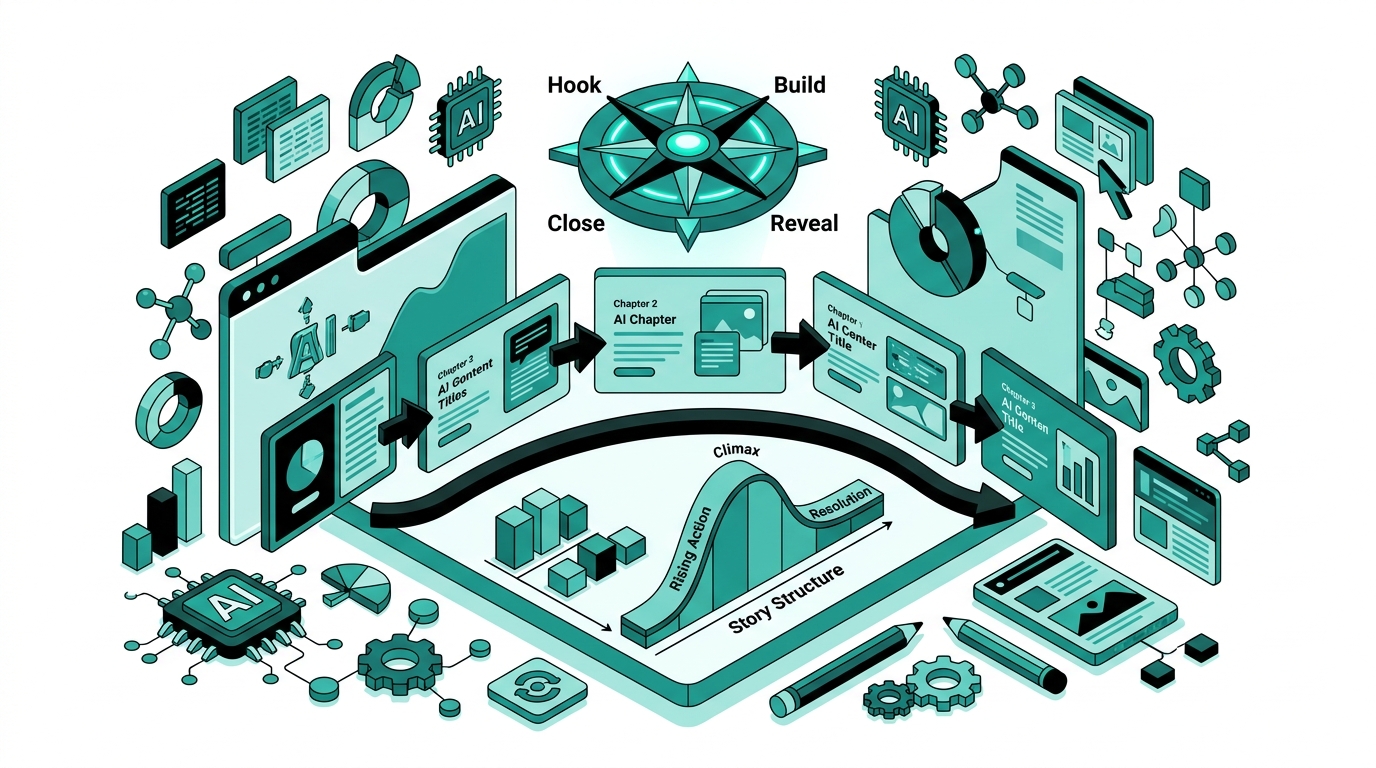
Tome was an AI-native presentation and storytelling platform built by the San Francisco company Magical Tome, Inc., co-founded by Keith Peiris and Henri Liriani. The product launched publicly in 2021 and positioned itself as a fundamentally different kind of presentation tool. Where PowerPoint and Google Slides treated slides as blank canvases requiring manual design, Tome treated a single text prompt as the starting point for an entire narrative.
Users typed a subject, chose a tone, and Tome’s AI would generate a multi-page deck complete with structured text, AI-generated images via DALL-E integration, and a clean visual layout. The platform supported interactive embeds from tools like Figma, Airtable, and Miro, which turned static decks into dynamic documents that felt closer to web pages than slide shows. Real-time collaboration, in-app video narration, and audience engagement analytics rounded out the feature set.
The company raised a $43 million Series B in February 2023 with backing from Lightspeed Venture Partners, Coatue, and Greylock, along with notable angels including former Google CEO Eric Schmidt. By that point, Tome had reached one million users in just eight days after a viral launch and continued growing to 20 million registered users. In April 2024, the company began laying off roughly 20% of its team and narrowing its focus to enterprise sales teams. By April 30, 2025, the presentation product was gone.
Tome AI Features
AI Presentation Generation from Prompts
The headline feature was always Tome’s ability to create a full presentation from a single text prompt. Users could type something as brief as “Series A pitch deck for a B2B SaaS company in logistics” and receive a structured, multi-page document with headings, body text, and imagery already in place. The AI drew on context from the prompt to arrange content in a logical narrative arc, which is what set Tome apart from tools that only filled in templates. The generation process typically took under a minute, and users could iterate by editing individual pages or prompting the AI to regenerate specific sections.
DALL-E Image Generation
Tome integrated DALL-E to generate custom images directly within the editor. Each page could include an AI-generated image tile that matched the content on that page, giving decks a visually consistent look without requiring stock photography or design work. Users could regenerate images with alternative prompts, though the style tended toward a consistent aesthetic that some reviewers described as the “Tome look.”
Interactive Embeds
One of Tome’s most distinctive capabilities was live embed support. Users could drop in an Airtable base, a Figma prototype, a Miro whiteboard, a YouTube video, or a live website, and those embeds remained interactive for viewers. This was particularly valuable for product teams showing live prototypes inside investor decks or for educators embedding interactive exercises inside lesson plans. Static presentation tools could not replicate this behavior without exporting separate files.
Themes and Adaptive Layouts
Tome’s layout engine handled responsive design automatically. Content adjusted to fill each page cleanly regardless of how much text or how many media elements were added. Smart themes applied fonts, color palettes, and spacing globally, so users who changed a theme saw the entire document update instantly. The minimalist design defaults gave Tome presentations a polished, modern look with minimal manual effort.
Collaboration and Comments
Real-time collaboration allowed multiple team members to work on a presentation simultaneously, similar to Google Docs. The platform supported inline comments, @mentions, and notification threads so feedback could be tracked without switching to email or Slack. This made Tome a practical choice for distributed teams iterating on pitch decks or proposals together.
Video Narration
Users could record a video narration directly within Tome, embedding a talking-head video alongside their slides. The narration was tied to specific pages, so viewers watching asynchronously got the presenter’s explanation alongside the relevant content. This feature was useful for sales teams sending personalized walkthroughs to prospects without scheduling a live call.
Analytics and Engagement Tracking
Tome provided page-level analytics showing who had viewed a presentation, how long they spent on each page, and where they dropped off. For sales and investor relations use cases, this data was genuinely useful: a founder could see that a VC spent four minutes on the financials page and barely glanced at the team page, then adjust the deck accordingly before the next meeting.
Document and Template Library
The platform included 100-plus templates organized by use case, covering investor pitches, marketing one-pagers, educational lesson plans, research reports, resumes, and landing pages. Templates gave users a starting structure they could populate with their own content or hand off entirely to the AI for generation.
Tome AI Pricing
Before its April 2025 shutdown, Tome offered three pricing tiers:
- Basic (Free): Manual editing, access to browse all templates, unlimited sharing of published documents, and basic collaboration. AI generation features were not included in the free tier, which was a meaningful limitation compared to competitors like Gamma that offered AI generation for free.
- Professional ($20/month): Full AI generation, access to 100-plus templates, custom branding and logo removal, PDF export, and priority support. This was the tier most individual users and small teams purchased when committing to the platform.
- Enterprise (Custom pricing): Everything in Professional, plus custom data integration, AI output tuning for brand voice, dedicated account management, and SSO. Pricing was not publicly listed and required a sales call.
At $20/month, the Professional plan was priced above Gamma’s equivalent tier and comparable to or above Beautiful.ai’s Pro plan at $12/month billed annually. The free tier’s exclusion of AI generation was a friction point that many users cited as a reason to try alternatives before committing to Tome. With fewer than 2% of its 20 million users converting to paid plans, the pricing structure contributed to the revenue gap that ultimately forced the company’s strategic pivot.
Tome AI Pros and Cons
Pros
- Speed: Full presentation generation from a single prompt in under a minute was genuinely faster than any manual workflow, saving hours on first drafts.
- Narrative-first design: The platform thought in stories rather than slides, which made it easier to build coherent, flowing decks rather than collections of disconnected bullet points.
- Interactive embeds: Live Figma, Airtable, and Miro embeds gave presentations a dynamic quality no static slide tool could match.
- Video narration: Built-in recording and per-page narration made asynchronous presentations feel personal and professional.
- Analytics: Page-level engagement data helped sales teams and founders iterate on their decks using real viewer behavior.
- Clean defaults: Tome’s minimalist aesthetic produced professional-looking output without any design skill required.
- Real-time collaboration: Simultaneous editing and threaded comments worked reliably for distributed teams.
Cons
- The “Tome look”: AI-generated decks shared a recognizable visual style that made them easy to identify as Tome output, reducing uniqueness for high-stakes presentations.
- Limited export options: PDF export was available on paid plans, but native PowerPoint (PPTX) export was not supported, making it difficult to hand off decks to clients or colleagues who needed editable slide files.
- AI content depth: Generated text was often surface-level. Detailed financial models, nuanced strategic arguments, or technical deep dives required substantial manual editing after generation.
- Free tier restricted AI: Not including AI generation in the free plan put Tome at a disadvantage against Gamma, which offered AI-generated presentations for free from the start.
- Product is discontinued: The presentation tool shut down on April 30, 2025. Any active Tome users needed to migrate their content to another platform.
- No PPTX compatibility: Teams that regularly sent presentations to enterprise clients or uploaded to platforms requiring PowerPoint format found this a serious gap.
Tome AI vs Alternatives
Understanding how Tome compared to its main competitors helps clarify both what made it special and why users are looking for alternatives now that it is gone.
Tome vs Gamma
Gamma is the most direct competitor to what Tome offered. Both tools generate full presentations from text prompts and emphasize visual storytelling over manual slide construction. Gamma has a meaningful structural advantage: its free plan includes AI generation, whereas Tome’s free tier was manual-only. Gamma also supports PDF and PPTX export, addressing the missing PowerPoint format that frustrated Tome users. Gamma’s image generation, particularly for photorealistic content, was rated higher by several independent reviewers in 2024. After Tome shut down in 2025, Gamma emerged as the default recommendation for users who wanted the same kind of AI-first presentation experience. Gamma’s Pro plan is priced at $18/month as of 2025, just below Tome’s former $20/month Professional tier. You can read a full breakdown in our Gamma AI review.
Tome vs Beautiful.ai
Beautiful.ai takes a different approach. Rather than generating content from prompts, it focuses on enforcing professional design rules through its Smart Slide system: as users add or edit content, the slide layout adjusts automatically to maintain visual coherence. This makes Beautiful.ai stronger for users who already know what they want to say and need the design to look polished. Independent tests noted that Beautiful.ai consistently produced the most “presentation-ready” first drafts of any AI tool in this category. The trade-off is price and no free plan: Beautiful.ai Pro is $12/month billed annually, but there is a 14-day free trial only. Tome was cheaper on an annual basis for users who needed AI generation. Beautiful.ai targets professionals more than creatives, making it a better fit for corporate decks than for storytelling-heavy pitches.
Tome vs Canva
Canva’s strengths lie in its massive template library, its image editing tools, and its accessibility to non-designers. Canva’s AI presentation feature exists but is primarily outline-level: it generates a structure and populates it with placeholder content that users then customize manually. Canva is better than Tome for visual design flexibility and for producing branded marketing materials, but it does not match Tome’s narrative-generation depth or its interactive embed capabilities. Canva’s free plan is generous, and its Pro plan costs $15/month per person. For users who primarily need a design tool that also generates basic slide structures, Canva wins on breadth. For users who needed a storytelling-first AI to write and structure a narrative, Tome was the better choice, and Gamma is now the closest equivalent.
Who is Tome AI Best For?
At its peak, Tome was best suited for specific types of users, and that context helps anyone evaluating what to use now that the presentation tool is gone.
Founders and startup teams used Tome more than any other group. The ability to generate a pitch deck outline from a brief description, then refine it in an afternoon, made the tool valuable for pre-seed and seed-stage companies preparing investor materials. The analytics feature, which showed exactly how long a VC spent on each page, was particularly relevant for this audience.
Sales professionals were Tome’s most active paid users. CEO Keith Peiris noted publicly that salespeople were “making eight Tomes a day,” generating custom pitch decks for individual prospects rapidly. The video narration and engagement tracking features served this audience well, and this group’s behavior ultimately pointed the company toward its enterprise sales pivot.
Educators and content creators found Tome useful for generating lesson plans, course materials, and visual explainers from text descriptions. The free tier’s manual editing was enough for basic use cases, though AI-generated lessons required the paid plan.
Marketers creating one-pagers and reports appreciated Tome’s clean templates and the ability to embed live data from analytics tools or CRMs. For marketing teams sending external-facing documents, Tome’s polished defaults reduced the time needed to produce client-ready materials.
For anyone who identified with one of these groups, Gamma now covers the closest feature set. For those who need PPTX output, Beautiful.ai or Gamma both support it. For design-heavy branded work, Canva remains the stronger choice. See our roundup of top AI presentation tools for a broader comparison across the current landscape.
Our Verdict
Tome was a genuinely innovative product that identified the right problem: creating presentations is slow, painful, and disconnected from how people actually think about ideas. Its narrative-first approach, interactive embed support, and engagement analytics were ahead of what most competitors offered at launch. The tool earned its 20 million users honestly by making something that was difficult feel effortless.
The reasons it did not survive as a business are equally instructive. AI-generated content, particularly in 2023 and early 2024, was not deep enough for high-stakes presentations without significant manual editing. The “Tome look” became a limitation as users wanted to differentiate their decks. Excluding AI generation from the free plan created a friction point that pushed price-sensitive users toward Gamma. And the economics of consumer software at scale proved brutal: 20 million users generating under $4 million in revenue is not a sustainable business, regardless of how good the product is.
If you used Tome and are looking for what to use today, Gamma is the closest match in spirit and capability. If you need more design control, Beautiful.ai is worth the trade-off in price. Tome’s story is one of the most instructive in the AI tools space, and the product itself, while it lasted, was one of the better ones. For a look at what tools are thriving right now in this category, visit our guide to best AI presentation tools.
Frequently Asked Questions
Is Tome AI still available?
No. Tome shut down its AI presentation product on April 30, 2025. The company pivoted to enterprise sales automation under the brand Lightfield, and AngelList acquired the Tome brand along with its document-summarization technology. Users who had active presentations in Tome needed to export or migrate their content before the shutdown date. The tool is no longer accessible for creating new presentations.
What happened to Tome AI?
Tome raised $81 million in funding and grew to 20 million users, but its annual recurring revenue was below $4 million by 2023. With fewer than 2% of users converting to paid plans, the company faced unsustainable unit economics. In April 2024, Tome laid off roughly 20% of its team and began shifting its focus to enterprise sales teams. By early 2025, the company announced the full shutdown of the presentation product, with the pivot completing in April 2025. CEO Keith Peiris stated that building a consumer product for millions of users while managing costs for mostly non-paying users proved structurally difficult.
What was Tome AI used for?
Tome was primarily used to generate AI-powered presentations and narratives from text prompts. Use cases included investor pitch decks for startups, sales one-pagers for enterprise sales teams, lesson plans for educators, marketing reports, research documents, and visual explainers. The platform also supported landing pages, resumes, and portfolios through its template library. Interactive embeds from Figma, Airtable, and Miro made it particularly useful for product teams sharing live prototypes inside presentation documents.
How much did Tome AI cost?
Before its shutdown, Tome offered a free Basic plan that included manual editing and unlimited sharing but did not include AI generation. The Professional plan cost $20/month and added AI generation, 100-plus templates, custom branding, and PDF export. An Enterprise plan with custom pricing was available for larger teams needing data integration and brand-tuned AI output. The $20/month Professional plan was priced above Gamma’s comparable tier and was cited as a factor in the tool’s low paid conversion rate.
What is the best Tome AI alternative?
Gamma is the most direct alternative for users who want the same AI-first, prompt-to-presentation experience. Gamma offers AI generation on its free plan, supports both PDF and PPTX export, and has continued improving its design and image generation capabilities since Tome’s shutdown. Beautiful.ai is a strong alternative for users who prioritize polished, professional slide design and are willing to pay $12/month without a permanent free option. Canva works best for users who need broader design capabilities beyond presentations.
Was Tome AI free?
Tome offered a free Basic plan, but it did not include AI generation. Free users could manually edit slides, browse templates, and share presentations, but they could not use the core AI prompt-to-presentation feature. To access AI generation, users needed the Professional plan at $20/month. This was a notable competitive disadvantage compared to Gamma, which included AI generation in its free tier from early in its development.
How did Tome AI compare to Gamma?
Both tools generated full presentations from text prompts, but Gamma had several advantages: a free plan that included AI generation, support for PPTX export alongside PDF, and image generation quality that independent reviewers rated higher for photorealistic output. Tome’s advantages included stronger interactive embed support and engagement analytics that showed per-page viewer behavior. After Tome shut down in April 2025, Gamma became the de facto recommendation for users seeking a storytelling-first AI presentation tool.
Who invested in Tome AI?
Tome raised $81 million across three rounds. Its February 2023 Series B of $43 million was led by Lightspeed Venture Partners, with Coatue and Greylock Partners also participating. Notable angel investors included former Google CEO Eric Schmidt and Stability.ai CEO Emad Mostaque. The Series A round brought Tome to a $175 million valuation. By the Series B, the company was valued at $300 million despite not yet having confirmed revenue at the time of the round’s announcement.
Can I export Tome presentations to PowerPoint?
No. Tome did not support PPTX export. Paid users could export presentations as PDFs, but there was no native PowerPoint output. This was a frequently cited limitation, particularly for users who needed to send editable slide files to clients or colleagues who worked in Microsoft Office environments. The lack of PPTX support was one of the reasons enterprise users found Tome difficult to adopt as a primary tool, and it remains a reason why alternatives like Gamma and Beautiful.ai are often recommended over Tome for business use.
What made Tome different from PowerPoint or Google Slides?
Tome’s core difference was its AI-first, narrative-driven approach to creating presentations. PowerPoint and Google Slides are blank-canvas tools that require users to design every element manually. Tome started from a text prompt and generated a structured, visually coherent narrative, treating a presentation as a story rather than a collection of slides. It also supported live interactive embeds, which static slide tools cannot replicate. The platform was built for the generation stage of creating a presentation, not the polishing stage, which made it faster for first drafts and less precise for final production.


