
Key Takeaways
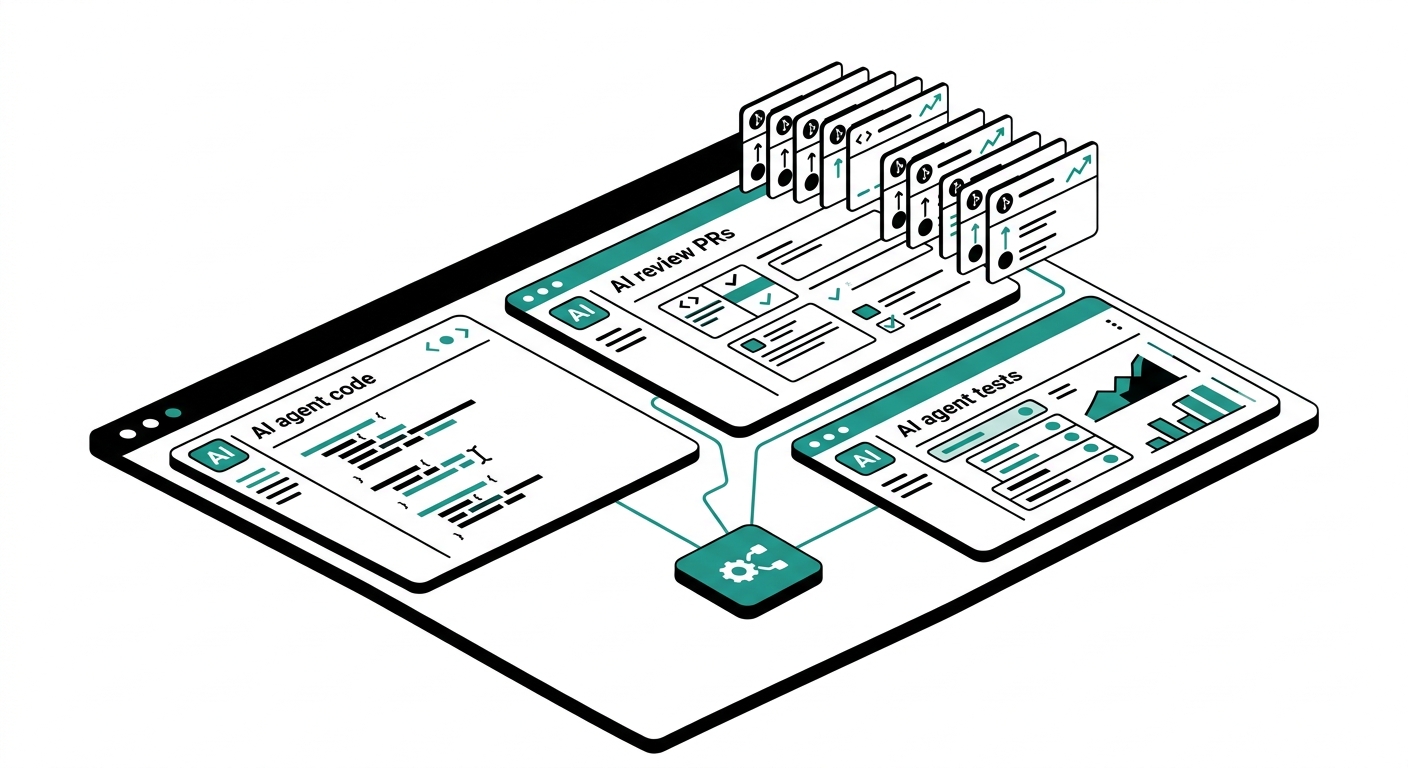
- Cursor 3, released in April 2026, introduces an agent-first interface where developers manage fleets of parallel AI agents rather than writing code line by line.
- Cursor’s proprietary Composer 2 model scores 61.3 on CursorBench, up from 44.2 for Composer 1.5, a roughly 39% improvement.
- You can run up to 8 background agents simultaneously on the Pro plan, each operating in an isolated environment using git worktrees or remote machines.
- Cursor crossed $500 million ARR in June 2025 (TechCrunch report) and surpassed $1 billion ARR by November 2025, making it one of the fastest-growing developer tools ever.
- Pricing is Free (Hobby), Pro at $20/month, and Business at $40/user per month, with a credit-based billing system introduced in June 2025.
- Cursor Tab autocomplete handles 400 million+ daily requests, with developers accepting roughly 30% of suggested characters.
- Agent users now outnumber Tab users 2 to 1 inside Cursor, a reversal from the 2.5:1 ratio (Tab-to-agent) recorded in March 2025.
- Cursor 3’s new Agents Window runs agents locally, in git worktrees, in cloud sandboxes, and over remote SSH, all managed from one pane.
- The tool integrates with a plugin marketplace for MCPs, skills, and private team subagents, putting it ahead of Copilot for extensibility in agentic workflows.
A few years ago, AI coding tools were mostly autocomplete wrappers. You’d get a line suggestion, maybe a function body, and then get back to work. Cursor changed that assumption quietly and then loudly. What started as a VS Code fork with smarter autocomplete turned into the center of a new category: the agentic IDE.
This review covers Cursor 3, the version released in April 2026 that ships an entirely redesigned interface built around parallel AI agents. If you’ve been using Cursor 1.x or 2.x, this is a meaningful shift, not just a UI refresh. And if you’re evaluating AI coding tools for the first time, this is the version that sets the current standard for what an agent-first development environment looks like.
We’ll cover what’s new in Cursor 3, how the agent system actually works, where the pricing model has gotten complicated, and how it holds up against Copilot, Windsurf, and Cline.
What is Cursor?
Cursor is an AI-first code editor built by Anysphere, a San Francisco startup founded in 2022. The product started as a fork of Visual Studio Code and has grown into a standalone tool with its own proprietary models, cloud execution infrastructure, and now an entirely redesigned interface for managing AI agents.
As of 2025, Cursor reported 7 million monthly users and over 50,000 paying businesses. Daily active user counts exceeded 1 million, and the company’s annual recurring revenue crossed $500 million in June 2025 before hitting $1 billion in November 2025. That growth happened with essentially no paid marketing, which is unusual for a developer tool at that scale.
The core idea behind Cursor is that AI should not be an add-on to your editor. It should shape the entire editing experience, from how you navigate code to how you delegate tasks and review results. Cursor 3 takes that idea further than any previous version.
Cursor 3: The Agent-First Interface
Cursor 3 launched in April 2026 under the internal codename Glass. The most significant change is the new Agents Window, a panel that sits alongside the existing IDE and lets you orchestrate multiple AI agents running in parallel. This is not a minor feature addition. The Agents Window was built from scratch rather than extending the existing VS Code interface.
From the Agents Window, you can launch agents that run locally on your machine, in git worktrees (isolated copies of your codebase), in cloud sandboxes provided by Cursor, or on remote machines over SSH. All of these environments are managed from a single pane. If an agent is running in the cloud and you want to take over editing manually, you can pull the session back to local. If a local session is taking too long and you need to step away, you can push it to the cloud to continue running while you work on something else.
This cloud-to-local handoff is the feature that most clearly separates Cursor 3 from anything else currently available. GitHub Copilot’s agent can handle GitHub issues autonomously, but it does not offer this kind of real-time session migration between environments.
Background Agents (Cloud Agents)
Background Agents, now called Cloud Agents in Cursor 3, allow you to assign a task to an agent and let it run without blocking your current work. The agent operates in an isolated Ubuntu-based environment with internet access and the ability to install packages. Each agent gets its own copy of the codebase to prevent file conflicts.
On the Pro plan, you can run up to 8 concurrent agents. The cloud execution runs on Cursor’s own Composer 2 model, which Anysphere says offers higher usage limits than routing requests through third-party models like Claude or GPT-4.
Multi-Agent Judging
One of the more practical additions in Cursor 2.2 and carried into Cursor 3 is automatic evaluation of parallel agent runs. When you run the same task across multiple agents, Cursor will evaluate the outputs and recommend the best solution, including a brief explanation of why it was selected. This is useful for tasks where the correct solution is not obvious, such as refactoring a complex module or implementing an algorithm with multiple valid approaches.
Design Mode
Cursor 3 adds a Design Mode within the Agents Window. It lets you annotate UI elements directly in the browser and pass those annotations to an agent as precise instructions. Instead of describing a UI issue in text, you can point at the element and tell the agent what to change. For frontend work, this is a meaningful shortcut.
Plugin Marketplace
Cursor 3 ships a plugin marketplace that lets teams extend agents with MCPs (Model Context Protocol servers), custom skills, and subagents. Organizations can create private team marketplaces for internal plugins, which is relevant for larger teams that need to share context about internal APIs, data systems, or company-specific coding conventions.
Cursor Features: Beyond the Agents Window
Tab Autocomplete
Cursor Tab is the inline autocomplete system that predicts what you’re about to type. It operates in under 200ms and handles 400 million+ daily requests across all users. Developers accept roughly 30% of suggested characters on average. A September 2025 model update achieved a 28% higher acceptance rate while making 21% fewer suggestions, meaning the model got better at predicting when to stay quiet.
Tab completions account for roughly 40% of all code written by Cursor users, according to the company’s internal data.
Codebase Indexing
Cursor indexes your entire repository and uses that index to give the AI context about your functions, types, patterns, and dependencies across all files. This is what makes multi-file edits work reliably. When you ask Cursor to update all components using an outdated API, it knows which files are affected because it has a semantic map of the whole codebase, not just whatever files are open.
Composer (Chat Interface)
The Composer is Cursor’s main chat interface for longer interactions, multi-file edits, and agent tasks. You can drag and drop folders into the chat to give the AI additional context. Cursor maintains context better than most competing tools across long conversations, which is a common complaint users raise about GitHub Copilot Chat.
Rules and Memory
Cursor lets you define rules that persist across sessions, such as coding style guidelines, preferred libraries, or project-specific conventions. These rules are sent to the model as part of every request. Teams using the Business plan can share rules across all members, which helps maintain consistency in AI-assisted code across a large codebase.
Cursor Pricing
Cursor’s pricing changed significantly in June 2025 when the company moved from fixed request counts to a credit-based billing system. The shift surprised many existing Pro users because the real-world cost per task depends on model choice and prompt length.
| Plan | Price | What’s Included |
|---|---|---|
| Hobby (Free) | $0/month | Limited agent requests, limited Tab completions, no Background Agents |
| Pro | $20/month | 500 fast premium model requests, unlimited standard completions, up to 8 concurrent background agents, all Cursor features |
| Business | $40/user/month | Everything in Pro plus admin controls, centralized billing, shared team rules, organizational management |
Annual billing reduces costs by 20% across all paid tiers. The Hobby plan is sufficient for occasional use and to evaluate the editor, but Background Agents are locked to Pro and above. If agentic workflows are the reason you’re looking at Cursor, the free tier will not cover that use case.
The June 2025 shift to credit-based billing means that heavy users running large models on complex tasks may spend beyond the base $20/month. Some developers on community review sites have reported needing to add credits during high-output weeks. It is worth monitoring usage during the first month on Pro.
Composer 2: Cursor’s Own Coding Model
In early 2026, Anysphere released Composer 2, its own frontier coding model designed specifically for agentic tasks. The model is used for cloud agent execution in Cursor 3 and comes with higher usage limits than routing through third-party APIs.
According to Cursor’s technical report, Composer 2 scores 61.3 on CursorBench (up from 44.2 for Composer 1.5), 61.7 on Terminal-Bench 2.0, and 73.7 on SWE-bench Multilingual. The CursorBench score represents a roughly 39% improvement over the previous version.
Cursor uses its own internal benchmark called CursorBench rather than relying solely on SWE-bench Verified, partly because SWE-bench tasks come from public repositories that may appear in model training data. CursorBench sources tasks from internal codebases and controlled environments, which reduces the risk of inflated scores from memorization.
Cursor Pros and Cons
Pros:
- Agent-first architecture with up to 8 parallel agents on Pro, each isolated in its own environment
- Cloud-to-local session handoff in Cursor 3, unique among current AI IDEs
- Codebase-wide semantic indexing enables accurate multi-file edits
- Composer 2 model is available for cloud execution with higher limits than third-party APIs
- Tab autocomplete fires in under 200ms and handles 400 million+ daily requests at scale
- Familiar VS Code foundation means extensions, keybindings, and themes carry over
- Design Mode lets you target UI elements directly for frontend tasks
- Plugin marketplace for MCPs and custom subagents supports extensibility
Cons:
- June 2025 credit-based billing model can lead to unexpected overage costs for heavy users
- Background Agents are not available on the free Hobby tier
- Performance can lag on very large codebases, with reports of freezing in some cases
- Chat context switching is not always reliable: switching between tasks can cause the agent to revisit earlier work
- Java and Spring Boot support lags behind IntelliJ IDEA for complex backend projects
- The new Agents Window adds UI complexity that has a learning curve for developers used to simpler editors
Cursor vs Alternatives
Cursor vs GitHub Copilot
GitHub Copilot costs $10/month for individuals and is deeply integrated with the GitHub ecosystem. Its agent can be assigned to a GitHub issue and will plan, write code, run tests, and open a pull request autonomously. That’s a strong workflow for teams already on GitHub. However, Copilot still operates mostly at the single-file level for inline completions and does not offer parallel agent execution or cloud-to-local session handoff.
According to BetterStack’s comparison, 67% of developers hit context limits on multi-file tasks with Copilot, while Cursor and Windsurf handle those cases more reliably through semantic codebase indexing. Cursor wins on agentic depth; Copilot wins on GitHub integration and enterprise compliance features.
Cursor vs Windsurf
Windsurf is built by Codeium and starts at $15/user per month for teams. Its Cascade chat system has real-time awareness of developer actions and handles multi-file edits well. Windsurf is often recommended as the best value entry point into AI IDEs. It lacks Cursor’s parallel agent execution and Cursor 3’s cloud infrastructure, but it is a capable tool for teams that don’t need multi-agent workflows and want to spend less per seat.
Cursor vs Cline
Cline is an open-source VS Code extension (MIT license) where you bring your own API key and pay your model provider directly. Using Claude Sonnet at standard Anthropic rates, community estimates put typical monthly costs at $10-30 for moderate usage. Cline gives you full model flexibility and agent autonomy, but you manage everything yourself: API keys, token budgets, and model selection. Cursor provides a more opinionated, managed experience with proprietary infrastructure. Some developers use Cline inside Cursor to get both experiences depending on task complexity.
Who Should Use Cursor?
Solo developers and freelancers building full-stack applications will get the most from Cursor Pro. The ability to delegate tasks to background agents while continuing other work translates directly into more output per hour.
Small and medium engineering teams that want consistent AI behavior across all members should look at the Business plan. Shared rules, centralized billing, and admin controls make it easier to standardize how AI is used in code review and generation.
Frontend developers working on UI-heavy projects will find Design Mode in Cursor 3 useful for precise agent instructions tied to specific interface elements.
Developers new to AI coding tools may find Windsurf’s simpler interface a better starting point. Cursor’s Agents Window and credit-based billing add complexity that is not necessary if you’re just getting started with AI-assisted coding.
Enterprise teams with strict compliance requirements should evaluate GitHub Copilot Enterprise first, as Copilot has more established data governance controls and fits naturally into the GitHub-centric workflows most enterprises already use.
Developers on Java/Spring Boot stacks should test Cursor carefully. Community feedback consistently notes that IntelliJ IDEA still outperforms Cursor for complex Java projects, even with AI assistance enabled.
Our Verdict
Cursor 3 is the most capable AI IDE available as of mid-2025, specifically for teams and individuals who want to run multiple parallel coding tasks and manage them from a single interface. The cloud-to-local agent handoff is genuinely new territory, and Composer 2 shows that Anysphere is serious about building its own model stack rather than just routing calls to OpenAI or Anthropic.
The $20/month Pro plan is reasonable if you use Background Agents regularly. If you’re using Cursor mostly for Tab autocomplete and occasional chat, the free Hobby tier or even Windsurf at $15/month may be a better fit for your actual usage pattern. The June 2025 credit system means costs scale with usage in ways that weren’t true before, so tracking your first month on Pro is worth doing before committing to an annual plan.
For developers who want the most agentic, infrastructure-backed AI coding environment currently available, Cursor 3 is the current standard. For teams that want simplicity and GitHub integration above all else, Copilot still makes sense. The choice depends on how central parallel agent orchestration is to how you actually work.
Frequently Asked Questions
What is Cursor 3 and how is it different from Cursor 2?
Cursor 3, released in April 2026, introduces an entirely new Agents Window built from scratch, separate from the VS Code-based IDE. It allows developers to run multiple AI agents in parallel across local machines, git worktrees, cloud sandboxes, and remote SSH environments, all managed from one interface. Cursor 2 added parallel agent support but kept everything inside the existing IDE structure. Cursor 3 makes agent management the primary interface rather than an add-on to a file editor.
How much does Cursor cost per month?
Cursor has three tiers: Hobby (free, with limited requests and no Background Agents), Pro at $20/month (500 fast premium model requests, up to 8 background agents), and Business at $40/user per month (adds admin controls, shared rules, and centralized billing). Annual billing saves 20%. Since June 2025, the Pro plan uses credit-based billing, so heavy usage of large models can push costs beyond the base $20/month.
Is Cursor free to use?
Yes, Cursor has a free Hobby plan with no credit card required. It includes limited agent requests and limited Tab completions each month. However, Background Agents (cloud-based autonomous tasks) are not available on the free tier. For most agentic workflows, Pro at $20/month is the practical entry point.
How does Cursor’s agent mode work?
Cursor’s agent mode lets you give a high-level goal and have the AI autonomously write, edit, test, and run code across multiple files. Agents can run locally, in git worktrees (isolated copies of your codebase), in Cursor’s cloud infrastructure (Ubuntu-based with internet access), or on remote machines over SSH. Pro users can run up to 8 agents simultaneously. Cursor 3 adds automatic evaluation that picks the best result when you run the same task in parallel across multiple agents.
How does Cursor compare to GitHub Copilot?
Cursor costs $20/month vs Copilot’s $10/month for individuals. Cursor leads on agentic capabilities: parallel background agents, codebase-wide semantic indexing, and cloud-to-local session handoff. Copilot leads on GitHub integration, enterprise data governance, and price. According to BetterStack, 67% of developers hit context limits on multi-file tasks with Copilot, while Cursor handles those cases more reliably.
What is Composer 2 in Cursor?
Composer 2 is Cursor’s proprietary frontier coding model, released in early 2026. It powers cloud agent execution in Cursor 3 and scores 61.3 on CursorBench (up from 44.2 for Composer 1.5) and 73.7 on SWE-bench Multilingual. Composer 2 comes with higher usage limits than routing through third-party models like Claude or GPT-4, which makes it the default for cloud agents on Pro and Business plans.
Can I use Cursor with my existing VS Code extensions?
Yes. Cursor is built on VS Code, so your existing extensions, keybindings, themes, and settings transfer over with minimal configuration. The migration from VS Code typically takes a few minutes. Note that Cursor 3’s new Agents Window is a separate interface from the VS Code-based IDE, and you can switch between them at any time.
Is Cursor good for backend development in Java or Python?
Cursor works well for Python backend development and is widely used for FastAPI, Django, and Flask projects. For Java and Spring Boot specifically, community feedback consistently shows IntelliJ IDEA still has advantages for complex project structures. Cursor’s agent understands Java but its tooling integration for JVM ecosystems does not match what a dedicated Java IDE provides. For Python, Go, TypeScript, and similar languages, Cursor is competitive with or better than alternatives.
What is the difference between Cursor Tab and Cursor agent mode?
Cursor Tab is inline autocomplete that predicts your next keystrokes in real time, firing in under 200ms. It handles over 400 million requests per day and accounts for roughly 40% of all code written by Cursor users. Agent mode is for longer, multi-step tasks where you give the AI a goal and it writes, edits, and tests code across multiple files without you directing each step. As of early 2026, agent users outnumber Tab-only users 2 to 1 inside Cursor, reversing the ratio from March 2025.
Does Cursor work offline?
No. Cursor requires an internet connection for all AI features including Tab autocomplete, Composer chat, and agent mode. All AI requests are processed on remote infrastructure, either Cursor’s own Composer 2 model or third-party models like Claude and GPT-4. The editor itself can open and display files offline, but no AI features are available without a connection.


