Key Takeaways
- 75% of professionals now use an AI notetaker in work meetings, but 50% of non-users cite privacy as their top reason for avoiding them, according to Fellow’s 2025 notetaker report.
- 84% of users say they change how they speak when a bot-based AI notetaker is present in a meeting, reducing candor and authentic discussion.
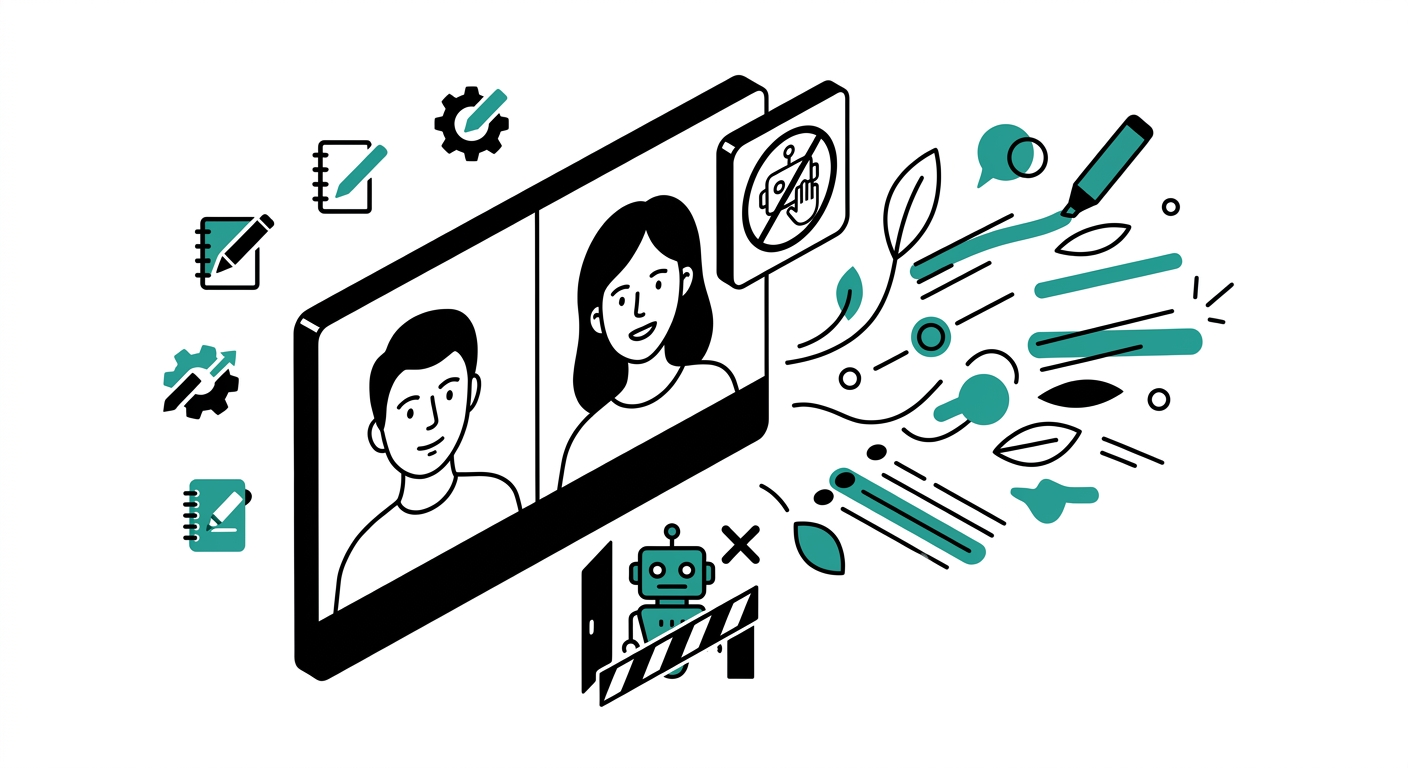
- Bot-free tools capture audio directly from your device’s system audio, so no visible participant appears in the call. The host and guests never see a robot in their participant list.
- A 2024 Cornell study found that people under algorithmic monitoring generated fewer ideas and self-censored more than those monitored by humans, validating why visible bots hurt meeting quality.
- In August 2025, a class action was filed in the US District Court for the Northern District of California alleging that Otter.ai records and transcribes conversations of non-users without knowledge or consent.
- Granola, Bluedot, Jamie, Krisp, Tactiq, Notion AI, Supernormal, Shadow, and Meetily all offer bot-free recording as of 2025-2026.
- Pricing for bot-free notetakers ranges from free (Meetily, Tactiq free tier) to $47/month (Jamie Pro), with most solid options landing between $12 and $20/month.
- Only tools that capture system audio, process captions via a browser extension, or run fully on-device qualify as truly bot-free. Tools that connect to your calendar and join as a participant are still bots, regardless of branding.
If you have ever been mid-sentence when a calendar notification fires and a faceless “AI Notetaker” appears in your Zoom participant list, you already understand the problem. Nobody consented. Nobody introduced the robot. And suddenly everyone on the call is a little more guarded.
The bot-based model dominated 2023 and 2024. Tools like Otter.ai, Fireflies, and the earlier versions of Fathom would join calls as a visible participant, request recording permissions, and sit silently while taking notes. That worked for internal standups and friendly demos. It became awkward the moment you had an executive, a client, a candidate, or a sensitive topic in the room.
The shift toward bot-free AI notetakers is real and accelerating. This article covers the best tools available right now that transcribe and summarize your meetings without ever appearing as a participant. No bot joins. No one gets a calendar invite from a robot. Notes still appear. This is the round-up you need if you have been searching for best bot free AI notetakers in 2025 and 2026.
Why People Hate Bots Joining Their Calls
The complaints are consistent across Reddit, Product Hunt, and enterprise IT forums. Here is what actually bothers people about bot-based notetakers:
Consent and Legal Exposure
Many jurisdictions require all-party consent before recording a conversation. When a bot joins a Zoom or Teams meeting and begins transcribing before everyone has formally agreed, companies expose themselves to liability. Legal teams at large enterprises have declared bot-based notetakers a shadow IT risk. Some universities and corporations have issued outright bans. In the US, the Otter.ai class action filed in August 2025 in the Northern District of California centered on allegations that the tool recorded people who never consented at all.
The Chilling Effect on Conversation
The 2024 Cornell study on algorithmic monitoring showed that visible surveillance, even by AI, suppresses creative output. When people know a robot is listening and transcribing everything, they hedge. They use formal language. They avoid sharing the half-baked ideas that often lead to the best decisions. Fellow’s data puts a number to this: 84% of users self-censor when an AI notetaker is present.
Awkward Entry Points
Bots typically join calls before humans do, or arrive mid-sentence during the opening pleasantries. They send calendar invites that confuse guests. They request recording permissions that pop up right as introductions begin. Enterprise IT teams have tracked a single AI notetaker tool spreading to 800 employees in 90 days without anyone in IT approving it, because each user independently invited the bot into their calendar.
Data Leaving the Building
Bot-based tools upload recordings to vendor servers for transcription. If your meeting included contract terms, personnel discussions, unreleased product details, or legal strategy, that audio is now on a third-party server, subject to that vendor’s retention and training policies. Multiple tools were caught, after the fact, using meeting audio to train their AI models.
Bot-Free vs Bot-Based: How the Technology Differs
Bot-free tools work in one of three ways:
- System audio capture – A desktop app records what your computer’s speakers play and what your microphone picks up. No participant is added to the call. Examples: Granola, Jamie, Krisp, Notion AI, Supernormal, Shadow.
- Browser extension caption capture – A Chrome extension reads the live captions that Zoom, Google Meet, or Teams already generate. No audio is uploaded. Examples: Tactiq, Bluedot (Chrome mode).
- Fully local processing – Audio is captured and transcribed entirely on your machine using local AI models. Nothing reaches the cloud. Example: Meetily.
Bot-based tools work differently. They authenticate with Zoom, Google Meet, or Teams APIs, create a participant account, join the call as that participant, and stream audio to their own servers. That is the fundamental distinction: bot-free tools observe from outside the call using your device; bot-based tools are inside the call as a separate entity.
The 9 Best Bot-Free AI Notetakers in 2026
1. Granola
Granola is the tool most frequently recommended in threads about bot-free notetaking, and for good reason. It is a native Mac and Windows app that captures system audio in real time, letting you jot a few rough notes during the meeting, and then uses AI to expand those jottings into a full, structured summary once the call ends. No bot joins. No one sees a participant named “Granola” in the room.
The experience is unusually smooth. Because Granola knows which calendar event is in progress, it pre-loads the meeting context before you even start talking. Post-call summaries are clean and well-organized. It supports custom templates for different meeting types: 1:1s, sales calls, product reviews. The mobile app launched in 2025 for on-the-go access.
The biggest complaint is speaker attribution. In a multi-person group call, Granola often cannot reliably label who said what. It also supports only around 10 languages on the desktop version, which limits its use for multilingual teams. Model training is opt-out rather than opt-in on all but the Enterprise plan, so personal plan users need to manually toggle this off in settings.
- Pros: Smooth calendar integration, excellent summary quality, supports custom templates, no bot participant, Mac and Windows support.
- Cons: Weak speaker attribution in group calls, no video recording, limited language support, training opt-out requires manual action on personal plans.
- Pricing: Free (25 lifetime meetings), Individual at $18/month, Business at $14/user/month, Enterprise starting at $35/user/month.
- Best for: Individuals and small teams on Mac or Windows who want polished, structured summaries.
2. Bluedot
Bluedot is the most integration-heavy bot-free option on this list. It runs as a Chrome extension and as a desktop app, capturing your meeting audio without joining the call as a participant. After the meeting, it generates transcripts, summaries, and action items, then pushes that content directly to Salesforce, HubSpot, Notion, Slack, or Google Docs.
For sales teams and account managers who need meeting notes to land automatically in their CRM, Bluedot fills that workflow better than any other bot-free tool. The transcript accuracy across more than 100 supported languages is strong. GDPR compliance is confirmed and data is encrypted at rest and in transit.
The free plan is restrictive: only 5 recordings total (not per month, but ever). That is enough to evaluate the product but not to use it meaningfully without paying. The paid plan starts at $18/month, which is reasonable given the integrations it unlocks. Some reviewers note that CRM field mapping requires initial setup time before it works reliably.
- Pros: Deep CRM and productivity tool integrations, 100+ language support, GDPR compliant, Chrome extension and desktop app, strong customization.
- Cons: Only 5 lifetime free recordings, CRM setup has a learning curve, Chrome-only extension limits non-Chrome users.
- Pricing: Free (5 recordings lifetime), Pro at $18/month per user.
- Best for: Sales teams that need meeting notes synced directly to their CRM.
3. Jamie
Jamie is a native desktop app for macOS and Windows that captures system audio and produces structured notes, action items, and decisions in a format that reads more like a human wrote it than a machine. The interface is minimal and the setup is fast: install, connect your microphone, and start a meeting. Jamie begins capturing immediately.
What makes Jamie stand out is offline mode. If you are running a workshop in a conference room with no cloud access, Jamie can still capture and process notes locally. It supports extensive language detection and is one of the more privacy-thoughtful options in this category, with no bot ever touching your call participants. The free plan covers 10 meetings per month, which is genuinely usable rather than a trial-only limit.
The pricing structure is in euros, which adds a small conversion wrinkle for US-based teams budgeting in dollars. The Standard plan limits you to 20 meetings per month, which may not suit heavy users who are in back-to-back calls all day.
- Pros: Works offline, native Mac and Windows app, human-like note quality, 10 free meetings per month, strong privacy posture.
- Cons: Priced in euros (adds budget friction for US teams), meeting caps on lower plans, no video recording.
- Pricing: Free (10 meetings/month), Standard at ~€24/month, Pro at ~€47/month, Executive at ~€99/month.
- Best for: Professionals who want a clean, minimal bot-free notetaker with offline support.
4. Krisp
Krisp started as a noise cancellation tool and evolved into a full bot-free AI meeting assistant. The noise cancellation still works on both ends of the call, filtering your mic and the incoming audio from other participants. Layer the AI meeting notes feature on top and you get transcription, summaries, and action items without any bot participant added to your meeting.
The combination of noise cancellation and notetaking in one app is a real workflow simplification. Krisp works across more than 800 platforms including Zoom, Teams, and Google Meet, which is broader than most tools in this category. On-device processing is available for audio capture, which keeps sensitive audio local.
The free plan is limited: 60 minutes of noise cancellation per day and limited AI note access. Heavy users will hit the ceiling quickly and need to move to Pro. Some users report high CPU usage, particularly on older machines, and occasional glitches when exporting meeting files.
- Pros: Best-in-class noise cancellation, works on 800+ platforms, on-device audio processing, integrates transcription with noise filtering.
- Cons: Free plan is quite limited, high CPU usage on some machines, export bugs reported by some users.
- Pricing: Free (limited), Pro at $16/user/month, Business at $30/user/month.
- Best for: Remote workers in noisy environments who want noise cancellation and notetaking in one app.
5. Tactiq
Tactiq takes a different technical approach from the rest of this list. Instead of recording audio, it reads the live caption data that Zoom, Google Meet, and Microsoft Teams already generate and display. A Chrome extension intercepts those captions in real time and compiles them into a structured transcript. No audio is recorded. No audio is uploaded. No bot joins anything.
This makes Tactiq the most lightweight and privacy-protective option for browser-based meetings. It supports over 60 languages, matching whatever your meeting platform’s captioning supports. The free plan allows 10 meeting transcriptions per month, which is enough for occasional users. At $12/month for Pro, it is the most affordable paid option on this list.
The limitation is that Tactiq depends entirely on your meeting platform’s captioning quality. If auto-captions are inaccurate or if you use a platform that Tactiq’s extension does not support, the transcript quality suffers. It also does not work for in-person meetings or audio calls that do not go through a supported browser-based platform.
- Pros: No audio recording at all, lightweight Chrome extension, 60+ language support, 10 free transcripts per month, most affordable Pro plan at $12/month.
- Cons: Accuracy depends on platform captions, Chrome-only, no in-person meeting support, no video recording.
- Pricing: Free (10 transcripts/month, 5 AI credits), Pro at $12/month (unlimited transcriptions).
- Best for: Users who want the lightest-weight, zero-audio-upload option for browser-based meetings.
6. Notion AI Meeting Notes
Notion launched AI Meeting Notes in May 2025, and for teams already living in Notion, it is a compelling option. The feature is built directly into the Notion desktop app. You type /meet into any Notion page, click Start Recording, and the app begins capturing both your microphone and your system audio. No bot. No separate app. No export step. The transcript and AI-generated summary land directly in your Notion workspace when the meeting ends.
The native integration is the main argument for this tool. If your team uses Notion for project docs, meeting agendas, and action item tracking, having your meeting notes appear in the same place automatically is a real time saver. The AI generates summaries, action items, and even formats output to match meeting types like Standup, Sales Call, or 1:1.
The catch is pricing. As of August 2025, AI Meeting Notes is available only on the Business plan at $20/user/month billed annually. It is desktop-only, meaning browser users cannot access it. And if your team does not already use Notion for other work, the overhead of adopting the full platform just for meeting notes does not make sense.
- Pros: Native Notion integration, no separate app needed, bot-free system audio capture, multiple summary templates, direct action item tracking in workspace.
- Cons: Business plan only ($20/user/month), desktop app required, poor fit for non-Notion teams.
- Pricing: Included in Notion Business plan at $20/user/month (billed annually).
- Best for: Teams already using Notion who want meeting notes to appear natively in their workspace.
7. Supernormal
Supernormal occupies a useful niche: it is a bot-free notetaker that does more than just produce a summary. After the meeting, it can generate follow-up email drafts, presentation slides, structured documents, and task lists, all from the same recording. For busy managers or account executives who need to produce multiple deliverables from a single meeting, this post-call output flexibility is valuable.
The free plan is genuinely generous compared to most competitors: unlimited meetings across supported platforms and up to 1,000 minutes of storage per user per month. That puts it well ahead of Otter.ai’s free 300 minutes and Bluedot’s 5-lifetime-recording limit. Supernormal works across Zoom, Microsoft Teams, and Google Meet.
Some users report that the AI occasionally produces overly verbose summaries that require editing before they are ready to share. The tool also lacks the deep CRM integration that Bluedot offers, so sales teams specifically may find it less useful for their workflow.
- Pros: Generous free plan (1,000 minutes/month), generates follow-up emails and slides, works across major platforms, bot-free capture.
- Cons: Summaries can be verbose, limited CRM integration compared to Bluedot, no offline mode.
- Pricing: Free (unlimited meetings, 1,000 min/month storage), Pro at $19/user/month, Enterprise custom pricing.
- Best for: Teams that need multiple post-meeting deliverables from a single recording without paying immediately.
8. Shadow
Shadow is a Mac-native bot-free notetaker that records both what is said and what is displayed on screen during a meeting. That screen-context awareness allows it to reference shared slides, documents, or screens in its summaries, making the output more grounded than a pure audio transcript. It starts automatically when a calendar event begins and stops automatically when the meeting ends.
Post-call, Shadow delivers a summary, action items, and a draft follow-up email with no manual steps. It also supports custom “skills” or prompts that shape how it processes different meeting types. Users consistently describe it as genuinely non-intrusive. It runs quietly in the menu bar and only surfaces when the meeting is over.
The main limitation is platform availability. Shadow is currently Mac-only, which is a real gap for Windows-heavy teams. Speaker attribution has room for improvement, and some transcription errors appear when audio quality is variable.
- Pros: Captures screen context alongside audio, fully automatic start and stop, clean post-call deliverables, custom prompt support, non-intrusive design.
- Cons: Mac only, speaker attribution not always reliable, transcription accuracy drops with poor audio.
- Pricing: Free plan available; paid tiers are competitive (check Shadow’s pricing page for current rates).
- Best for: Mac users who want a fully automatic, screen-aware bot-free meeting assistant.
9. Meetily
Meetily is the only tool on this list that is fully open source and processes everything locally on your machine. It is MIT-licensed, has over 11,600 GitHub stars, and has been installed by more than 180,000 users. The transcription engine uses OpenAI Whisper models (tiny through large-v3) with GPU acceleration, and summarization is handled by local Ollama models, Anthropic Claude, or Groq Llama, depending on your configuration.
Nothing leaves your device in the default configuration. That makes Meetily the right answer for security-sensitive organizations: law firms, healthcare teams, government contractors, and anyone operating under HIPAA, GDPR, or similar compliance requirements. The tool is GDPR and HIPAA compliant by design because the data never travels over a network.
The trade-off is setup complexity. Unlike the one-click installs of commercial tools, Meetily requires technical comfort to configure local models and optional integrations. The community edition is free forever. A Pro version at $10/user/month adds managed features for teams that want the privacy-first approach without the self-hosting overhead.
- Pros: 100% local processing, open source and auditable, GDPR and HIPAA compliant by design, free forever for personal use, supports multiple AI backends.
- Cons: Setup requires technical knowledge, less polished UI than commercial tools, limited integrations compared to Bluedot or Jamie.
- Pricing: Community edition free, Pro at $10/user/month (billed annually).
- Best for: Privacy-first teams, compliance-regulated industries, and technically comfortable users who want full data control.
Quick Comparison: Bot-Free vs Bot-Based Tools
For context, here is how the bot-free tools above differ from the most popular bot-based alternatives:
| Tool | Bot Joins? | Audio Upload | Free Plan | Starting Paid Price |
|---|---|---|---|---|
| Granola | No | Yes (cloud) | 25 lifetime meetings | $18/month |
| Bluedot | No | Yes (cloud) | 5 lifetime recordings | $18/month |
| Jamie | No | Partial (opt) | 10 meetings/month | ~€24/month |
| Krisp | No | Yes (cloud) | Limited | $16/month |
| Tactiq | No | No (captions only) | 10 transcripts/month | $12/month |
| Notion AI | No | Yes (cloud) | Trial only | $20/user/month (Business) |
| Supernormal | No | Yes (cloud) | Unlimited meetings | $19/month |
| Shadow | No | Yes (cloud) | Yes (limited) | See website |
| Meetily | No | No (fully local) | Free forever | $10/user/month |
| Otter.ai | Yes | Yes | 300 min/month | $16.99/month |
| Fireflies.ai | Yes | Yes | Limited storage | $18/month |
| Fathom | Yes (and botless) | Yes | Unlimited (bot mode) | $19/month |
Note on Fathom: Fathom recently launched a bot-free desktop capture mode, so it now straddles both categories. Its free plan still uses the bot-based approach for Zoom integration. The desktop capture mode is available on paid plans.
How to Choose the Right Bot-Free Notetaker
The best choice depends on your specific situation:
- You are on a Mac and want the cleanest experience: Granola or Shadow.
- You need CRM sync for sales calls: Bluedot.
- Your team lives in Notion: Notion AI Meeting Notes.
- You want the cheapest paid option: Tactiq at $12/month.
- You work in a noisy environment: Krisp, for the noise cancellation plus notes combo.
- You need offline or full local processing: Jamie (offline mode) or Meetily (fully local).
- You are in a compliance-regulated industry: Meetily (HIPAA/GDPR by design).
- You want the most generous free plan: Supernormal (unlimited meetings, 1,000 min storage) or Jamie (10 meetings/month).
Frequently Asked Questions
What is a bot-free AI notetaker?
A bot-free AI notetaker is a tool that records and transcribes your meetings without joining the call as a visible participant. Instead of connecting to the meeting platform’s API and appearing in the participant list, it captures audio directly from your device’s system audio output or reads captions generated by the meeting platform. The result is a transcript and summary without any bot showing up in the room.
Can the other people on my call tell I am using a bot-free notetaker?
No, not unless you tell them. Bot-free tools run locally on your machine and do not add any participant to the call. There is no notification sent to other attendees, no calendar invite from a bot account, and no permission request during the meeting. That said, depending on local laws and your organization’s policies, you may still be required to disclose that you are recording a conversation.
Is it legal to record meetings without telling participants?
This depends on your jurisdiction and the platform’s terms of service. In the US, some states (including California) require all-party consent for recorded conversations. In the EU, GDPR requires a lawful basis for processing personal data, which typically includes consent or legitimate interest with disclosure. The advice from legal commentators consistently recommends disclosing recording, even when using a bot-free tool that does not automatically announce itself.
Do bot-free notetakers work on Zoom, Teams, and Google Meet?
Most do. Tools like Granola, Jamie, Krisp, and Supernormal work with any platform because they capture system audio rather than connecting to platform-specific APIs. Tactiq works specifically with Zoom, Google Meet, and Teams via its Chrome extension. Notion AI Meeting Notes requires the Notion desktop app and captures all system audio, so it works across platforms too. The exception: Tactiq and Bluedot in Chrome-extension mode only work with browser-based meetings.
Why do AI meeting bots make people uncomfortable?
Research and anecdotal reports point to several reasons. Visible monitoring changes behavior: people use more formal language, avoid controversial ideas, and self-censor. A 2024 Cornell study documented this effect in the context of algorithmic monitoring. There is also a consent question: many bots join before all participants have agreed to be recorded. And for external meetings with clients or candidates, having a robot in the room signals a lack of trust or a surveillance posture that can damage the relationship.
Are there any free bot-free AI notetakers?
Yes. Meetily is free forever for personal use with unlimited local processing. Tactiq’s free plan covers 10 meeting transcriptions per month. Supernormal’s free plan allows unlimited meetings with 1,000 minutes of storage. Jamie offers 10 free meetings per month. Granola allows 25 lifetime meetings on the free tier. For most occasional users, one of these free options is sufficient.
What is the most private bot-free notetaker?
Meetily is the most private option because all processing happens on your device with no data uploaded to any server. It uses local Whisper models for transcription and local Ollama models for summarization in its default configuration. For users who need compliance documentation, Meetily is HIPAA and GDPR compliant by design because your audio and transcripts never leave your machine.
Does Fathom have a bot-free option?
Yes, as of 2025. Fathom launched a desktop app that supports bot-free capture, in addition to its original bot-based Zoom integration. The bot-free mode is available on paid plans. The free plan continues to use the bot participant model for Zoom calls. If you are already a Fathom user who wants to go bot-free, check whether your current plan includes desktop capture access.
Which bot-free notetaker has the best accuracy?
Accuracy varies by audio quality, speaker count, and language. Bluedot claims strong accuracy across 100+ languages. Krisp benefits from its own noise cancellation layer, which improves transcription quality in noisy environments. Granola’s accuracy stands out in its summaries more than its raw transcripts: it produces summaries that users describe as contextually correct even when the word-for-word transcript has minor errors. Meetily with the large-v3 Whisper model delivers strong raw transcription accuracy for English, competitive with commercial offerings.
The Bottom Line
The shift away from bot-based meeting recorders is not a passing trend. It reflects genuine changes in how people feel about surveillance in professional contexts, growing legal scrutiny of consent practices, and the practical reality that visible bots change meeting dynamics for the worse.
The tools on this list prove that you do not have to sacrifice quality to avoid a bot. Granola and Jamie produce summaries that rival or beat Otter and Fireflies. Bluedot handles CRM integration as well as any bot-based tool. Meetily offers a level of privacy that no cloud-based bot system can match. Tactiq costs $12/month and leaves no audio fingerprint on any server.
If you have been avoiding AI notetakers because you did not want to make your calls uncomfortable, or because your clients or employers would not allow bots, the tools above solve that problem without making you choose between privacy and productivity.
The best bot-free AI notetaker for most individuals in 2026 is Granola for Mac users who want the cleanest output, and Jamie for anyone who needs offline support or cross-platform flexibility. For teams, Bluedot and Supernormal offer the best combination of features and free-tier generosity. And for the privacy-first crowd, Meetily is in a category of its own.