Key Takeaways
- Vibe coding was coined by Andrej Karpathy in February 2025 and was named the Collins English Dictionary Word of the Year for 2025.
- 63% of vibe coding users are non-developers, building UIs, full-stack apps, and personal software without writing a single line of code manually, according to Hostinger’s 2025 data.
- The global vibe coding market was valued at $2.96 billion in 2025 and is projected to reach $325 billion by 2040, per Roots Analysis.
- Lovable reached $200M in annual recurring revenue by late 2025 and closed a $330M Series B at a $6.6B valuation in December 2025.
- Bolt.new surpassed 5 million users and hit $40M in annual recurring revenue by March 2025, per Sacra.
- For complete beginners, Lovable and Bolt.new are the top starting points; Replit Agent is better for full-stack apps that need a persistent backend.
- Most vibe coding tools use token or credit-based pricing, which can get expensive quickly on complex projects. Always start on a free plan to test your use case.
- v0 by Vercel is best for polished frontend UIs; Cursor and Windsurf are better choices for developers who want to remain hands-on with code.
- Security remains the biggest risk in vibe coding: non-developers often ship apps with exposed API keys, missing authentication, or insecure database configurations.
In February 2025, Andrej Karpathy, co-founder of OpenAI and former AI lead at Tesla, described a new way of building software on X: “There’s a new kind of coding I call ‘vibe coding’, where you fully give in to the vibes, embrace exponentials, and forget that the code even exists.” The idea caught on fast. Merriam-Webster listed it as a slang term in March 2025. Collins named it Word of the Year for 2025. And by 2026, the tools built around this idea were generating hundreds of millions of dollars in revenue.
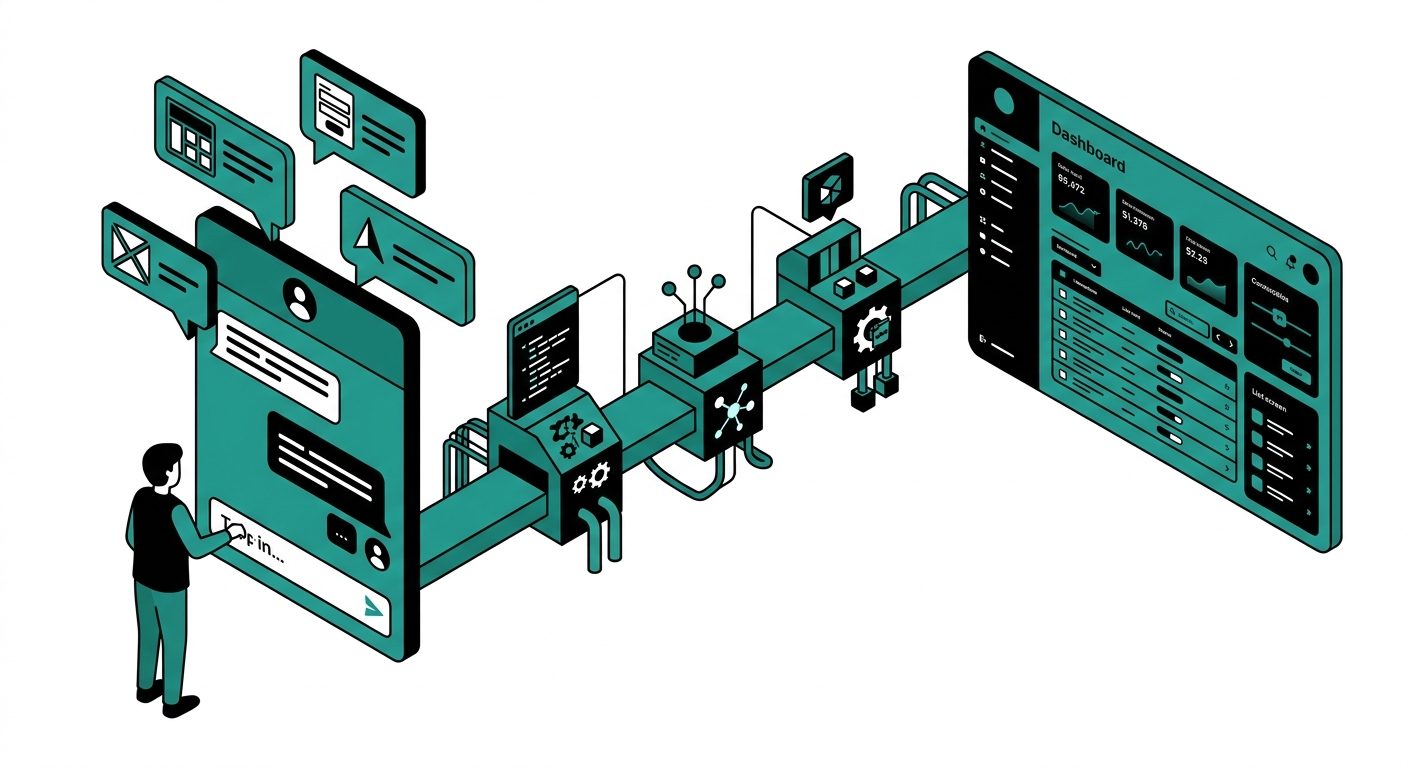
The core concept is simple: instead of writing code line by line, you describe what you want in plain English, and an AI writes the code for you. You test it, give feedback in plain English, and iterate. No syntax, no stack configurations, no debugging cryptic error messages alone at 2 a.m. Mostly.
This article covers the 9 best vibe coding tools for 2026 – tested, compared, and broken down for non-developers who want to build real apps by chatting with AI.
What Is Vibe Coding, Really?
Karpathy described the workflow clearly in his original post: accept all AI-generated code changes without meticulously reviewing the differences, paste error messages directly back to the AI for resolution, and let the codebase grow organically. The result can be a working app you might not fully understand under the hood.
Critics of vibe coding (including Cursor’s own CEO) warn that building on shaky AI-generated foundations means things eventually start to crumble. But for prototyping, MVPs, and internal tools, vibe coding has proven itself. There are documented cases of solo founders making $10,000+ per month in recurring revenue from vibe-coded SaaS products.
The typical vibe coding loop works like this:
- You write a plain English prompt describing your idea.
- The AI generates a working app or component.
- You run it, click around, and note what needs fixing.
- You describe the issues in plain English and iterate.
The tools below are specifically designed for this workflow. Some hide the code entirely. Others show it but don’t require you to touch it. All of them let you build without writing syntax.
1. Lovable
Best for: Non-developers who want a full-stack app fast
Lovable is the fastest-growing vibe coding tool in the world right now. You describe your app in a chat interface, and Lovable generates a complete full-stack web application: frontend, backend, database, and authentication. The generated code uses React and TypeScript with Tailwind CSS styling and a Supabase backend. You get a working, deployable app – not a wireframe.
The company hit $100M in annual recurring revenue in July 2025, $200M by November 2025, and closed a $330M Series B in December 2025 at a $6.6B valuation, per Sacra. Those numbers reflect real user demand, not hype. Over 200,000 new projects are created on Lovable every day.
For complete beginners, Lovable produces the most polished UIs of any tool at this price point and handles the most complexity out of the box. You connect a GitHub repo for version control and Supabase for the backend, and Lovable manages the wiring automatically.
The main friction is pricing predictability. Lovable’s credit system charges per generation, and a complex app can burn through $50 in credits before you feel satisfied with the result.
- Pros: Best UI quality for beginners, full-stack out of the box, Supabase integration, GitHub sync, fastest time to a shareable app.
- Cons: Credit costs unpredictable on complex projects, limited to React/TypeScript stack, no Python backend support.
- Pricing: Free (5 daily credits), Pro $25/month, Business $100/month.
- Visit: Lovable.dev
2. Bolt.new
Best for: Rapid prototyping with real-time code visibility
Bolt.new is built by StackBlitz and runs an entire Node.js environment inside your browser using WebContainer technology. You describe your app, and Bolt generates React/Vite applications in real time. The code appears alongside a live preview, so you can watch the app take shape as the AI writes it. You don’t have to touch the code, but you can if you want to.
By March 2025, Bolt.new had 5 million registered users and $40M in annual recurring revenue, per Sacra. Bolt V2, released in August 2025, added Bolt Cloud with built-in databases, hosting, analytics, and native Stripe integration so you can charge users directly from Bolt-built apps.
The token rollover policy is one of Bolt’s best features: starting July 2025, unused tokens from a paid plan roll over for one additional month, capping at two months total. This helps budget-conscious builders who have burst-and-pause workflows. The main complaint is that making small layout changes can sometimes break other parts of the app, and projects exceeding 15-20 components experience degraded context retention.
- Pros: In-browser runtime (no local install), real-time code preview, token rollover policy, Stripe payment integration, Bolt Cloud hosting.
- Cons: Backend limited to Node.js/Express only, larger projects lose context, small changes can break other sections.
- Pricing: Free, Pro $25/month (10M tokens), Teams $30/member/month.
- Visit: Bolt.new
3. Replit Agent
Best for: Full-stack apps with persistent backends and Python support
Replit is architecturally different from Lovable and Bolt. It combines an AI agent with a full integrated development environment that lives in the cloud. Replit supports 50+ programming languages including Python, and it handles persistent server-side processes like Slack bots, webhook processors, and cron jobs – tasks Bolt.new simply cannot do with its Node.js-only backend.
Agent 3, released in September 2025, runs autonomously for up to 200 minutes. It doesn’t just write code – it executes it, opens a browser, tests the application visually, identifies bugs, and fixes them. In practical tests, Agent 3 built a SaaS billing dashboard with Stripe integration, user authentication, and usage analytics in under 45 minutes with minimal prompting.
The pricing changed in June 2025 to an effort-based credit model, meaning complex tasks cost more credits than simple ones. The $25/month Core plan includes $25 in credits, and heavy users report hitting the limit within a week. Replit is where you build things that need real infrastructure, not just a frontend.
- Pros: Full-stack with Python/Go/PHP backends, persistent processes, 50+ languages, Agent 3 runs autonomously for 3+ hours, one-click deployment.
- Cons: Effort-based pricing makes costs harder to predict, credit limit hit quickly by heavy users, steeper learning curve than Lovable.
- Pricing: Free, Core $25/month (includes $25 credits), Pro $100/month (includes $100 credits).
- Visit: Replit.com
4. v0 by Vercel
Best for: Polished UI components and frontend prototyping
v0 by Vercel is the front-end specialist of the vibe coding world. You describe a UI in plain English, upload a screenshot or Figma file, and v0 generates production-ready React and Next.js components with Tailwind CSS and shadcn/ui styling. The generated code follows React best practices, includes accessibility features, uses responsive design by default, and is the kind of code professional developers would actually use in production.
The most significant 2025 upgrade moved v0 from a pure component generator to something closer to a full-stack development environment: it can now import GitHub repositories, pull Vercel environment variables, and build complete applications inside a sandboxed environment. Deployment to Vercel is one click, with automatic SSL, CDN, and serverless functions included.
The main limitation is that v0 still leans frontend. For anything needing a real backend database or authentication layer, you’ll pair v0 with another tool. Token-based pricing switched in 2026 makes costs variable – a simple button component costs pennies, but a full-stack generation can burn through a monthly credit allotment in a few prompts.
- Pros: Best UI quality of any tool tested, production-ready React code, Figma import, one-click Vercel deploy, accessible components by default.
- Cons: Frontend-focused (weak on backends), no real-time collaboration, token pricing is unpredictable on complex builds.
- Pricing: Free ($5/month in credits), Premium $20/month, Team $30/user/month.
- Visit: v0.dev
5. Cursor
Best for: Beginners who want to learn code while vibe coding
Cursor is an AI-first code editor built as a fork of Visual Studio Code. It inherits everything from VS Code – your settings, themes, extensions – and adds deeply integrated AI features. You bring over your existing workflow and Cursor slots into it rather than replacing it. This makes the learning curve nearly flat for anyone who has used VS Code before, and manageable for anyone who hasn’t.
For vibe coding specifically, Cursor’s Composer feature lets you describe what you want in plain English and generates multi-file code changes across your project. You see the code, which means you’re learning as you build. Reviews from beginners consistently describe it as “like pasting ideas straight into working code.” In April 2026, Cursor refreshed its platform with a sharper focus on AI agents.
There’s an honest caveat worth noting: Cursor’s CEO publicly warned in December 2025 that vibe coding with any AI tool builds “shaky foundations,” and eventually “things start to crumble.” Cursor is not designed to hide code from you – it’s designed to help you build code faster. Beginners who want to skip understanding code entirely should use Lovable or Bolt instead.
- Pros: Familiar VS Code interface, multi-file edits, see code as it’s written (great for learning), powerful agent mode, strong community.
- Cons: Still requires some comfort with a code editor, not truly no-code, usage-based credits switched in June 2025 add billing complexity.
- Pricing: Hobby (free), Pro $20/month, Pro+ $60/month, Business $40/seat/month.
- Visit: Cursor.com
6. Windsurf
Best for: Developers who want Cursor-style experience at lower cost
Windsurf is an AI-native code editor built by Codeium that launched in late 2024 and quickly became a serious competitor to Cursor. Originally built by Codeium, the editor was acquired by Cognition AI (the team behind Devin) in December 2025 for approximately $250 million. The platform runs on its proprietary SWE-1.5 model, which is described as dramatically faster than frontier alternatives.
The key differentiator is the Cascade agent. When you describe an outcome in plain English – “Add authentication to this Express app with JWT tokens” – Cascade figures out which files to edit, what dependencies to install, and how to wire everything together. Windsurf also includes Codemaps, an AI-annotated visual navigation system for complex codebases, and Fast Context that retrieves code 10x faster than standard agentic search.
At $15/month for the Pro plan (compared to Cursor’s $20/month), Windsurf undercuts its main competitor on price. Users who switched from Cursor to Windsurf frequently cite cost and configuration simplicity as the reasons. The free tier includes 25 credits per month, enough to test the platform seriously before committing.
- Pros: Lower price than Cursor, fast SWE-1.5 model, Cascade agent for multi-file autonomous edits, 40+ IDE plugins, Codemaps for large codebases.
- Cons: Newer platform with smaller community than Cursor, less documentation for edge cases, still requires comfort with a code editor.
- Pricing: Free (25 credits/month), Pro $15/month, Teams $30/user/month, Enterprise $60/user/month.
- Visit: Windsurf.com
7. GitHub Copilot Workspace
Best for: Developers already deep in the GitHub ecosystem
GitHub Copilot Workspace is a web-based agentic development environment that lives inside GitHub. You describe what you want changed in plain English – or link it to an existing GitHub Issue – and the workspace generates a plan, edits files across your repository, and opens a pull request. Every step is steerable: you can adjust the spec, tweak the plan, or edit generated code before shipping.
The platform integration is the differentiator. No other vibe coding tool connects issues, code changes, and pull requests as seamlessly as GitHub does natively. By March 2026, Copilot had completed 60 million code reviews, with 71% surfacing actionable feedback, per the GitHub Blog. Agent mode, rolling out to all VS Code users in 2026, extends Copilot beyond single-file suggestions to completing subtasks across automatically identified files.
The main barrier is that GitHub Copilot Workspace requires an existing GitHub repository and an active paid Copilot subscription. Non-developers starting from zero will find Lovable or Bolt faster to a visible result. But for teams already using GitHub, Copilot Workspace slots directly into the existing workflow.
- Pros: Deep GitHub integration, issue-to-PR workflow, steerable plans, shared workspaces, automatic PR review with actionable feedback.
- Cons: Requires paid Copilot subscription, needs an existing GitHub repo, less beginner-friendly than browser-based tools.
- Pricing: Requires Copilot Pro ($10/month), Pro+ ($39/month), or Business/Enterprise subscription.
- Visit: GitHub Copilot
8. Base44
Best for: Non-developers who want mobile and web apps with payments built in
Base44 is an AI-powered app builder that creates full-stack applications from plain English prompts. Wix acquired it in June 2025 for approximately $80 million, giving the platform enterprise-grade infrastructure and long-term stability. If you want to build a web app and publish a native iOS and Android version from the same project, Base44 is one of the few tools in this list that handles mobile publishing directly.
The platform includes database, authentication, file storage, and payment processing all bundled in. You describe the app in the chat interface, the AI builds it, and you refine it through further conversation. In July 2025, Base44 added Workspaces, allowing teams to collaborate on projects with individual permission controls. The free tier is generous enough for initial testing but most users hit the ceiling within one or two days of serious building.
Base44 sits at a slightly lower price point than Lovable, making it worth testing if you’re budget-conscious and need mobile support. The tradeoff is a smaller community and less documentation than Lovable or Bolt.
- Pros: Mobile app publishing to iOS and Android, built-in payments and auth, team workspaces, Wix infrastructure backing, affordable entry pricing.
- Cons: Smaller community and fewer integrations than Lovable, free tier burns fast, scaling to production requires significant credit spending.
- Pricing: Free (25 messages/month), Starter $20/month, Builder plan includes GitHub integration, Pro $80/month.
- Visit: Base44.com
9. Bubble
Best for: Non-developers who want full visual control without any code
Bubble has been in the no-code space longer than any other tool on this list, and its AI features added in 2024-2025 put it squarely in the vibe coding conversation. You describe your app and Bubble generates a starter with real pages, a working database, and frontend workflows. Then – unlike most vibe coding tools – you retain full visual control over every element through Bubble’s point-and-click editor.
This combination of AI generation and visual editing is Bubble’s unique value. If the AI gets something slightly wrong, you fix it visually without needing to describe it back to the AI. The platform is well-established with a large plugin marketplace and an active community forum where most questions are already answered. Bubble-built apps have powered companies through significant revenue and user scale.
The learning curve is steeper than Lovable or Bolt for the initial setup. Bubble’s visual editor is powerful but not as instantly obvious as a chat interface. New users typically spend a few hours learning the data model before building confidently. Once that clicks, though, the flexibility exceeds what most AI-only tools offer.
- Pros: Mature platform with large plugin ecosystem, visual editor for precise control, strong community, AI generation plus manual editing combined.
- Cons: Steeper learning curve than chat-only tools, visual editor takes time to learn, performance can lag on complex apps at lower plan tiers.
- Pricing: Free (with Bubble branding), Starter $32/month, Growth $134/month, Team $349/month.
- Visit: Bubble.io
How to Choose the Right Vibe Coding Tool
The right tool depends on what you’re building, how technical you are, and how you plan to use the output. Here’s a quick decision guide:
- Complete non-developer, want results today: Start with Lovable. It is the most polished, full-stack out of the box, and has the most gentle onboarding.
- Non-developer, want to build mobile apps too: Try Base44. It covers iOS and Android publishing from a single project.
- Technical user who wants to see and learn the code: Use Cursor or Windsurf. Both show you what the AI writes and let you edit it.
- Building anything with a Python backend or persistent server: Use Replit. Bolt and Lovable won’t handle this well.
- Prototyping a UI to show to stakeholders: v0 by Vercel produces the cleanest React components the fastest.
- Working in an existing GitHub repository: GitHub Copilot Workspace is the natural fit.
- Want visual editor control after AI generation: Bubble offers AI generation plus manual visual editing in one platform.
Vibe Coding Safety Tips
Because 63% of vibe coding users are non-developers, security risks are real. Common issues in vibe-coded apps include exposed API keys, missing authentication checks, and insecure database configurations. Before launching any vibe-coded app publicly:
- Ask the AI explicitly: “Review this app for security issues before I launch it.”
- Never commit API keys to a public GitHub repository. Use environment variables.
- Test authentication flows manually. Try to access protected pages without logging in.
- Check that database rules restrict access to authenticated users only.
- For apps handling payments or personal data, get a security review before launch.
Frequently Asked Questions
Do I need to know how to code to use vibe coding tools?
No. Vibe coding is specifically designed for people without programming backgrounds. Basic computer literacy, the ability to describe what you want clearly, and patience for iteration are the only requirements. Tools like Lovable and Bolt.new hide the code entirely and let you work through conversation alone.
Can you build a real business with vibe coding tools?
Yes. There are documented cases of solo founders earning $10,000+ per month in recurring revenue from apps built entirely with vibe coding tools. Lovable alone sees over 200,000 new projects created daily. The limiting factor is usually product-market fit, not the technology.
Which vibe coding tool is best for non-developers?
Lovable is consistently rated the best starting point for complete non-developers based on ease of use, output quality, and full-stack capabilities. Bolt.new is the second recommendation for non-developers who want to see the code while it’s being generated. For mobile apps, Base44 is worth testing specifically.
How much does vibe coding cost per month?
Most tools offer a free plan with limited credits. Paid plans typically run $20-$25/month for individual use. However, credit costs for complex apps can add up fast: building a feature-rich SaaS app on Lovable can cost $50+ in generation credits beyond the base subscription. Budget accordingly and start on a free plan to estimate your usage.
What is the difference between Bolt.new and Lovable?
Bolt.new shows you the code as it’s generated and runs a full Node.js environment in your browser via WebContainers. Lovable hides the code and focuses on delivering a polished, deployable React app as quickly as possible. Lovable produces cleaner UIs for beginners; Bolt.new is better for users who want to understand what’s being built. Both tools are primarily frontend-focused with backend integrations via third-party services.
Is Cursor good for vibe coding beginners?
Cursor works for technically curious beginners who want to learn code while building. It is not designed for people who want to avoid code entirely. If you have used VS Code before, the transition is nearly frictionless. If the idea of looking at a code editor makes you uncomfortable, start with Lovable or Bolt.new instead.
How is vibe coding different from no-code tools?
Traditional no-code tools like Webflow or Airtable give you pre-built components you arrange visually. Vibe coding tools generate custom code from your description, producing unique applications rather than assembled templates. Vibe coding is more flexible than no-code for custom logic, but also more prone to errors since the AI generates code that may not always be correct. Many tools now combine both approaches: Base44 and Bubble use AI generation plus a visual editor for precision control.
What are the biggest risks of vibe coding for production apps?
The three main risks are security (missing authentication, exposed API keys), maintainability (AI-generated code that no one fully understands becomes hard to update later), and token costs that scale faster than expected. Cursor’s CEO specifically warned in December 2025 that building on AI-generated foundations without review means “things start to crumble” as complexity grows. For production apps handling user data or payments, budget time for a proper security review before launch.
Conclusion
Vibe coding is not a passing trend. The market is growing at 36% annually, according to Roots Analysis, and the tools are improving every quarter. What would have taken a developer weeks can now take a non-developer a weekend, with the right tool and a clear idea.
Start with Lovable if you want the fastest path to a full-stack app. Try Bolt.new if you want to understand what’s being built. Use Replit if you need a real backend. And if you eventually want to understand the code you’re shipping, Cursor and Windsurf are the best environments for that transition.
The tools are good enough. The main variable is now the quality of your idea and the clarity of your prompts.