
Key Takeaways
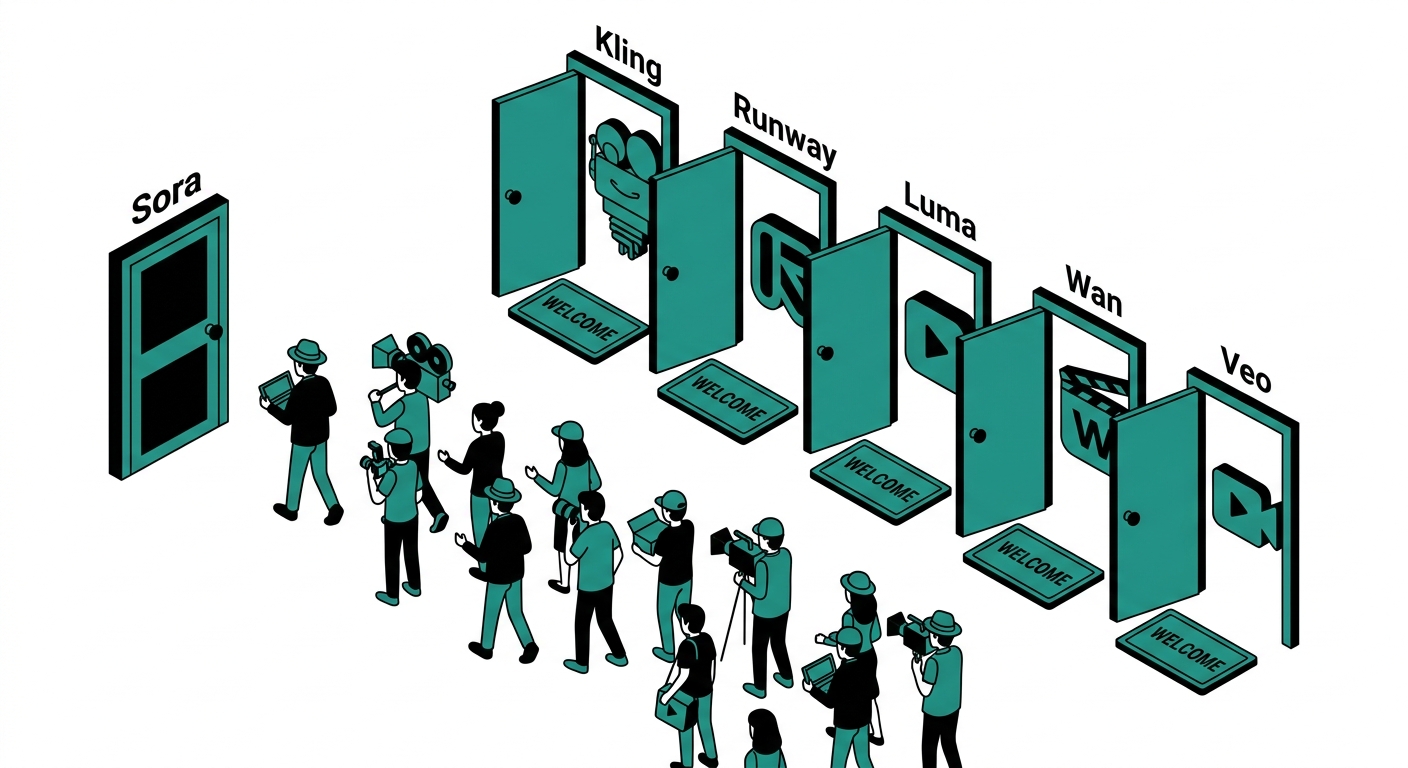
- OpenAI officially shut down the Sora consumer app on April 26, 2026, citing unsustainable computing costs and a company pivot toward AI agents and robotics. The Sora API will remain active until September 24, 2026.
- Kling AI has grown to over 22 million users worldwide and hit a $240 million annualized revenue run rate by December 2025, making it one of the fastest-growing Sora alternatives.
- Google Veo 3 is the only widely available AI video tool that generates native audio, dialogue, and sound effects in one pass alongside the video clip, a feature Sora never offered.
- Runway Gen-4 introduced character consistency across multiple shots in March 2025, solving one of the biggest limitations in AI video production before Sora’s shutdown.
- Luma AI’s Ray3.14 model generates video natively at 1080p and runs 4x faster than earlier versions, according to a January 2026 announcement.
- Kling AI’s Standard plan at $10/month offers roughly 40% lower cost per generated video second compared to Runway’s equivalent tier, according to Segmind’s pricing analysis.
- Wan AI (by Alibaba) releases open weights for developers, meaning you can self-host its 14B parameter model on your own hardware, no subscription needed.
- Pika’s “Scene Ingredients” feature, added in February 2025, lets you control individual video elements, a modular editing approach no other major platform offers at its price point.
- Adobe Firefly video now offers unlimited generations on select subscription plans integrated into Creative Cloud, making it viable for high-volume production teams already in Adobe’s ecosystem.
OpenAI launched Sora with enormous expectations. When it debuted as a consumer app in late 2024, it hit number one on the App Store and racked up a million downloads in five days. Less than six months later, it was gone. OpenAI announced on March 24, 2026 that it was shutting down Sora’s app and API, citing sky-high compute costs, deepfake concerns, and a strategic refocus on enterprise AI and robotics.
If you built any part of your workflow around Sora, you now need a replacement. The good news is the field has matured quickly. Several tools available today outperform Sora in specific areas, whether that is audio generation, motion realism, character consistency, or simple pricing. This list covers the eight best Sora alternatives actually available to consumers and developers right now, with honest pricing, real pros and cons, and guidance on which use case each one serves best.
Every tool below was evaluated based on output quality, generation speed, pricing transparency, free plan access, and what real users are saying on Reddit and in independent reviews. No tool here is perfect, but each one fills the gap Sora left in a different way.
1. Kling AI
Kling AI, built by Chinese AI company Kuaishou, is the most direct Sora replacement for users who want realistic human motion at a reasonable price. Launched in June 2024, the platform grew to 22 million users and an annualized $240 million revenue run rate by December 2025. Its latest Kling 2.0 (Master) model produces 4K video with 24fps to 60fps output, smooth camera motion, and what the company calls Multi-Elements editing: the ability to insert, remove, or swap specific elements in a generated clip.
Where Kling stands out is in human subject realism. Multiple independent benchmarks place it ahead of Runway for natural body movement, particularly for subjects walking, gesturing, or interacting with objects. It can generate clips up to two minutes long and extend them to three minutes, a significant advantage over Runway’s 16-second cap. Generation speed is the main pain point: complex Kling 2.0 generations can take up to three hours on busy servers, while Runway’s turbo mode finishes in under two minutes.
Pros:
- Best-in-class human motion realism at its price tier
- Generates clips up to 3 minutes with extension feature
- 4K output with multiple aspect ratios (16:9, 9:16, 1:1)
- Multi-Elements editing for granular clip control
Cons:
- Generation times can reach 3 hours for high-fidelity Kling 2.0 clips
- 30-40% of generations produce artifacts or need regeneration
- Kling 2.0 costs approximately 100 credits per video vs 20 for earlier models
Pricing:
- Free: 66 daily credits for basic 5-10 second videos
- Standard: $10/month with 660 credits/month, commercial rights
- Pro: $37/month with 3,000 credits/month
- Premier: $92/month with 8,000 credits/month
Visit: klingai.com
2. Runway Gen-4
Runway is the professional filmmaker’s choice. It launched Gen-4 in March 2025 with a breakthrough feature: single-image character consistency across multiple shots. Before this, AI video tools required you to regenerate characters from scratch for every clip, making coherent storytelling nearly impossible. Gen-4 solved that, which is why it dominates in commercial and narrative video production.
Beyond character consistency, Runway offers a full creative suite with over 30 editing tools including Motion Brush (paint movement onto still subjects), inpainting, object removal, and motion tracking. It creates clips in 30 to 90 seconds, roughly three to four times faster than Kling. The trade-off is price: a 10-second high-quality Gen-4 clip costs 120 credits, meaning a Standard plan user can produce roughly four high-quality clips per month before running out. For casual use, that is brutal value. For professional workflows where quality is non-negotiable, Runway justifies the cost.
Pros:
- Character consistency across multiple shots in a single project
- Fastest generation speed among premium tools (30-90 seconds)
- 30+ editing tools including Motion Brush and inpainting
- Trusted by commercial studios and professional filmmakers
Cons:
- Standard plan yields only about 4 high-quality clips per month
- Clips max out at 16 seconds, much shorter than Kling or Pika
- Highest per-second cost among major alternatives
Pricing:
- Free: 125 one-time credits (~10 seconds of Gen-4 video), watermarked
- Standard: $12/user/month with 625 credits (~52 seconds of Gen-4)
- Pro: $28/user/month with 2,250 credits (~187 seconds)
- Unlimited: $76/user/month for unlimited relaxed-mode generations
Visit: runwayml.com
3. Google Veo 3
Google unveiled Veo 3 at Google I/O on May 21, 2025, and it immediately changed the conversation around AI video. It is the first widely available model to generate synchronized audio, dialogue, ambient sound, and music alongside the video in a single pass. Every other tool on this list produces silent clips by default. Veo 3 does not. That alone makes it essential for creators producing content that needs to feel complete out of the generator.
The updated Veo 3.1 (released October 2025) further refines quality and maintains the same pricing. The model supports clips up to 60 seconds, 1080p resolution, and a 9:16 vertical format for social content. Access through Google AI Pro ($19.99/month) is the most affordable entry point, though daily generation limits apply. API pricing dropped from $0.75 per second to $0.40 per second for standard Veo 3, with the faster Veo 3 Fast variant available at $0.15 per second.
Pros:
- Only major tool with native audio, dialogue, and sound effects generation
- Supports clips up to 60 seconds in one generation
- 1080p output with 9:16 vertical format for social
- API pricing is competitive, especially at Veo 3 Fast tier
Cons:
- Daily generation limits on the $19.99/month consumer plan
- Ultra access at $249.99/month is expensive for individuals
- Less creative editing tooling compared to Runway
Pricing:
- Google AI Pro: $19.99/month with limited daily Veo 3 Fast generations
- Google AI Ultra: $249.99/month for full Veo 3 access and higher limits
- API: $0.40/second for Veo 3, $0.15/second for Veo 3 Fast
Visit: deepmind.google/models/veo
4. Luma Dream Machine (Ray3)
Luma AI has been building Dream Machine since 2023, and its Ray3 model is the most physically accurate video generator available to consumers. Ray3.14, released January 2026, generates natively at 1080p, runs 4x faster than earlier versions, and cuts cost by 3x compared to previous Ray3 pricing. It is the first video model to support studio-grade HDR with 16-bit EXR export for professional post-production workflows.
Luma excels at scenes requiring realistic lighting, shadows, and physical depth. If you are generating product demonstrations, architectural visualizations, or any content where natural camera behavior matters, Ray3 produces results that feel more grounded than Runway or Kling. The downside is that Ray3 does not include audio generation, so clips arrive silent. The credit system is also complex: 540p at 5 seconds costs 160 credits, while 720p at 10 seconds costs 640 credits, making it hard to predict monthly usage without careful planning.
Pros:
- Best physical realism and lighting accuracy among consumer tools
- Native 1080p output in Ray3.14 with 16-bit EXR export
- Ray3.14 is 4x faster and 3x cheaper than previous Ray3
- Freemium plan with 500 monthly credits for light testing
Cons:
- No audio generation, clips arrive completely silent
- Credit system is complex and hard to budget
- High-resolution outputs drain credits quickly
Pricing:
- Free: 500 credits/month for basic generations
- Lite: $9.99/month with 3,200 credits for 720p video
- Plus: $29.99/month with 10,000 credits, full HD, no watermarks, commercial use
- Unlimited: $94.99/month for relaxed-mode unlimited generations
Visit: lumalabs.ai
5. Pika
Pika carved out a niche that Sora never really owned: viral, emotionally engaging short video with surprising creative physics effects. Its “Pikaswaps” feature, which replaces materials and textures in a realistic physics-accurate way, went viral across social media in 2024 and remains one of the most distinctive capabilities in the space. The “Scene Ingredients” system, added in February 2025, works like a modular video prompt: you specify different elements (characters, environments, actions) and Pika assembles them into a coherent clip.
For social content creators who want to produce attention-grabbing clips without deep technical knowledge, Pika is the most accessible tool on this list. It requires far less prompt engineering than Runway or Kling to get usable results. The credit system, however, is frustrating: costs vary based on model choice, video length, resolution, and feature used, making it nearly impossible to predict how long your monthly credits will last without careful tracking.
Pros:
- Unique physics-based effects and Pikaswaps not available elsewhere
- Scene Ingredients offers modular, beginner-friendly video assembly
- Lower learning curve than Runway or Kling for quick social clips
- Viral-ready output quality for short-form content
Cons:
- Highly unpredictable credit consumption based on multiple variables
- Less suited for long-form narrative or professional production
- Free plan watermarks all video
Pricing:
- Free: 80 credits with watermark, no commercial rights
- Standard: $10/month with 700 credits, watermark removed
- Pro: ~$35/month with more credits and priority generation
- Fancy: $95/month with 6,000 credits and fastest generation speeds
Visit: pika.art
6. Wan AI
Wan AI is Alibaba’s answer to the closed-source video generation market, and it is the most developer-friendly option on this list. Built on models with open weights, Wan lets developers download and self-host the 14B parameter model locally, run it on a consumer GPU, and fine-tune it without paying API costs. For studios and teams with the technical capacity to self-host, this is potentially the lowest cost-per-generation of any tool here.
The platform has evolved through multiple versions since early 2025. Wan 2.5 introduced the Starring System (Reference-to-Video), which maintains a character’s appearance across independently generated clips using a reference image. Wan 2.6 added narrative-grade multi-shot storytelling. Through Alibaba’s DashScope API, Wan 2.5 costs approximately $0.105 per second, making a 10-second clip cost about $1.05. This is competitive with Veo 3 Fast and cheaper than Runway on a per-second basis.
Pros:
- Open weights allow self-hosting on consumer hardware, no subscription needed
- Starring System maintains character consistency across clips
- DashScope API costs ~$0.105/second, one of the lowest API rates available
- Actively updated with major model releases throughout 2025
Cons:
- Self-hosting requires technical knowledge and capable GPU hardware
- Flagship model is API-only; not as beginner-friendly as Pika or Kling
- Consumer web interface is more limited than Runway or Kling
Pricing:
- Open source / self-hosted: Free (hardware costs only)
- DashScope API: ~$0.105 per second of generated video
- Third-party hosting plans vary by provider
Visit: wan.video
7. InVideo AI
InVideo AI targets a completely different problem than the other tools on this list. Where Runway and Kling generate short clips, InVideo produces complete videos: scripted, narrated, edited, with stock footage, AI voiceover, and music, ready for YouTube, Instagram, or marketing campaigns. Its library of over 2.5 million stock media files fills the gaps when AI generation alone would not produce a coherent video.
This makes InVideo the best Sora alternative for YouTube creators and content marketers who needed Sora as one component of a complete production pipeline. You describe what you want, InVideo writes the script, generates or sources the visuals, adds narration, and delivers an edited video. The trade-off is that you sacrifice the raw generative quality of Runway or Kling in favor of production completeness. For high-volume content needs, that is often the right trade.
Pros:
- Produces complete finished videos, not just raw clips
- 2.5 million+ stock media files fill visual gaps
- AI voiceover and auto-editing included at every paid tier
- Best for YouTube, marketing, and high-volume content production
Cons:
- Less raw generative quality than Runway or Luma for artistic clips
- Output style can feel templated for creative or narrative work
- Limited fine-grained control over individual shot composition
Pricing:
- Free: Limited exports with watermark
- Plus: $25/month with speed and voice clone features
- Max: $60/month with higher limits and priority support
- Generative: $200/month for AI-first production workflows
Visit: invideo.io
8. Adobe Firefly Video
Adobe Firefly’s video model entered serious contention after a major update in December 2025 that significantly improved generation speed and quality. For any creator already paying for Creative Cloud, Firefly video is already included, making it effectively free to use within an existing subscription. Adobe also announced unlimited image and video generations on select Firefly subscription plans, a notable advantage for high-volume teams who need to iterate frequently without counting credits.
Firefly’s main advantage is integration. Generated clips flow directly into Premiere Pro and After Effects, allowing professional editors to use AI generation as a step in an existing workflow rather than a separate export-import process. The model produces clips at up to 2K resolution. Output quality is competitive with mid-tier Kling and Pika output, though it trails Runway Gen-4 and Luma Ray3 in raw realism. For Adobe-native teams, it removes friction in a way no other tool can match.
Pros:
- Direct integration with Premiere Pro and After Effects
- Unlimited generations on eligible Creative Cloud plans
- 2K resolution output, commercially safe (trained on licensed content)
- Free if you already have a Creative Cloud subscription
Cons:
- Raw generative quality trails Runway Gen-4 and Luma Ray3
- Primarily useful for Adobe ecosystem users, less compelling standalone
- Generative credits still apply on lower-tier CC plans
Pricing:
- Creative Cloud Individual: Included, starting from $9.99/month (limited credits)
- Firefly Pro / Premium: Unlimited video generations on eligible plans
- Teams / Enterprise: Pooled credits, custom pricing
Visit: adobe.com/firefly
How We Evaluated These Tools
Each tool was assessed across five dimensions: output quality for realistic human and scene generation, generation speed at standard settings, pricing transparency and value per generated second, free plan availability, and real user feedback from Reddit discussions and independent benchmarks. Tools that require waitlists, geographic restrictions, or are only available through enterprise contracts were excluded from this list. Every tool here can be accessed and tested by an individual creator or developer today.
Which Tool Should You Choose?
| Use Case | Best Tool |
|---|---|
| Professional filmmaking and character consistency | Runway Gen-4 |
| Best value for long realistic clips | Kling AI |
| Video with native audio and dialogue | Google Veo 3 |
| Physical realism and HDR output | Luma Ray3 |
| Viral social short-form content | Pika |
| Self-hosting and open-source control | Wan AI |
| Complete YouTube-ready videos | InVideo AI |
| Adobe Creative Cloud workflows | Adobe Firefly |
Frequently Asked Questions
Why did OpenAI shut down Sora?
OpenAI shut down the Sora consumer app on April 26, 2026 and announced plans to discontinue the API by September 24, 2026. The company cited three main reasons: the computing costs required to run the model at scale were unsustainable relative to subscription revenue, a series of deepfake incidents created regulatory pressure, and OpenAI made a strategic decision to focus resources on enterprise AI products and robotics research rather than consumer video generation.
Is there a free Sora alternative?
Yes. Google Veo 3 is accessible through Google AI Pro at $19.99/month with daily free-tier limits in Gemini. Kling AI offers 66 daily free credits for basic generations. Luma AI provides 500 monthly credits on its free plan. Pika gives new users 80 credits to test without a credit card. Wan AI’s models are fully open source and free to self-host if you have compatible GPU hardware.
Which AI video generator has the best quality in 2025?
It depends on what you mean by quality. Runway Gen-4 leads in character consistency for narrative work. Luma Ray3.14 leads in physical realism and HDR accuracy. Google Veo 3 leads for audio-visual integration. Kling 2.0 leads for realistic human motion at a budget price point. No single tool is best at everything, which is why professional workflows often involve multiple tools for different stages.
What is the cheapest AI video generator per second of output?
Wan AI through Alibaba’s DashScope API costs approximately $0.105 per second, which is the lowest API price among major platforms. Google Veo 3 Fast costs $0.15 per second via API. Kling AI’s Standard plan at $10/month works out to roughly $0.015 per credit, with basic 5-second generations costing around 20-100 credits depending on model quality selected. For subscription users, Kling’s Standard plan consistently offers the lowest cost per generated video minute.
Can I use these tools commercially?
Most tools require a paid plan for commercial use. Kling AI includes commercial rights from the Standard plan ($10/month) upward. Runway includes commercial rights on all paid plans. Luma AI grants commercial use on the Plus plan ($29.99/month) and above. Pika requires the Pro plan for commercial rights. Adobe Firefly content is commercially safe at all tiers because the model was trained exclusively on licensed Adobe Stock content and public domain material.
Which Sora alternative is best for YouTube creators?
InVideo AI is the most practical choice for YouTube creators because it solves the full production problem, not just clip generation. It produces complete videos with scripted narration, stock footage, AI voiceover, and editing. For creators who want pure clip quality to insert into their own editing workflow, Kling AI’s Standard plan offers the best combination of long clip length (up to 3 minutes with extension) and affordable pricing.
Does any AI video tool generate audio and video together?
Google Veo 3 is currently the only widely available tool that generates synchronized dialogue, ambient sound effects, and music alongside the video in a single pass. Kling AI has been adding audio generation capability to its platform. All other major tools, including Runway, Luma, and Pika, produce silent clips that require you to add audio in post-production or through a separate audio generation step.
Is Wan AI really free to use?
Wan AI releases its model weights as open source on GitHub, so you can download and run the models locally on your own hardware at no licensing cost. The 1.3B parameter model runs on consumer GPUs, while the full 14B parameter model requires more capable hardware. If you use Alibaba’s hosted DashScope API instead of self-hosting, costs apply at roughly $0.105 per second of generated video. There is no free hosted tier for regular consumer use.
How does Runway Gen-4 compare to Sora?
Runway Gen-4 launched in March 2025 with character consistency across multiple shots, a capability Sora lacked entirely. Runway clips max out at 16 seconds compared to Sora’s longer generation support. Runway’s editing toolkit, including Motion Brush, inpainting, and object removal, is significantly more advanced than anything Sora offered. For professional narrative and commercial video, Runway Gen-4 is widely considered a stronger tool than Sora was at its peak.
Sora’s shutdown is not a loss for the industry. It is a signal that AI video has matured past the “wow factor” phase and into a competitive market where tools compete on real features, pricing, and workflow integration. The alternatives above collectively cover more ground than Sora ever did, from audio-native generation to open-source self-hosting to complete video production pipelines. The most important step is identifying which part of your workflow Sora was filling and picking the tool specifically designed for that job.


