Key Takeaways
- 79% of organizations have adopted AI agents to some degree in their operations as of 2025, according to Datagrid research.
- Individual workers using AI agents report saving 40-60 minutes per day on routine tasks, per TechRT analysis.
- OpenAI’s Operator (now called ChatGPT agent mode) was initially exclusive to the $200/month Pro plan before being rolled into standard ChatGPT in mid-2025.
- Manus AI hit over 2 million users on its waitlist within weeks of launch and was later acquired by Meta Platforms in December 2025 for an estimated $2-3 billion.
- Gartner projects that 15% of day-to-day work decisions will be made autonomously by AI by 2026.
- n8n’s workflow-based pricing lets teams run automations that would cost hundreds on Zapier for pennies, making it the cost leader for technical teams.
- Google Workspace Studio users in its Gemini Alpha program completed more than 20 million agent-assisted tasks in a single 30-day period.
- McKinsey estimates AI’s productivity impact at $4.4 trillion annually across industries.
- A 2025 RAND study found 80-90% of AI agent projects still fail in production, meaning tool selection and realistic expectations matter enormously.
AI agents have moved from demo-stage curiosities to tools people genuinely rely on at work. Unlike a chatbot that answers questions, an agent takes actions: it browses the web, fills out forms, routes emails, triggers workflows, and hands off tasks to other agents. The practical difference is enormous. A chatbot tells you how to send a follow-up email; an agent sends it.
This guide covers the ten best AI agents you can put to work right now in 2026. Each entry includes what it actually does well, where it falls short, and what you should expect to pay. No hype, no invented benchmarks – just honest assessments based on current pricing pages, published reviews, and community feedback from Reddit and independent testers.
What Makes an AI Agent Different From a Chatbot?
The technical distinction matters before you start spending money. A chatbot produces text responses. An AI agent produces actions. It connects to external systems, reads state (your inbox, your calendar, a spreadsheet), and writes back to those systems. It can chain multiple steps together, recover from errors, and adjust when its first attempt fails.
Not every product marketed as an “agent” clears that bar. Several popular tools are really sophisticated automation builders with a conversational interface glued on. That is still useful, but it is worth knowing the difference when you evaluate them.
The 10 Best AI Agents for Workday Automation in 2026
1. OpenAI ChatGPT Agent Mode (formerly Operator)
OpenAI launched Operator in January 2025 as a research preview for $200/month Pro users. By July 2025 it was folded into standard ChatGPT as “agent mode,” selectable from the composer dropdown. The underlying model, called the Computer-Using Agent (CUA), combines GPT-4o’s vision with reinforcement learning to control a real Chrome browser the same way a human would: it sees the screen, moves the mouse, clicks, reads error messages, and adapts when pages change.
In practice, it handles grocery orders, form fills, travel research, and repetitive browser tasks well. The human-in-the-loop requirement for purchases is a safety net but also a ceiling: you cannot fully walk away. OpenAI still blocks Operator for EU users, and there is no public API, so embedding it in team workflows requires workarounds.
Best for: individual power users who want browser automation without writing code.
- Pros: No setup required; handles almost any website; adapts to layout changes; best-in-class vision model.
- Cons: No API access; US-only for full features; requires human approval on purchases; cannot run unattended overnight tasks reliably.
Pricing: Included with ChatGPT Plus ($20/month) and Pro ($200/month). Agent mode task limits apply at the Plus tier.
2. Anthropic Claude (Computer Use + Claude Cowork)
Anthropic introduced Computer Use with Claude 3.5 Sonnet in late 2024, giving the model the ability to take screenshots and control a virtual desktop with mouse and keyboard. By early 2026, Claude Opus 4.7 achieved 98.5% on visual-acuity benchmarks, a significant leap from the 54.5% the previous generation managed. Claude Cowork, Anthropic’s dedicated product for knowledge workers, runs on desktop and lets Claude operate local files, folders, and installed applications without the user coordinating each step.
Claude is the best choice when the work is text-heavy and judgment-dependent: legal research, analyst reports, contract summaries, inbox triage. Its safety architecture means it always requests permission before accessing a new application, which slows throughput but reduces the risk of unintended actions.
Best for: knowledge workers in legal, finance, and research who need deep document work combined with system control.
- Pros: Strongest reasoning on complex documents; safety-first permission model; works with local files not just web apps; improves with each model generation.
- Cons: Computer Use requires API access and technical setup for most users; Claude Cowork is a separate product with its own pricing; slower at pure browser tasks than ChatGPT agent mode.
Pricing: Claude.ai Pro at $20/month. API Computer Use billed per token (input ~$3/million tokens for Sonnet-class models). Claude Cowork pricing available on request.
3. Google Gemini Agent (Workspace Studio)
Google launched Workspace Studio in December 2025, giving anyone with a Google Workspace business subscription the ability to build Gemini-powered agents directly inside Gmail, Drive, Sheets, and Docs. No coding is required: you describe what you want to automate in plain language, and the system generates the agent. Agents can connect to third-party apps including Asana, Jira, Mailchimp, and Salesforce.
The scale numbers are credible. Workspace customers in Google’s Gemini Alpha program used agents for more than 20 million tasks in a single month, covering status reports, travel requests, and legal notice triage. If your team already lives in Google Workspace, this is the path of least resistance – there is no new tool to learn and no data to move.
Best for: teams already on Google Workspace who want zero-friction agent setup inside tools they use daily.
- Pros: Native integration with Gmail, Drive, Sheets, Docs, and Calendar; no-code builder; Gemini 3 handles multimodal inputs; included with existing Workspace plans.
- Cons: Agents are confined to Workspace and connected apps; limited customization compared to developer platforms; still rolling out to all tiers.
Pricing: Gemini features included with Google Workspace Business Starter ($6/user/month) and above. Enterprise Agent Platform has separate pricing.
4. Microsoft Copilot Studio
Microsoft Copilot Studio is the enterprise builder for creating custom AI agents that work inside Microsoft 365. Agents can automate workflows across Teams, Outlook, SharePoint, and Dynamics 365. The April 2026 update added computer use in public preview, letting agents operate desktop apps and websites with a virtual mouse and keyboard – a feature that extends automation into legacy systems where no API exists.
Copilot Studio connects to over 1,400 systems through MCP, Power Platform connectors, and Microsoft Graph. Model choice now includes GPT-5 and select third-party models. The governance layer is mature: admins can set guardrails, audit trails, and approval workflows, which is why this tool shows up most often in regulated industries like banking, insurance, and healthcare.
Best for: enterprises on Microsoft 365 that need auditable, policy-aware agents with IT governance controls.
- Pros: Deep Microsoft 365 integration; 1,400+ connectors; enterprise-grade governance and compliance; computer use now available; choice of underlying models.
- Cons: Setup requires Power Platform familiarity; pricing gets complex with add-ons; less intuitive for non-technical users than Zapier or Make.
Pricing: Microsoft 365 Copilot at $30/user/month. Copilot Studio capacity packs from $200/month. Free tier includes 400 messages/month with Azure account credit.
5. Manus AI
Manus launched in March 2025 with a claim that immediately got the AI community’s attention: it outperformed GPT-4 and Microsoft’s systems on the GAIA benchmark, scoring 86.5% at Level 1 tasks. The product operates inside a virtual computer environment. You give it a goal – research competitors, build a market report, manage files – and it plans and executes autonomously without you watching.
By December 2025, Meta Platforms acquired Manus for an estimated $2-3 billion and the platform had over 2 million users on its waitlist. The credit system is the most common user complaint: moderately complex tasks can consume hundreds of credits in a single session, and a few users burned through 1,000 starter credits on their first request. It also has no team collaboration or persistent workspace, making it a solo-use tool for now.
Best for: individual researchers and analysts who want a fully autonomous agent they can hand a complex task and walk away from.
- Pros: Genuinely autonomous on complex research tasks; runs code, browses web, manages files in one session; strong benchmark performance; supports 50+ languages.
- Cons: Credit consumption is unpredictable; no team features; no free tier; task costs roughly $2 on average but spikes on complex requests.
Pricing: Starter at $19/month, Professional at $39/month, Enterprise from $199/month. Credit add-ons available when monthly allocation runs out.
6. Genspark AI
Genspark rebranded from a search tool to a full AI workspace in 2025. Its Super Agent can build landing pages, conduct deep research, create presentations, and even make phone calls on your behalf through its “Call for Me” feature. Independent testing put the AI call success rate at around 83%, which is useful for simple confirmations and reservations but not reliable enough for high-stakes calls.
In June 2025, Genspark launched a dedicated browser with built-in Super Agent capability, ad blocking, and support for running 700+ tools in parallel. The Sparkpages feature synthesizes web results into sourced, structured documents with embedded chatbots for follow-up – a step up from generic AI summaries. The credit system is generous on paper but gets expensive fast for heavy users.
Best for: entrepreneurs and content teams who need an all-in-one workspace covering research, document creation, and light outbound tasks.
- Cons: Credit consumption higher than expected for complex tasks; billing and support have had reliability issues; phone call feature not suitable for complex conversations.
- Pros: Genuinely multi-modal agent; AI calls are novel and useful for simple tasks; Sparkpages produce better research outputs than raw AI answers; parallel tool execution speeds up multi-step work.
Pricing: Free plan with 100-200 operations/day. Plus at $24.99/month. Pro at $249.99/month for teams. Credit add-ons available.
7. Zapier AI Agents
Zapier has been the default answer to “how do I connect two apps automatically” for years. In 2025, the company rebranded as an AI Orchestration Platform and added three major components: Copilot (a natural-language Zap builder), Zapier Agents (autonomous AI teammates with roles, rules, and app access), and an MCP server that exposes 30,000+ Zapier actions to external LLMs.
The app library – 8,000+ integrations – is Zapier’s biggest differentiator. An agent that can take action across Slack, Salesforce, HubSpot, Gmail, Notion, and Airtable in a single workflow has an enormous practical advantage over purpose-built tools with narrow app coverage. Zapier also added AI Guardrails in 2025 to detect PII, toxic language, and prompt injection attempts in automated workflows, a feature enterprises specifically asked for.
Best for: operations and marketing teams who need agents that span many apps with minimal coding.
- Pros: 8,000+ app integrations; mature and reliable infrastructure; Guardrails for enterprise safety; natural language Zap builder reduces setup time; free tier available.
- Cons: Agents and Chatbots are paid add-ons on top of base plan; costs stack up quickly (base + Copilot + Agents Pro can reach $150-200/month); not suited for deep autonomous reasoning tasks.
Pricing: Free plan (100 tasks/month). Professional from $29.99/month (750 tasks). Agents add-on from $20/month up to $100+/month depending on activity volume.
8. Make (formerly Integromat)
Make’s visual canvas lets you see exactly how data flows between apps, which makes debugging complex workflows far more intuitive than text-based builders. The platform connects to 1,500+ apps and integrates natively with OpenAI, Anthropic Claude, and Google AI models. In spring 2025, Make launched AI Agents as a dedicated module: you define a business objective, and the agent automatically generates the complete scenario including module selection, conditions, and branching logic.
Make Grid, rolled out to all paid users in 2025, gives a high-level map of all your automations and their interdependencies – useful when an organization runs dozens of scenarios and needs to track what affects what. The free plan is generous for testing, and the Pro tier at $9/month for 10,000 operations undercuts Zapier significantly for teams running high-volume, multi-step workflows.
Best for: operations and IT teams that want visual workflow control with AI agents embedded in complex, branching automations.
- Pros: Visual canvas makes complex workflows readable; AI Agents generate scenarios from goals; Make Grid gives automation landscape overview; significantly cheaper than Zapier at scale; 1,500+ app integrations.
- Cons: Steeper learning curve than Zapier for non-technical users; AI agent module is newer and less polished than core automation features; customer support response times can lag.
Pricing: Free plan available. Core at $9/month (10,000 operations). Pro at $16/month (10,000 operations with more features). Teams and Enterprise tiers available.
9. n8n
n8n is the tool that technical teams reach for when Zapier gets too expensive or too restrictive. The open-source version is free to self-host, and the cloud plans start at 24 EUR/month. The core advantage is pricing math: workflows that would consume thousands of Zapier tasks run for pennies on n8n’s execution-based model. For high-volume automations – processing every new CRM record, syncing inventory across warehouses, or running nightly data pipelines – the savings compound fast.
The AI Agent node supports OpenAI, Anthropic Claude, Google Gemini, and local models. It handles tool selection, memory retrieval, and multi-step reasoning through a connected LLM. Native integrations with Pinecone, Weaviate, and other vector stores let teams build RAG-powered agents that work with proprietary knowledge bases. The honest caveat: n8n’s agents are better described as LLM-orchestrated workflows than truly autonomous agents. They do not dynamically replan when a step fails the way Manus or Claude Computer Use does.
Best for: technical teams and developers who need cost-effective, customizable automation at volume with AI embedded in workflows.
- Pros: Open-source with self-hosting option; dramatically cheaper than Zapier at scale; 8,000+ app integrations; native LangChain, vector store, and multi-model support; strong community and template library.
- Cons: Requires technical setup; cloud plans are in euros; AI agents lack true autonomy compared to purpose-built agent platforms; complex scenarios need developer time to maintain.
Pricing: Free self-hosted. Cloud Starter at 24 EUR/month (2,500 executions). Pro at 60 EUR/month (10,000 executions). Business at ~800 EUR/month (40,000 executions).
10. CrewAI
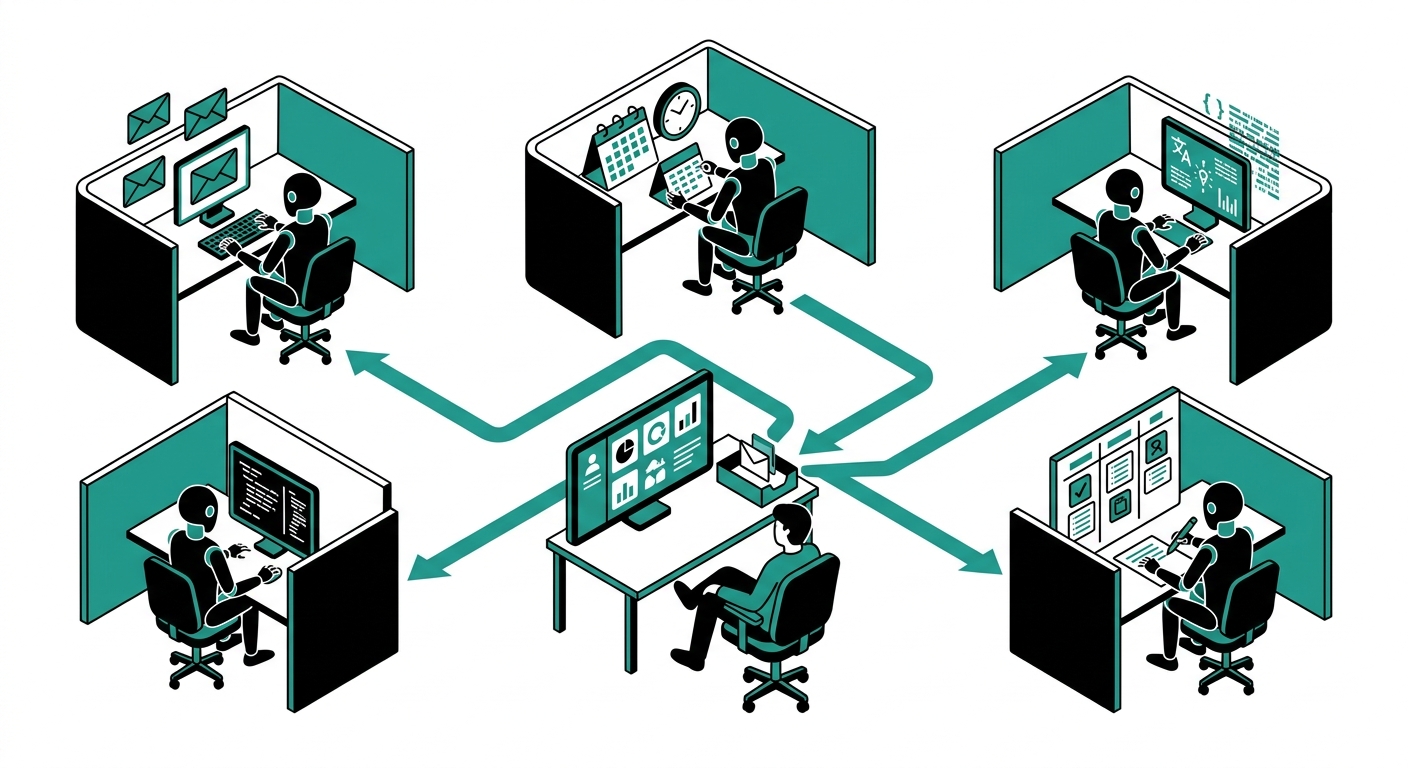
CrewAI takes a different approach from every other tool on this list. Instead of one agent doing everything, you build a crew: a researcher agent, a writer agent, a reviewer agent, each with a defined role, goal, and set of tools. The agents collaborate, hand off work, and check each other’s output before a final result is delivered. This role-based structure makes complex, multi-stage work more reliable because no single agent is responsible for the entire chain.
The framework is open source at its core, meaning technical teams can run it on their own infrastructure at no cost. The paid CrewAI Cloud adds a graphical Studio interface, hosted backend, integrated observability, and team collaboration. It is well suited for tasks like market research pipelines (researcher gathers data, analyst structures it, writer drafts the report), content production, or any workflow that benefits from specialization and cross-checking.
Best for: developers and technical teams building production multi-agent systems where role separation and auditability matter.
- Pros: Multi-agent role architecture produces more reliable complex outputs; open-source core is free; Studio UI makes crew building visual; strong observability for production debugging; predictable costs compared to fully autonomous agents.
- Cons: Requires Python and development time for custom setups; not a no-code tool; Cloud plans add cost on top of LLM API costs; best results require careful role and prompt design.
Pricing: Open-source framework free. CrewAI Cloud pricing starts on the free tier with usage-based paid plans. Enterprise pricing on request.
How to Choose the Right AI Agent for Your Workday
The selection question comes down to four variables: your technical comfort level, the apps you already use, whether you need individual or team automation, and whether you want autonomous operation or structured workflows.
If you are a solo user with no coding experience, ChatGPT agent mode, Genspark, and Manus AI are the most accessible. ChatGPT agent handles browser tasks; Genspark adds research and creation; Manus handles complex autonomous tasks best.
If your team runs on Google Workspace, Workspace Studio is the obvious starting point because it adds zero friction – there is nothing new to install or learn. If your team runs on Microsoft 365, Copilot Studio provides the deepest integration with the governance controls that enterprise IT requires.
For teams that span many tools and need cross-app automation, Zapier and Make are the workhorses. Zapier wins on app coverage and ease of use; Make wins on visual clarity and cost at scale. For technical teams who want maximum control and minimum per-task cost, n8n is hard to beat.
Finally, if you are building multi-stage AI pipelines in production, CrewAI’s structured crew model produces more predictable results than single-agent systems trying to do everything at once.
What to Watch Out For
The RAND study result bears repeating: 80-90% of AI agent projects fail in production. The most common reasons are overestimating the agent’s ability to handle edge cases, underestimating the cost of prompt maintenance, and deploying agents on tasks where the failure cost is too high to accept AI errors.
Start with tasks where a wrong output is annoying but not catastrophic – draft emails, research summaries, data formatting. Build trust in the agent’s reliability before giving it access to customer-facing systems or financial records.
Watch the credit and task consumption numbers carefully in the first week. Manus, Genspark, and Zapier all have pricing models where a handful of complex tasks can exhaust a month’s allocation. Set usage limits before you start.
Frequently Asked Questions
What is an AI agent and how is it different from a chatbot?
A chatbot produces text responses; an AI agent takes actions. An agent connects to external apps and systems, reads data from them, and writes back – sending emails, updating spreadsheets, triggering workflows, and completing multi-step tasks without human involvement at each step. The key distinction, as framed well by Elementum AI, is execution: agents change state in real systems rather than just generating text.
Can AI agents really replace human workers?
Not for complex judgment work, but they can reliably handle the repetitive parts. Research shows a 34% productivity boost for lower-skilled workers using AI tools, per the National Bureau of Economic Research. The more accurate framing is that agents handle the mechanical parts of a job – data gathering, formatting, routing, scheduling – so humans can spend more time on the work that requires judgment and relationships. Gartner’s projection that 15% of work decisions will be autonomous by 2026 reflects partial automation, not wholesale replacement.
How much does it cost to use an AI agent for work?
Costs vary widely. Consumer-grade agents like ChatGPT agent mode are included in plans starting at $20/month. Manus starts at $19/month with credit usage on top. Enterprise platforms like Microsoft Copilot Studio require a $30/user/month Microsoft 365 Copilot license plus additional Copilot Studio capacity packs. Open-source options like n8n can be self-hosted for the cost of server infrastructure, typically above $200/month for a reliable setup. Most teams spend between $50 and $300/month per user depending on task volume and complexity.
Which AI agent works best without coding skills?
ChatGPT agent mode, Google Workspace Studio, Genspark, and Manus AI are all designed for non-technical users. ChatGPT agent mode requires nothing beyond a subscription. Workspace Studio requires you to describe your automation in plain language inside a Google Workspace account. Zapier’s Copilot feature also generates Zaps from natural language descriptions, making it accessible to non-developers. CrewAI and n8n require coding and are not suited to users without technical backgrounds.
Are AI agents safe to use with sensitive business data?
Safety depends on the platform and how you configure it. Enterprise platforms like Microsoft Copilot Studio and Zapier have explicit data governance features, PII detection, and audit trails. Consumer-facing agents like Manus and Genspark use your data to process tasks and store session context, so they are not appropriate for highly regulated data without reviewing their privacy policies. For healthcare, legal, or financial data, check whether the provider offers a Business Associate Agreement (BAA) or equivalent compliance documentation before connecting sensitive systems.
What tasks are AI agents best at automating at work?
Agents perform best on tasks that are repetitive, rule-based, and involve moving data between systems. Common high-value use cases include: inbox triage and draft responses, scheduling and calendar management, research and summary reports, CRM data entry and updates, social media scheduling, lead qualification routing, invoice processing, and internal status updates. Tasks requiring emotional intelligence, complex negotiation, or novel problem-solving remain better handled by humans.
Is it better to use one AI agent or multiple specialized ones?
For simple tasks, a single general-purpose agent is more efficient. For complex, multi-stage work, specialized agents collaborating (as CrewAI structures them) tend to produce more reliable results because each agent is optimized for its role and agents can check each other’s outputs. The Reddit community consensus, as noted in multiple threads, is that tools marketing themselves as “AI agents” but actually running scripted automation do not benefit from the multi-agent architecture – the complexity adds overhead without adding capability. Match the architecture to the actual complexity of the task.
Final Thoughts
AI agents in 2026 range from polished consumer products you can start using in minutes to developer frameworks that require significant engineering investment. The gap between the best and worst options is large, and the marketing vocabulary is deliberately blurry.
The practical advice: pick the simplest tool that covers your actual use case. If ChatGPT agent mode handles your browser tasks, you do not need Manus. If Google Workspace Studio automates your weekly reporting, you do not need a custom n8n deployment. Start small, measure time saved, and expand from there.
The 40-60 minutes per day that agents save the average knowledge worker adds up to roughly 170 hours per year – a meaningful return if you invest one afternoon in setup rather than six months chasing a perfect implementation.