
Key Takeaways
- Granola is a bot-free AI meeting notetaker that captures audio at the system level on your Mac, Windows PC, or iOS device without joining calls as a visible participant.
- The app works with every video platform, including Zoom, Google Meet, Microsoft Teams, WebEx, and Slack Huddles, because it taps your device’s audio output rather than integrating with the platform itself.
- Granola raised $125 million in a Series C round on March 25, 2026, led by Index Ventures and Kleiner Perkins, pushing its valuation to $1.5 billion, a six-fold jump from its $250 million valuation less than a year earlier.
- The free plan lets you transcribe meetings with no time cap per session, but limits your note history to the last 30 days. Paid tiers start at $14 per user per month (Business).
- Granola includes 29 built-in note templates covering everything from 1-on-1s and project kick-offs to pipeline reviews, plus user-created “Recipes” for repeatable post-meeting actions.
- The Business plan adds native integrations with Slack, Notion, HubSpot, Affinity, Attio, and Zapier (8,000+ apps), plus an MCP connector that lets Claude, ChatGPT, and Cursor query your meeting context directly.
- YipitData’s 2025 Signals data shows Granola posting 3x spend growth over six months with near-zero churn, displacing Fathom, Otter, and Fireflies across its customer base.
- Granola deletes raw audio after transcription using Deepgram and AssemblyAI, which protects privacy but means you cannot replay the original call recording.
- Founders Chris Pedregal and Sam Stephenson started Granola in London in 2023. Enterprise clients now include Vanta, Gusto, Asana, Cursor, Lovable, and Mistral AI.
The AI meeting notetaker market is loud with options, but most of them work the same way: a bot joins your call, sits there visibly in the participant list, and records everything. For some teams that’s fine. For others, especially anyone in sensitive client conversations or early-stage sales calls, it introduces friction before you’ve even said hello.
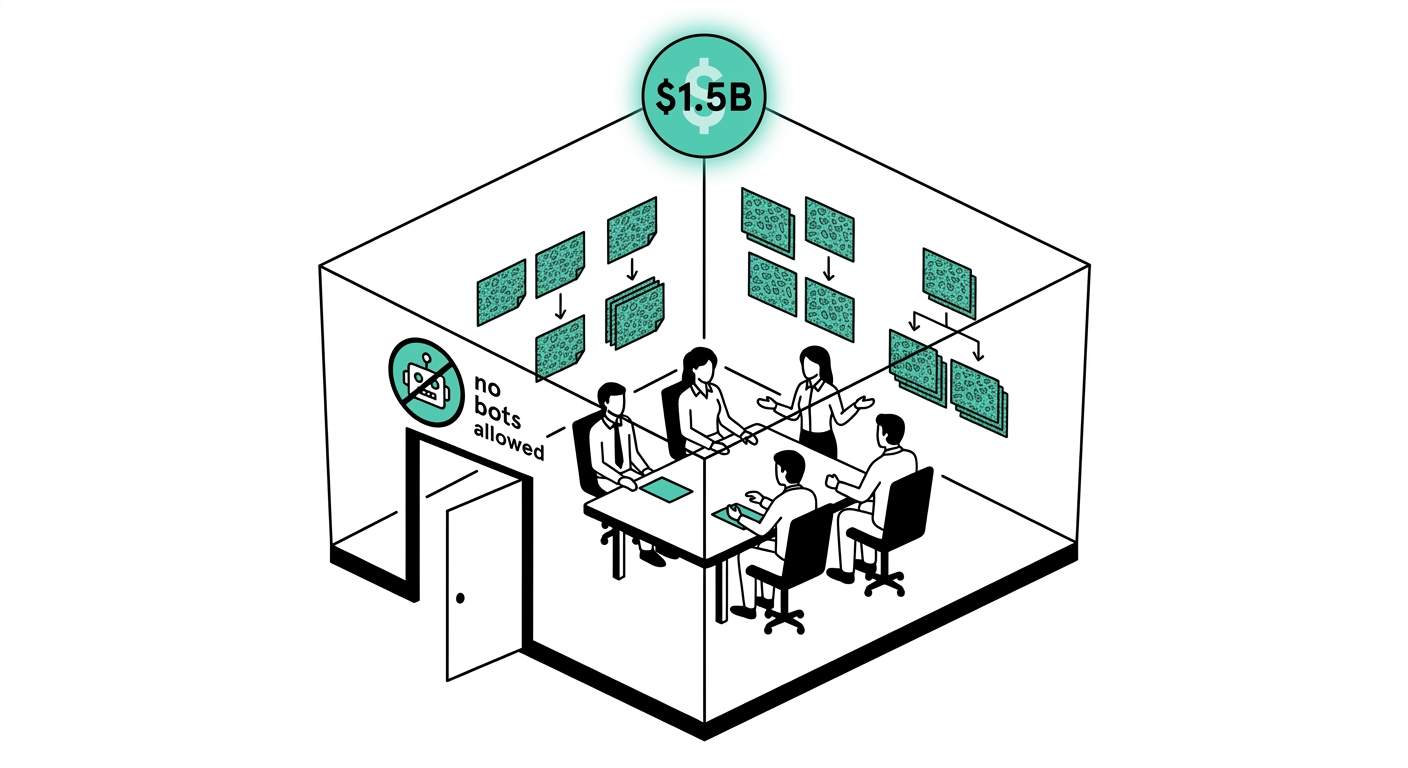
Granola takes a different approach. It runs quietly on your device, listens to audio the same way your headphones do, and produces clean, structured notes when the meeting ends. No bot announcement. No permission request to the meeting host. No notification to other participants. That single design choice is what turned this London startup into a $1.5 billion company by early 2026.
This review covers how Granola actually works, what you get at each pricing tier, where it falls short compared to Otter, Fireflies, and Read AI, and which types of users should pay for it versus stick with the free plan.
What is Granola?
Granola is an AI notepad built for people who attend a lot of meetings and want to stay present in the conversation rather than typing furiously to capture everything. Chris Pedregal and Sam Stephenson founded the company in London in 2023 with a simple premise: knowledge work runs better when teams share a common understanding of what was said and agreed, not scattered documents written from memory hours later.
The product launched as a Mac-only desktop app and built a cult following among product managers, founders, and investors in Silicon Valley who wanted something quieter than Fireflies. The company has since shipped a Windows app and an iOS app, though the Mac version remains the most mature of the three. The iOS release lets users capture audio on the go, whether a walk-and-talk or an in-person meeting.
Granola raised a $20 million Series A in October 2024, a $43 million Series B in May 2025, and then the landmark $125 million Series C in March 2026, per TechCrunch, bringing total funding to $192 million. Enterprise customers now include Vanta, Gusto, Asana, Cursor, Lovable, Decagon, and Mistral AI, according to Granola’s Series C post.
How Granola Works (The Bot-Free Difference)
Most AI meeting tools work by having a bot account join your meeting as a participant. You see “Fireflies.ai Notetaker” or “Otter.ai” appear in the attendee list. Everyone knows it’s there. Granola does not do this.
Instead, Granola installs as a desktop or mobile app and accesses two audio channels on your device: your microphone input and your meeting platform’s audio output. It doesn’t touch the meeting platform’s API at all. It just listens to your speakers the same way you do. According to Granola’s transcription docs, the audio is processed by Deepgram and AssemblyAI for transcription, then the raw audio is deleted. Only the transcript and the AI-generated notes are stored.
During the meeting, you can type rough shorthand notes in Granola’s notepad. These do not need to be complete sentences. When the meeting ends, Granola’s AI combines your rough notes with the full transcript to generate a structured summary. Your jottings act as a signal for what you found important, and the AI fills in the surrounding context from the transcript.
This model has a practical implication: you get a summary that reflects your perspective on the meeting, not just a mechanical transcript of everything that was said. Users on Product Hunt consistently call this one of Granola’s biggest differentiators.
Granola Features
Real-Time Transcription
Granola transcribes audio in real time as the meeting runs. The transcript is visible in a side panel while you take notes. Users report 90 to 95 percent accuracy in clean audio environments, according to Booststash’s six-week test. Accuracy drops with heavy accents, multiple overlapping speakers, or poor microphone quality, which is typical of all transcription tools in this category.
AI-Enhanced Note Summaries
When the meeting ends, Granola generates a structured summary that layers your rough notes over the transcript context. The output is organized into sections, typically including key discussion points, decisions made, and action items. You can edit the summary directly before sharing it.
Note Templates
Granola ships with 29 built-in meeting templates covering common formats: customer discovery calls, user interviews, 1-on-1s, project kick-offs, pipeline reviews, and more. Users can also save their own templates. The template applies a specific output structure to the AI summary so the notes always match the expected format for that meeting type.
Recipes (Saved Prompts)
Recipes are saved AI prompts that run against your meeting notes to produce a specific output. Examples include generating a follow-up email, extracting feature requests, writing coaching feedback, or creating a PRD section. Granola includes 29-plus pre-built Recipes and lets users build their own. A dedicated Recipe can also aggregate action items from multiple meetings into a single list, which is useful for weekly reviews.
Action Item Extraction
Granola automatically identifies action items from the meeting transcript and surfaces them in the summary. Users can assign tasks within the notes and push them to connected tools via Zapier or native integrations. According to SummarizeMeeting’s 2025 analysis, Granola’s action item detection is competitive with Fireflies on most meeting types, though it lacks Fireflies’ dedicated conversation intelligence scoring for sales calls.
Cross-Meeting Search and Chat
All your meeting notes are searchable across sessions. Granola also supports a chat interface that lets you ask questions about past meetings, for example “What did we agree about the Q3 roadmap?” and get answers drawn from multiple transcripts. This is where the enterprise pitch becomes clearer: as months of meetings accumulate, Granola becomes a searchable memory layer for your team.
Spaces (Team Collaboration)
Spaces is a team feature that organizes meeting notes around a project, account, or topic. Team members with access to a Space can view all relevant meeting notes in one place, building shared context across individual calls. This is a relatively recent addition and is central to Granola’s enterprise expansion plan post-Series C.
Integrations
On the Business plan, Granola connects natively to Slack, Notion, HubSpot, Affinity, and Attio. It also connects to 8,000-plus apps via Zapier. The MCP (Model Context Protocol) integration lets AI tools like Claude, ChatGPT, and Cursor query your Granola meeting notes directly, turning your call history into a data source for other AI workflows. Granola works with Zoom, Google Meet, Microsoft Teams, WebEx, and Slack Huddles without needing admin permissions on those platforms, since it operates at the device audio level rather than the platform API level.
Granola Pricing
Granola’s pricing is straightforward compared to most tools in this category. There are three main tiers, with a startup program on top.
- Free: Unlimited meetings per month with AI-enhanced notes. Limited to the last 30 days of meeting history. No integrations. Suitable for individuals testing the tool or with light meeting schedules.
- Individual, $18 per month: Unlimited history, advanced AI models, full Recipes and Templates, and priority support. No team features or CRM integrations. Best for solo users with heavy meeting loads.
- Business, $14 per user per month: Everything in Individual, plus Spaces for team collaboration, CRM integrations (HubSpot, Affinity, Attio), Slack and Notion integrations, Zapier, and MCP access. The per-user price is lower than Individual when billed for a team.
- Enterprise, $35-plus per user per month: Adds SSO, GDPR compliance controls, contractual AI training prohibitions, and centralized admin for organizations with 50-plus users.
Granola also runs a startup program that gives qualifying early-stage teams 12 months of the full Business plan at no cost, according to Granola’s startup pricing page.
By comparison, Otter.ai’s Pro plan runs $16.99 per month per user, Fireflies’ Pro is $18 per month per user, and Fathom offers a robust free plan. Granola’s Business plan at $14 per user is priced competitively for teams that need integrations, though solo users pay $18 per month while competitors offer cheaper individual tiers.
Granola Pros and Cons
Pros:
- Truly bot-free: no visible participant joins the call, which removes friction in sensitive meetings.
- Works with every meeting platform without needing admin permissions or platform integrations.
- Note templates and Recipes make it easy to standardize outputs across recurring meeting types.
- The combination of your rough notes plus the AI summary produces more personally relevant outputs than fully automated tools.
- iOS app extends the tool beyond desktop to in-person and mobile scenarios.
- MCP integration is genuinely useful for teams already using Claude or Cursor in their workflows.
- Strong enterprise traction: used by Vanta, Gusto, Asana, Mistral AI, and Cursor, per Granola’s Series C post.
- 3x spend growth in six months with near-zero churn, per YipitData’s 2025 analysis.
Cons:
- Raw audio is deleted after transcription: you cannot replay the original call.
- Recording consent is on you: Granola does not notify other participants, which creates legal risk in two-party consent jurisdictions.
- Google Workspace is required for the calendar integration, which leaves Outlook users with a degraded setup experience.
- Windows and iOS versions are newer and less mature than the Mac app, with more reported bugs.
- No built-in conversation intelligence scoring for sales teams (Fireflies has a stronger edge here).
- Free plan limits history to 30 days, which may frustrate users who want to search older notes without paying.
- Limited export options: sharing notes outside Granola involves more steps than rivals like Otter.
Granola vs Alternatives
The main rivals in this space are Otter.ai, Fireflies.ai, Fathom, and Read AI. Here is how Granola stacks up on the dimensions that matter most.
| Feature | Granola | Otter.ai | Fireflies.ai | Fathom |
|---|---|---|---|---|
| Bot-free recording | Yes | No | No | No |
| Free plan | Yes (30-day history) | Yes (300 min/month) | Yes (800 min storage) | Yes (unlimited) |
| Paid plan starts at | $14/user/month | $16.99/user/month | $18/user/month | $19/user/month |
| Audio playback | No (deleted) | Yes | Yes | Yes |
| CRM integrations | Business plan | Business plan | Pro plan | Pro plan |
| MCP support | Yes | No | No | No |
| Platform | Mac, Windows, iOS | Web, iOS, Android | Web, iOS, Android | Mac, Windows |
Granola wins on the bot-free setup and the MCP integration for AI-native teams. Fathom’s free plan is more generous for solo users who just want basic transcription. Fireflies has a stronger edge for sales teams that need conversation intelligence, call scoring, and deep CRM syncing. Otter has faced serious reputational damage after a class-action lawsuit filed in August 2025 alleging deceptive recording practices, which has pushed many users toward alternatives.
Read AI is worth mentioning as a fourth option for enterprise teams: it offers deeper analytics and coaching features, but at higher price points and with a more complex setup than Granola’s straightforward desktop app.
Who is Granola Best For?
Individual consultants and freelancers: The free plan covers light use, and the Individual plan at $18 per month works well for solo professionals in client-facing roles who need clean notes without a visible bot on screen.
Product managers and founders: Granola’s template system and Recipes are built for recurring meeting formats like sprint planning, customer discovery, and 1-on-1s. The cross-meeting search makes it easy to track decisions over time.
AI-native teams using Claude or Cursor: The MCP integration is a genuine differentiator. If your team already uses Claude or Cursor, being able to query meeting history from those tools without copy-pasting is a meaningful workflow improvement.
Sales teams with privacy-sensitive calls: The bot-free approach is a real advantage in early sales conversations where a visible recording bot can make prospects uncomfortable. Note the legal caveat about consent laws in your jurisdiction.
Enterprise teams: The Business and Enterprise plans with Spaces, SSO, and GDPR controls make Granola viable for organizations of 50-plus users. The startup program is worth exploring for early-stage teams that qualify.
Not ideal for: Users who need audio playback as a record of the conversation, teams on Outlook-only environments (the calendar sync is Google Workspace-centric), and sales teams that need deep conversation intelligence scoring beyond clean note summaries.
Our Verdict
Granola is the best bot-free meeting notetaker available today, and the $1.5 billion valuation reflects real user behavior rather than hype. The core product solves a genuine problem: most people in meetings want to be present, not typing, and most AI notetakers force a trade-off between presence and documentation. Granola removes that trade-off for most users.
The free plan is a fair starting point. The Individual plan at $18 per month is a reasonable ask for professionals who rely on clean meeting notes daily. The Business plan at $14 per user per month is competitive for teams once you factor in the integrations and Spaces features.
The main gaps are the lack of audio playback, the Google Workspace dependency for calendar sync, and the less mature Windows experience. If those are dealbreakers for your setup, Fathom (for free plan generosity) or Fireflies (for sales intelligence) are the nearest alternatives worth evaluating. But for most knowledge workers who want to stop taking notes and start being present, Granola is the easiest recommendation in this category right now.
Frequently Asked Questions
Does Granola record meetings without other participants knowing?
Granola captures audio at the device level without joining the meeting as a bot, so other participants do not see any recording notification within the meeting platform. However, recording consent laws vary by location: some US states and many countries require all parties to consent before a conversation is recorded. Granola puts the legal responsibility for compliance on the user. If you are in a two-party consent jurisdiction, you should notify participants that the meeting is being recorded.
Is Granola free?
Yes. Granola has a free plan that allows unlimited meetings with AI-enhanced notes. The free plan limits your note history to the last 30 days and does not include integrations with tools like Slack, Notion, or HubSpot. Paid plans start at $14 per user per month for Business and $18 per month for the Individual plan.
Does Granola work on Windows?
Yes. Granola launched as a Mac-only app but has since released Windows and iOS versions. The Windows app is newer and less mature than the Mac version, with users reporting occasional bugs and limitations. Mac remains the primary platform, but Windows users can install and use the app for their daily meetings.
How does Granola transcribe meetings without a bot?
Granola installs as a desktop app and accesses your computer’s system audio, specifically your microphone input and your meeting platform’s speaker output. It processes audio locally using Deepgram and AssemblyAI for transcription, then deletes the raw audio file after the transcript is generated. This means Granola never interacts with the meeting platform itself, so it works with Zoom, Google Meet, Teams, WebEx, and Slack Huddles without needing any platform-level permissions.
Can I use Granola for in-person meetings?
Yes. The iOS app lets you capture audio from in-person meetings, walk-and-talks, or any scenario where you are not at your desk. The App Store listing confirms the iOS app supports recording on the go, and some users report using it for Vision Pro sessions as well. In-person meeting transcription depends on your phone’s microphone quality and ambient noise levels.
How does Granola compare to Otter.ai?
Granola is bot-free while Otter uses a bot that joins meetings as a visible participant. Granola’s paid plan starts at $14 per user per month (Business) versus Otter’s $16.99 per user per month. Otter supports audio playback; Granola deletes audio after transcription. Otter also faced a class-action lawsuit in August 2025 over alleged deceptive recording practices, which has driven significant user migration to alternatives including Granola. For users who prioritize a low-friction, invisible recording setup, Granola is the stronger choice in 2025.
Why did Granola raise money at a $1.5 billion valuation?
Granola announced a $125 million Series C round on March 25, 2026, led by Index Ventures’ Danny Rimer and Kleiner Perkins’ Mamoon Hamid, per TechCrunch. The $1.5 billion valuation was a six-fold increase from its $250 million valuation less than a year earlier, driven by strong user growth, near-zero churn, and a strategy shift from a consumer notetaking app toward an enterprise AI context layer. The company plans to use the funds to expand Spaces, build out its API, and deepen integrations with enterprise systems.
What integrations does Granola support?
On the Business and Enterprise plans, Granola integrates natively with Slack, Notion, HubSpot, Affinity, and Attio. It connects to 8,000-plus additional apps via Zapier. The MCP (Model Context Protocol) integration lets AI tools like Claude, ChatGPT, and Cursor query your meeting notes directly as a data source, according to Granola’s integration guide. The free plan does not include any of these integrations.
Is Granola worth paying for?
For professionals who attend five or more meetings per week and want structured notes without a visible recording bot, the Individual plan at $18 per month is worth the cost. The Business plan at $14 per user per month is competitive for teams that need CRM sync and Spaces. The free plan is a good starting point if you have fewer meetings or want to evaluate the quality of Granola’s summaries before committing. If you only need basic transcription with audio playback, Fathom’s free plan or Otter’s free tier may be sufficient without any payment.


