
Key Takeaways
- Grammarly serves over 40 million daily active users and integrates with more than 500,000 apps and websites, including Gmail, Google Docs, Microsoft Word, Slack, and LinkedIn.
- The Free plan includes 100 AI prompts per month, real-time grammar and spelling checks, and a basic tone detector at no cost.
- Grammarly Pro costs $12 per month on annual billing (or $30 per month on monthly billing) and unlocks 2,000 AI prompts, full plagiarism detection, sentence rewrites, and advanced style suggestions.
- GrammarlyGO, the built-in generative AI writing assistant, handles drafting, rewriting, and ideation, though it does not match dedicated tools like ChatGPT or Claude for long-form content generation.
- The plagiarism checker cross-references a database of billions of web pages plus academic content through ProQuest, and is included in every Pro subscription.
- Grammarly only supports English, which is a meaningful limitation for multilingual writers or teams operating in other languages.
- Grammarly earned a 4.5 out of 5 rating on Trustpilot and holds a 9 out of 10 rating from multiple independent reviewer sites as of 2025 and early 2026.
- Fortune 500 companies including Expedia, BlackRock, Upwork, Zapier, and Databricks use Grammarly across their teams.
If you write professionally, you have almost certainly heard of Grammarly. Since its launch in 2009, it has grown from a simple grammar checker into a full AI writing assistant used by students, marketers, executives, and novelists alike. But the writing tool landscape has changed dramatically in the past two years. Every major productivity platform now ships with some form of AI editing. Does Grammarly still earn its place in 2026?
This review puts Grammarly through its paces across every major feature, from the core proofreading engine that made it famous to GrammarlyGO, its generative AI layer. We compare it head-to-head with ProWritingAid and Hemingway Editor, break down the exact pricing, and give you a clear answer on whether the Pro subscription is worth the money for your situation.
The short version: Grammarly is still the best general-purpose AI writing assistant for most users in 2026. It is not the cheapest option, and it is not the most powerful AI text generator on the market. But for the combination of real-time error catching, tone awareness, and seamless cross-platform availability, nothing else comes close at the same price point.
What is Grammarly?
Grammarly is an AI-powered writing assistant that checks grammar, spelling, punctuation, clarity, tone, and style as you type. It works inside a browser extension that covers more than 500,000 websites and apps, as well as dedicated desktop applications for Windows and Mac, a web editor, and mobile keyboard apps for iOS and Android.
Founded in 2009 by Alex Shevchenko, Max Lytvyn, and Dmytro Lider, Grammarly started as a grammar checker aimed at students. Over the following decade it expanded into a professional writing platform, and in recent years it has added a full generative AI layer called GrammarlyGO. The product now blends traditional rule-based proofreading with large language model capabilities, giving users both precise error correction and open-ended AI assistance within a single interface.
Grammarly supports English only. This is a firm limitation that has not changed. For multilingual users or teams that write in languages other than English, Grammarly is not the right tool. For everyone else, it is one of the most widely deployed writing tools in the world, trusted by Fortune 500 companies and individual freelancers in equal measure.
Grammarly Features
Grammar and Spell Check
This is where Grammarly built its reputation, and it remains the strongest part of the product. The proofreading engine catches a wider range of errors than the built-in checkers inside Microsoft Word or Google Docs. It identifies not just spelling mistakes and typos, but also missing punctuation, incorrect verb tense, subject-verb agreement errors, misplaced modifiers, and commonly confused word pairs such as “affect” versus “effect” or “its” versus “it’s”.
Every suggestion includes an explanation. Instead of just flagging a word and moving on, Grammarly tells you why the change is recommended. This makes the tool genuinely educational: over time, users report making fewer repeat mistakes because they understand the underlying rule. Color-coded categories separate grammar errors from punctuation issues and spelling mistakes, so you can work through a document systematically rather than hunting for problems at random.
The engine handles context reasonably well. It does not blindly flag sentence fragments when they are clearly used for stylistic effect, and it recognizes that some constructions that look wrong in isolation are correct in context. It is not perfect. Creative writers and technical specialists occasionally receive suggestions that would strip the voice out of their writing, but the false positive rate is low enough that the tool remains genuinely useful rather than just noisy.
Style and Clarity Suggestions
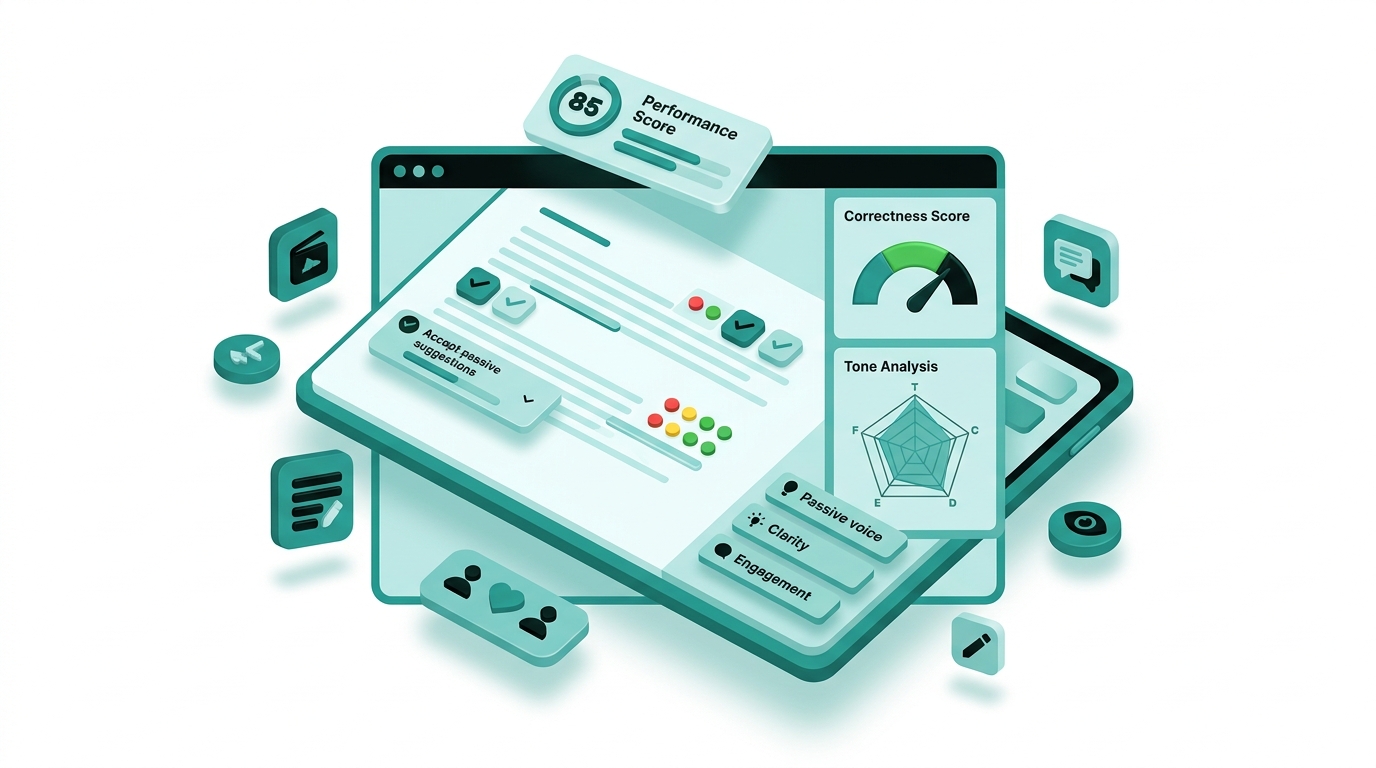
Beyond basic error catching, Grammarly analyzes readability and style. It flags wordy constructions, passive voice, overly complex sentences, and unnecessary hedging language. The suggestions push writing toward clarity and directness, which suits professional and business writing well.
Free plan users get a limited set of style suggestions. Pro subscribers unlock the full suite, including paragraph-level rewrite suggestions that offer alternative phrasings for entire blocks of text rather than single sentences. The consistency checker, available on Pro, catches capitalization inconsistencies, hyphenation variations, and formatting differences throughout a document, which is especially useful for long reports, essays, or manuscripts where small inconsistencies slip through unnoticed.
One honest note: the style suggestions skew toward a clean, corporate register. Writers working in literary fiction, humor, or unconventional formats will occasionally find the suggestions at odds with what they are actually trying to do. The tool is best used as a starting point for revision rather than a final authority on how your prose should sound.
Grammarly GO (AI Writing)
GrammarlyGO is the generative AI layer built into Grammarly. It can draft new text from a prompt, rewrite existing passages in a different tone or style, summarize content, generate reply suggestions for emails and messages, and brainstorm ideas on request. Free users receive 100 AI prompts per month. Pro subscribers get 2,000 prompts per month.
GrammarlyGO is most useful for specific, bounded tasks: rewriting a paragraph to sound more formal, shortening a long email, or generating an opening sentence when you are staring at a blank page. It integrates directly into your existing workflow without requiring you to switch tabs or copy text into a separate tool, which is its main practical advantage over standalone AI assistants.
Where GrammarlyGO falls short is in long-form content generation. For drafting full articles, detailed reports, or extended creative work, dedicated tools like ChatGPT, Claude, or Jasper produce better results. GrammarlyGO is a writing polish layer with AI bolted on, not a replacement for a purpose-built AI content generator. Users who approach it with that expectation will be disappointed. Users who treat it as a smart rewriting and editing shortcut will find it valuable.
Grammarly also offers specialized AI helpers including a Paraphraser tool, Reader Reactions (which lets you set a target reader profile and receive tailored feedback), and a Citation Finder to assist with source discovery for academic work.
Tone Detector
The Tone Detector reads your text and labels the emotional register it detects: confident, friendly, formal, direct, diplomatic, empathetic, and so on. It appears as a small indicator at the bottom of the Grammarly panel and updates in real time as you write.
For email and workplace communication, this feature is genuinely helpful. Tone is easy to misjudge when writing quickly, particularly in asynchronous text-based environments where sarcasm, frustration, or bluntness can land harder than intended. The Tone Detector acts as a quick sanity check before you hit send.
Pro and Enterprise plans extend this into active Tone Adjustment suggestions, where Grammarly proposes specific rewrites to shift your tone in a desired direction: for instance, making critical feedback sound more constructive, or making a formal proposal sound warmer without losing professionalism. Teams on Enterprise plans can also configure Brand Tone settings, so the tool actively nudges everyone toward the organization’s preferred communication style.
Plagiarism Checker
Grammarly’s plagiarism checker scans text against a database of billions of web pages and academic sources via a ProQuest partnership. It highlights matched passages and links to the original source so you can assess whether credit is required or whether a rewrite is needed.
This feature is included in all Pro subscriptions at no additional charge, which is a meaningful advantage over ProWritingAid, which charges separately for plagiarism checks unless you are on their Premium Pro tier. For students, academics, and anyone producing content at scale, having plagiarism detection bundled into the writing tool rather than requiring a separate service is a practical convenience.
One limitation worth knowing: the plagiarism detector searches publicly available web content and its licensed academic database, but it cannot search behind paywalls or within private databases. It is a strong first-pass check, not a guarantee of originality. Grammarly also now includes an AI content detector alongside the plagiarism checker, which attempts to flag text that appears to have been AI-generated, though the accuracy of AI detection tools across the industry remains imperfect as of 2025.
Grammarly Pricing
Grammarly currently offers three plan tiers:
Free Plan ($0/month). Includes real-time grammar and spelling checks, basic tone detection, and 100 GrammarlyGO AI prompts per month. Covers up to 10,000 words per document. Available on all platforms with no credit card required.
Pro Plan ($12/month billed annually, or $30/month billed monthly). The quarterly billing option sits at approximately $20 per month. Pro unlocks advanced style and clarity suggestions, full sentence and paragraph rewrites, tone adjustment, plagiarism detection, AI content detection, 2,000 AI prompts per month, vocabulary enhancement, consistency checks, and priority customer support. Teams of up to 149 members can use Pro with per-seat pricing. Grammarly merged its previous Business plan into Pro, so team collaboration features including analytics dashboards, style guides, and knowledge sharing are now included.
Enterprise Plan (custom pricing, contact sales). Adds everything in Pro plus BYOK (bring your own key) encryption, SAML SSO, SCIM provisioning, data loss prevention, audit logs, custom roles and permissions, dedicated account support, and ROI reporting. Enterprise is built for large organizations with specific security and compliance requirements.
There is no free trial of Pro, and Grammarly subscriptions are non-refundable after purchase. The free tier is generous enough to give you a realistic sense of the core product, but many of the features that differentiate Pro from free-tier alternatives are only accessible after upgrading.
Pros and Cons
Pros:
- Works across 500,000+ apps and websites through browser extensions and desktop apps, with no copy-pasting required
- Explains every suggestion, making it a useful learning tool and not just a passive corrector
- Plagiarism detection included in Pro at no extra cost
- Tone Detector and Tone Adjustment are highly practical for professional email and workplace communication
- GrammarlyGO handles quick rewrites and short-form drafting without leaving your current app
- Strong security with AES-256 encryption and Enterprise-grade privacy controls
- Free plan is genuinely usable, not just a crippled teaser
- Trusted by major enterprises including BlackRock, Expedia, and Upwork
Cons:
- English only, with no support for any other language
- GrammarlyGO is not competitive with standalone AI generators for long-form content
- Suggestions can make writing sound generic or corporate if accepted uncritically
- No offline mode; the tool requires an internet connection at all times
- AI detection accuracy, like all tools in this category, is imperfect
- Pro pricing at $30/month on monthly billing is expensive compared to some competitors
- Occasionally causes browser extension conflicts in specialized writing software
- No money-back guarantee on subscriptions
Grammarly vs Alternatives
Grammarly vs ProWritingAid. ProWritingAid is the most direct competitor at a similar price point. The key difference is depth versus breadth. ProWritingAid offers over 25 detailed analysis reports covering structure, pacing, cliche usage, repeated phrases, sentence length variation, and readability at a chapter or manuscript level. For novelists and long-form creative writers, that depth is genuinely valuable. ProWritingAid also offers a lifetime license, which makes the total cost of ownership dramatically lower for committed users.
Grammarly wins on integration and speed. It works inside 500,000+ apps in real time. ProWritingAid’s browser extension is less polished, and its interface is more complex to navigate. For business writers, marketers, and students who want something that just works wherever they are typing, Grammarly is the better fit. ProWritingAid charges separately for plagiarism checks unless you are on the highest tier, while Grammarly includes plagiarism detection in every Pro plan. See our full AI copywriting comparison for more context on where Grammarly fits alongside other writing tools.
Grammarly vs Hemingway Editor. Hemingway is a free (or $19.99 one-time for the desktop app) tool focused exclusively on readability. It highlights long sentences, passive voice, and adverb overuse, and gives each document a reading grade level score. Hemingway does not offer real-time suggestions inside other apps, does not catch grammar errors beyond basic issues, and has no AI writing features. It is a useful addition to a writing workflow but not a replacement for Grammarly. The two tools complement each other well: run Hemingway for readability passes on long drafts, and use Grammarly for real-time error catching across everything you write. For teams comparing AI writing tools, the combination of Grammarly plus Hemingway covers most editorial bases at a reasonable cost.
Who is Grammarly Best For?
Students and academics get excellent value from Grammarly Pro. The plagiarism checker alone justifies the subscription for anyone submitting academic work, and the grammar engine catches the kinds of errors that affect grades. The explanations build writing skills over time rather than just patching mistakes.
Business professionals and knowledge workers are arguably the core audience Grammarly was designed for by 2025. Tone adjustment, email reply suggestions, and real-time error catching in Slack, Outlook, Gmail, and Teams make Grammarly a productivity multiplier for high-volume workplace communication. The brand tone and style guide features in Pro and Enterprise make it a strong choice for marketing and communications teams.
Content marketers and bloggers will find the Pro plan useful for editing and polishing drafts, checking for plagiarism before publishing, and using GrammarlyGO for quick rewrites. However, serious content creators will want to pair Grammarly with a dedicated AI content generator rather than relying on GrammarlyGO alone for first drafts. Our AI copywriting tools comparison covers dedicated content AI tools in more detail.
Non-native English speakers can benefit enormously from Grammarly. The “Write Fluently in English” feature in Pro is specifically designed to help ESL writers produce text that reads naturally, catching patterns of error that are common in second-language writing and difficult to catch through self-editing alone.
Creative writers will have a more mixed experience. Grammarly’s suggestions push toward conventional clarity, which can work against literary voice. ProWritingAid is often a better fit for novelists and screenwriters. That said, Grammarly is still useful for proofreading purposes even in creative contexts.
Casual writers and light users are well served by the free plan. If you write a handful of emails and documents per week, the free tier provides enough functionality to be useful without any subscription cost.
Our Verdict
Grammarly remains the best AI writing assistant for most users in 2026. It is not perfect, and it is not trying to be everything. GrammarlyGO will not replace ChatGPT for people who need a serious AI content generator. The English-only limitation is a genuine gap for international teams. And the suggestion engine occasionally tries to sand down stylistic edges that should be preserved.
But for the core job of helping you write cleaner, clearer, more professional English faster and across every surface where you type, Grammarly does it better than any single competitor. The combination of real-time error checking, tone awareness, plagiarism detection, and AI-assisted rewriting in one tool that lives inside your browser and every app you use is genuinely hard to replicate by stitching together free alternatives.
The free plan is a legitimate product worth using even if you never upgrade. The Pro plan at $12 per month on annual billing is reasonable value for anyone who writes professionally. The Enterprise tier is priced for organizations with real security and compliance requirements, and it delivers on those requirements.
Rating: 9/10. Recommended for students, business professionals, content marketers, and non-native English speakers. Consider ProWritingAid instead if you primarily write long-form creative fiction and want deeper manuscript analysis.
Frequently Asked Questions
Is Grammarly free to use?
Yes. Grammarly offers a free plan that includes real-time grammar and spelling checks, a basic tone detector, and 100 AI writing prompts per month. The free plan has no time limit and requires no credit card to sign up. Some advanced features such as full sentence rewrites, plagiarism detection, and enhanced style suggestions are reserved for Pro subscribers.
How much does Grammarly Pro cost?
Grammarly Pro costs $12 per month when billed annually, approximately $20 per month on a quarterly plan, or $30 per month on a monthly plan. There is currently no free trial of the Pro plan, and subscriptions are non-refundable. Enterprise pricing is custom and requires contacting the Grammarly sales team.
Does Grammarly work with Microsoft Word?
Yes. Grammarly has a dedicated add-in for Microsoft Word on both Windows and Mac. It also works inside Google Docs, Gmail, Outlook, Slack, LinkedIn, and most other major apps through its browser extension. Grammarly claims compatibility with over 500,000 websites and applications.
What is GrammarlyGO?
GrammarlyGO is Grammarly’s built-in generative AI writing assistant. It can draft text from prompts, rewrite passages in a different tone, shorten or expand content, suggest email replies, and help brainstorm ideas. Free users get 100 GrammarlyGO prompts per month, while Pro users get 2,000. GrammarlyGO is best used for short rewrites and editing tasks rather than generating long-form content from scratch.
Does Grammarly support languages other than English?
No. Grammarly currently supports English only. This is one of its most significant limitations, and it has not changed as of 2026. If you write in Spanish, French, German, or any other language, Grammarly cannot assist with those documents.
Is Grammarly’s plagiarism checker accurate?
Grammarly’s plagiarism checker cross-references billions of web pages and academic content through its ProQuest partnership. It is a strong first-pass tool and will catch most unintentional plagiarism and direct copying from publicly available sources. However, it cannot search behind paywalls, and its AI-content detection features carry the same accuracy limitations found across the industry. It should be treated as a useful screening tool rather than a definitive guarantee of originality.
How does Grammarly compare to ProWritingAid?
Grammarly is better for real-time editing across many apps and for business and professional writing. ProWritingAid offers deeper reports and more features for long-form creative writing, and its lifetime license can be more cost-effective in the long run. Both tools are good; the right choice depends on your writing type and workflow. Grammarly includes plagiarism detection in all Pro plans, while ProWritingAid charges separately unless you are on their highest tier.
Can Grammarly replace a human editor?
No. Grammarly catches a wide range of technical errors and provides useful style guidance, but it cannot assess the overall argument of a piece, evaluate whether the content serves its audience, catch factual errors, or provide the kind of developmental feedback a skilled human editor offers. It is a powerful first-pass tool that reduces the burden on human editors, not a substitute for them. Independent reviewers and Grammarly itself acknowledge this limitation explicitly.
Grammarly enters 2026 in a stronger position than many predicted a few years ago, when it seemed like integrated AI in every tool might make dedicated writing assistants redundant. Instead, Grammarly has kept pace by layering AI capabilities onto a proofreading engine that still outperforms the built-in checkers in most platforms. For writers who want one tool that works everywhere and handles both precise error detection and AI-assisted editing, Grammarly continues to be the standard against which others are measured.


