
Key Takeaways
- Google Stitch launched on May 20, 2025, at Google I/O as a Google Labs experiment built on Gemini 2.5, turning natural language prompts into full UI designs.
- Google acquired Galileo AI in early 2025 and rebranded it as Stitch, integrating it with the Gemini model family.
- As of May 2026, Stitch is completely free: no credit card required, no paid tier yet. Users get 350 standard (Gemini 2.5 Flash) and 200 experimental (Gemini 2.5 Pro) design generations per month.
- The March 2026 update (Stitch 2.0) added multi-screen generation on an infinite canvas, voice input, and improved code export.
- Stitch exports to Figma and generates HTML/TailwindCSS code, but does not support React Native, SwiftUI, backend logic, or real API calls.
- Figma export only works with the standard Gemini Flash model; the higher-quality Gemini Pro model does not support Figma export.
- Stitch does not have a plugin ecosystem, real-time multiplayer editing, or accessibility features like WCAG-compliant color contrast or ARIA attributes.
- The most common workflow in 2026 is: design in Stitch, refine in Figma, then generate production code with v0 or ship a full app with Lovable.
- Paid tiers for Stitch are expected in Q4 2026 when it exits Google Labs, with analysts projecting prices 30-50% below Figma’s plans.
When Google unveiled Stitch at I/O 2025, the reaction split cleanly between two camps: designers who dismissed it as a toy, and non-designers who immediately started cancelling Figma trials. That gap in reaction tells you almost everything about who this tool is actually built for.
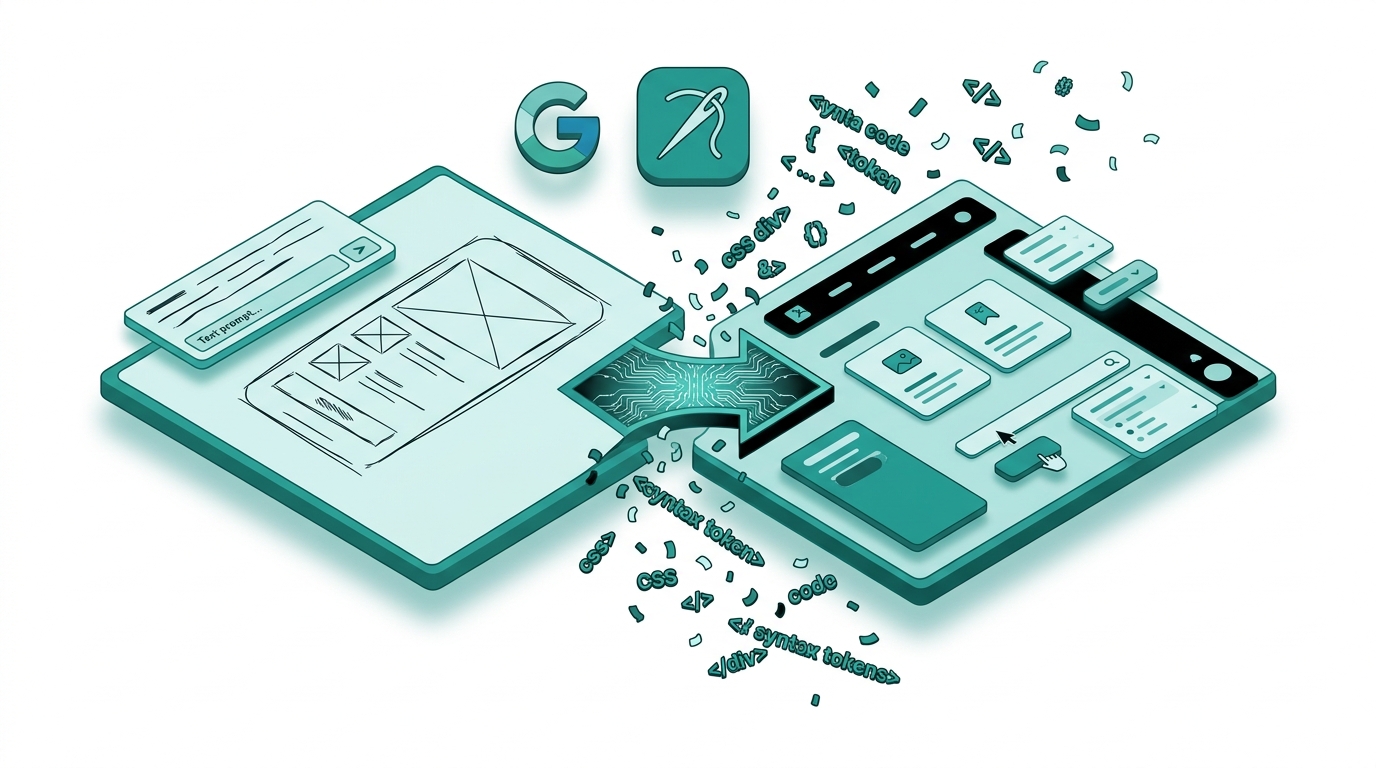
Stitch converts plain-English descriptions into polished, multi-screen UI mockups in seconds. Type “a SaaS dashboard with a sidebar, dark theme, and usage analytics cards,” click generate, and you get a complete interface layout with sensible spacing, real component hierarchy, and exportable code. It is powered by Google’s Gemini 2.5 models and built on the foundation of Galileo AI, which Google acquired in early 2025. The March 2026 update added an infinite canvas, voice prompting, and five-screen simultaneous generation, making it meaningfully more capable than what launched twelve months ago.
This review covers what Stitch actually does well, where it falls short, how it stacks up against Figma AI, v0, and Lovable, and whether it belongs in your workflow right now. All pricing and features reflect the tool as of May 2026.
What is Google Stitch?
Google Stitch is an AI-native UI design tool built inside Google Labs. It uses Gemini 2.5 Flash and Gemini 2.5 Pro to generate user interface designs from text prompts, reference images, or rough sketches. Rather than giving you a canvas to draw on, it gives you a conversation to have: describe what you want, and the tool produces a screen layout in seconds.
The product has its roots in Galileo AI, a venture-backed startup that had been building prompt-to-UI technology since 2022. Google acquired Galileo in early 2025 and relaunched the product as Stitch at Google I/O on May 20, 2025. Since then it has shipped two major updates. The January 2026 update brought improved Figma export and code quality. The March 2026 Stitch 2.0 update added the infinite canvas, multi-screen generation, voice input, and a design agent that tracks your session and suggests next steps.
Stitch is currently a Google Labs experiment, meaning it is free to use with a standard Google account and carries no enterprise SLA. It follows Google’s Material Design 3 guidelines by default, which means outputs tend to look clean and consistent even when prompts are vague.
Google Stitch Features
Text-to-UI Generation
The core feature is straightforward: describe a screen, and Stitch builds it. The quality of the output scales with the specificity of the prompt. A vague prompt like “a login screen” produces a generic but usable layout. A more detailed prompt, such as “a mobile login screen with Google and Apple SSO buttons, a ‘Forgot password’ link, and a dark navy background,” produces something much closer to production-ready. Stitch handles component hierarchy well, meaning it places buttons, navigation elements, and content areas in logical positions rather than scattering them randomly.
Multi-Screen Generation and Infinite Canvas
Added in the March 2026 update, multi-screen generation lets you describe an entire user flow and generate up to five screens at once. Stitch understands the relationship between screens: it connects an onboarding flow, a dashboard, and a settings page with logical navigation paths. The infinite canvas holds all your screens together, so you can see a complete user journey in one view rather than jumping between files.
Interactive Prototyping
Stitch connects your generated screens into a clickable prototype with one click. The tool infers logical navigation between screens automatically: a “Sign In” button connects to the dashboard, a back arrow connects to the previous screen. You can hit “Play” to preview the prototype as if it were a live application. This feature is included in the free tier, which is notable since Figma requires a paid plan for multi-user prototyping.
Figma Export
Stitch exports designs directly to Figma with preserved layers and components, via an official Google community plugin. This makes a natural handoff possible: generate the initial design in Stitch, then pull it into Figma to polish spacing, apply brand tokens, and prepare assets for handoff. There is an important constraint here: Figma export is only available when using the standard Gemini Flash model. The higher-quality Gemini Pro model does not support Figma export as of May 2026.
Code Export
Stitch generates HTML and TailwindCSS code for every design it produces. The output is clean, structured, and follows modern web standards. It is useful as a starting point for a frontend developer. The significant limitation is that you cannot choose a different tech stack: if your project uses React Native, SwiftUI, or a custom component library, the exported code will need manual conversion. The code also uses mock or static data, so anything requiring real API calls, authentication, or a database has to be added separately.
Voice Input
Stitch 2.0 introduced voice commands, letting you critique and iterate on designs verbally. You can say “make the header smaller and shift the call-to-action button to the bottom right,” and the design updates accordingly. In practice, voice input works best for layout adjustments rather than style changes, but it meaningfully speeds up iteration for users who find typing prompts slow.
Image and Sketch Input
Stitch accepts reference images and screenshots as input. You can upload a screenshot of a competitor’s app and ask Stitch to generate something similar with a different color scheme. The caveat: despite the tool claiming sketch support, it struggles to interpret hand-drawn wireframes with any precision. Photo-quality screenshots work well; rough sketches do not.
Google Stitch Pricing
As of May 2026, Google Stitch is entirely free. No credit card is required, and there are no paid tiers. Access requires only a standard Google account.
- Free (current and only tier): 350 standard design generations per month powered by Gemini 2.5 Flash, plus 200 experimental generations powered by Gemini 2.5 Pro. Full access to multi-screen generation, interactive prototyping, Figma export (Flash model only), code export, voice input, and the infinite canvas.
This is a Google Labs product, and Google has not committed to a permanent free tier. Paid plans are expected in Q4 2026 when Stitch is projected to exit Labs. Based on statements from Google representatives and analyst estimates cited by NxCode, pricing is expected to come in 30-50% below Figma’s current rates once a paid structure is introduced.
For reference, Figma’s current paid plans start at $15 per editor per month for the Professional plan and scale to $45 per editor per month for the Organization plan. Figma does not offer a free plan with design file collaboration beyond two editors.
Google Stitch Pros and Cons
Pros
- Completely free right now. 350 + 200 generations per month at no cost is generous for individual use and small teams exploring the tool.
- Fast ideation. Going from a blank page to a polished multi-screen mockup takes seconds, not hours. This is the tool’s strongest practical advantage.
- No design skills required. Product managers, founders, and developers can produce professional-looking UI without knowing Figma or design principles.
- Good output quality by default. Stitch follows Material Design 3 and produces sensible layouts with proper spacing, even on vague prompts.
- Figma integration. The export workflow into Figma is clean and preserves layers, making handoff to a professional designer straightforward.
- Interactive prototyping included. Clickable multi-screen prototypes at no cost is a real advantage for early-stage projects and client demos.
- Multi-screen generation. Stitch 2.0 can generate an entire user flow at once, not just individual screens.
Cons
- No plugin ecosystem. Figma has 2,000+ plugins covering accessibility auditing, design tokens, Lottie animations, and icon libraries. Stitch has none.
- No real-time collaboration. Figma’s multiplayer editing is a core workflow feature for design teams. Stitch does not support it.
- Code output is HTML/TailwindCSS only. No React Native, SwiftUI, or custom framework support. Developers on other stacks have to convert manually.
- No accessibility compliance. Generated designs lack focus indicators, ARIA labels, and color contrast ratios that meet WCAG 2.1 AA standards.
- Figma export is model-restricted. You can only export to Figma using the Flash model, not the higher-quality Pro model.
- Sketch input is unreliable. Hand-drawn wireframes are not interpreted accurately, despite the tool claiming this capability.
- Generic layouts. Without detailed prompts, outputs default to a limited set of layout patterns. Many designs end up looking similar to each other.
- Google Labs uncertainty. The product is still experimental. Features, limits, and availability can change without notice.
Google Stitch vs Alternatives
Stitch sits in an increasingly crowded space. Here is how it compares to the three tools it gets mentioned alongside most often.
Google Stitch vs Figma AI
Figma AI is a set of features added to Figma’s existing canvas-based editor. It includes AI-powered auto-layout suggestions, first-draft generation from prompts, and a “Make it better” refinement tool. The fundamental difference in approach is significant: Figma AI helps you work faster inside a tool you already know. Stitch replaces the canvas entirely with natural language as the primary interface.
Figma’s ecosystem advantages are substantial. It has 2,000+ plugins, real-time multiplayer editing, enterprise-grade permissions, design token management, and a developer handoff workflow that has been refined over years. For professional design teams, Figma’s infrastructure is difficult to abandon. Stitch cannot replace those workflows today.
Where Stitch wins is speed of initial ideation and cost. Generating a first draft in Stitch takes seconds and costs nothing. Figma AI requires a paid plan and still assumes you know how to use Figma. For users without design backgrounds, Stitch is dramatically more accessible. You can learn more about Figma’s AI features in our Figma AI review.
The consensus workflow that has emerged in early 2026: use Stitch to go from idea to initial mockup, then export to Figma to polish, brand, and hand off to developers. Many teams treat the two tools as complementary rather than competitive.
Google Stitch vs v0 by Vercel
v0 is fundamentally different in purpose. It is a developer tool, not a designer tool. It generates production-quality React and Next.js component code using shadcn/ui, which can be dropped directly into an existing codebase. It is built for engineers who want to skip UI boilerplate, not for anyone trying to produce a visual mockup.
v0 pricing: Free plan with $5 in monthly credits; Pro at $20 per user per month with $20 in credits; Team at $30 per user per month. Stitch is free with no comparable limits for visual design work.
If your goal is a visual prototype for stakeholder review, use Stitch. If your goal is production-ready component code that slots into a React project, use v0. The tools address different stages of the same process. See our roundup of top AI design tools for a broader comparison across categories.
Google Stitch vs Lovable
Lovable is the most end-to-end of the three: it generates complete full-stack applications with a frontend, backend, database, authentication, and one-click deployment. It is aimed at non-developers who want a working product, not a mockup.
Lovable pricing: Free plan with 5 credits per day (up to 50 per month). Pro at $21 per month (billed annually) with 100 monthly credits. Business and Enterprise tiers for teams.
Stitch produces better-looking UI designs than Lovable, but Lovable ships deployable applications. If you need a functioning app with real data and a backend, Lovable is the more appropriate choice. If you need a polished UI mockup for a pitch or design review, Stitch wins on output quality and is free.
A practical 2026 workflow used by many early-stage teams: generate initial screens in Stitch, refine in Figma, then use Lovable or v0 to build the actual product. This approach gets the visual quality of dedicated design tooling and the speed of AI-assisted development. For more on AI tools that ship real products, see our AI app builder comparison.
Who is Google Stitch Best For?
Product managers and founders get the most immediate value from Stitch. The ability to turn a written product spec into a visual mockup in minutes, without needing to hire a designer or learn Figma, directly accelerates the early stages of product development. Stitch is good enough to use in investor pitch decks and early user research sessions.
Developers who need to communicate UI ideas will find Stitch a much faster path to a visual than wireframing by hand or struggling in Figma. The Figma export means that whatever a developer generates in Stitch can be handed to a designer for refinement without any conversion work.
Early-stage startups and indie builders who cannot yet justify a Figma subscription will get significant practical value from Stitch’s free tier. 350 generations per month is enough for multiple product iterations.
Designers doing rapid ideation may find Stitch useful as a brainstorming tool, especially for exploring many different layout directions quickly before committing to a design direction in Figma. Several designers have described using Stitch to escape the blank canvas problem: generate ten starting points in Stitch, pick the most promising one, then build properly in Figma.
Professional UX design teams will find Stitch insufficient as a primary tool. The absence of real-time collaboration, a plugin ecosystem, design token support, and accessibility tooling means it cannot replace Figma in a production design workflow. It can supplement that workflow at the ideation stage, but it is not a replacement.
Stitch is not a good fit for: teams requiring WCAG-compliant designs from the outset, projects that need native mobile code output (SwiftUI or React Native), or anyone who needs precision control over spacing and layout beyond what natural language iteration provides.
Our Verdict
Google Stitch is a genuinely useful tool, but it is useful for a specific slice of the design workflow: the part that comes before professional design work begins. It is the fastest path from “I have an idea” to “I have something visual to show people.” At zero cost, the barrier to trying it is essentially nothing.
The tool’s output quality is real. These are not wireframes or rough sketches; they are polished, component-aware UI designs that look credible in a presentation. The Figma export integration makes it practical rather than a standalone experiment: generate in Stitch, refine in Figma, build with your preferred development tools.
The gaps are also real. No accessibility, no plugin ecosystem, no real-time collaboration, and HTML/TailwindCSS-only code export place hard limits on what Stitch can do. It helps you start; it does not help you finish.
If you are a designer: add Stitch to your ideation step, but keep Figma as your primary tool. If you are a non-designer: Stitch is the most accessible path to a professional-looking UI mockup that exists right now, and the price makes the decision easy. If you need a working application rather than a design, look at Lovable or v0 instead.
Rating: 4.0 out of 5. Stitch earns its score by delivering on its core promise with no cost attached. It loses points for its current limitations in code flexibility, collaboration, and accessibility.
Frequently Asked Questions
Is Google Stitch free?
Yes. As of May 2026, Google Stitch is completely free to use with a standard Google account. No credit card is required. Users get 350 standard design generations per month (Gemini 2.5 Flash) and 200 experimental generations per month (Gemini 2.5 Pro). Paid plans are expected when Stitch exits Google Labs, currently projected for Q4 2026.
What is Google Stitch used for?
Google Stitch is used to generate UI designs from text prompts, reference images, or screenshots. It produces multi-screen interface layouts, interactive prototypes, and exportable HTML/TailwindCSS code. It is primarily used for rapid UI ideation, early-stage product mockups, and generating a starting point before refining designs in Figma.
Is Google Stitch a Figma killer?
No, not in its current form. Stitch lacks real-time collaboration, a plugin ecosystem, design token management, and accessibility tooling that professional design teams rely on in Figma. The most common recommendation from designers in 2026 is to use Stitch for initial ideation and Figma for production design work, treating them as complementary tools rather than alternatives.
Can Google Stitch export to Figma?
Yes, Stitch exports to Figma with preserved layers and components via an official Google community plugin. There is one constraint: Figma export only works when using the Gemini Flash (standard) model. Designs generated with Gemini Pro (experimental mode) cannot be exported to Figma as of May 2026.
What code does Google Stitch generate?
Stitch generates HTML and TailwindCSS code. The output is clean and follows modern web standards. It does not support React Native, SwiftUI, Vue, Angular, or custom component libraries. The generated code uses static or mock data, so any feature requiring a real backend, authentication, or live API calls must be built separately.
How does Google Stitch compare to v0 by Vercel?
They solve different problems. Stitch is a design-first tool that generates visual UI mockups and exports to Figma. v0 is a developer-first tool that generates production-ready React/Next.js component code using shadcn/ui. Stitch is better for visual prototyping and stakeholder presentations. v0 is better for generating frontend code that slots into an existing codebase. Many teams use Stitch first, then v0 to implement.
Does Google Stitch support accessibility features?
No. Stitch-generated designs do not include focus indicators, ARIA labels, or color contrast ratios that meet WCAG 2.1 AA standards. If accessibility compliance is a requirement for your project, Stitch’s output will need a thorough accessibility audit and manual corrections before production use.
Who built Google Stitch?
Google Stitch is built by Google Labs, the same team responsible for experimental Google products like NotebookLM and Project Mariner. Its technology is based on Galileo AI, a UI generation startup that Google acquired in early 2025 and rebranded as Stitch. The tool is powered by Google’s Gemini 2.5 model family.
Can beginners use Google Stitch?
Yes, and this is one of Stitch’s primary strengths. The tool requires no design skills, no knowledge of Figma, and no technical background. You describe what you want in plain English (or via voice), and Stitch generates the design. Product managers, founders, and developers regularly use it to produce professional-looking UI without any prior design experience.


